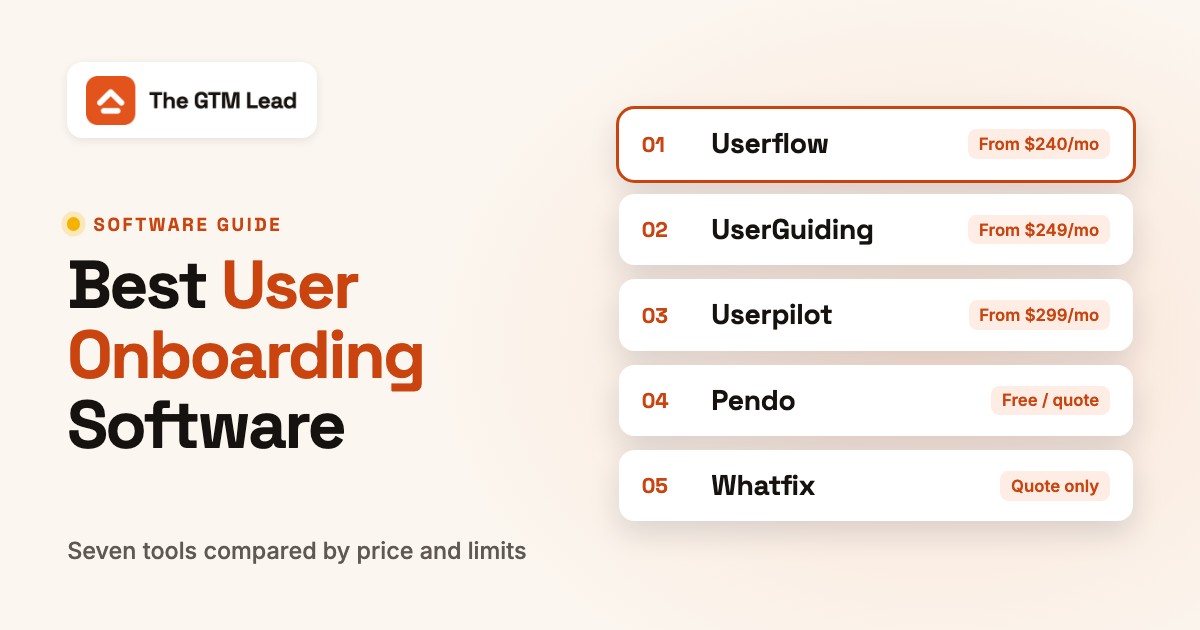
User onboarding software is a tool that guides new users through your product with in-app tours, checklists, tooltips and prompts, so they reach their first useful result without waiting for a human. Product and growth teams build these flows without code, target them by role or behavior, and see where people drop out. The category sits between product analytics and customer messaging: it acts inside the product, at the moment a user is stuck.
This guide compares seven tools: Userflow, Userpilot, UserGuiding, Appcues, Chameleon, Pendo and Whatfix. Facts come from each vendor's pricing and product pages as of November 2026, plus a G2 rating per tool. We read vendor material and didn't run these products. If you want a wider view of the same space, see our guide to product adoption software. Onboarding new employees or sales reps is a different job, covered in sales onboarding software.
- tools compared on vendor pages
- 7
- lowest published price with annual billing, Userflow Essentials
- $240/mo
- UserGuiding Starter, the next published entry price
- $249/mo
- tools sell by quote only for paid plans (Pendo, Whatfix)
- 2 of 7
What Is User Onboarding Software?
User onboarding software helps new users of a web product learn it inside the product itself. You describe a path, such as "create a first project, invite a teammate, connect an integration", and the tool shows a checklist, a guided tour or a tooltip at the right step. It records who finished each step, so you can see which step loses people.
Three parts do the work. A no-code builder lets a product marketer or growth manager ship a flow without waiting for a release. Targeting decides who sees what, usually by role, plan, segment or an event the user has triggered. Analytics show completion and drop-off per flow. Most tools add announcements, surveys and a help widget on top, but those are extras rather than the core.
The seven tools below differ less in what a tour looks like than in how they are priced, how much you can build before a plan limit stops you, and whether they also analyze product usage.
| Group | What it fits | Tools here |
|---|---|---|
| No-code onboarding builders | One product, a small team, published prices | Userflow, Userpilot, UserGuiding, Appcues, Chameleon |
| Analytics-led guidance | Teams that want usage data and guides in one platform | Pendo |
| Multi-app adoption platforms | Guidance across several business applications | Whatfix |
What to Check Before You Buy
Six checks separate a tool that fits from one that stalls after the first tour.
- How it counts users. Almost every plan is priced by monthly active users (MAU) or monthly tracked users. Estimate yours for the busiest month, not the average one, because that's the month you'll be billed for.
- What the entry plan caps. Several tools limit live guides, checklists or seats on the cheapest plan. Count the flows you need for signup, activation and your top three features.
- Who builds. If a product marketer will build flows, test the editor on your real app, including pages that load slowly or change often.
- Where the data goes. Check that completion events reach your analytics tool and your CRM on the plan you would buy.
- A/B tests and branding. Testing, custom CSS and removing the vendor badge sit on higher plans for some tools.
- A price you can read. Two of the seven tools publish no list price for paid plans, so you'll need a written quote before you compare.
Our Picks by Situation
Each pick is the tool whose vendor pages document the clearest answer to one situation.
 Best for unlimited experiences on every planUserflowEssentials at $240 a month billed annually includes unlimited experiences and team members.
 Best for a small team on a tight budgetUserGuidingStarter from $249 a month, with caps on guides, checklists and seats.
 Best for onboarding plus product analyticsUserpilotIn-app flows and adoption analytics in one no-code tool, from $299 a month.
 Best for A/B tests on in-app experiencesChameleonTesting starts on Pro at $750 a month; tours, tooltips and launchers are built without code.
 Best for unlimited seats and every feature on every planAppcuesGrow from $9,000 a year, with 25 published experiences.
 Best for a free start with analyticsPendoFree up to 500 MAUs; paid plans by quote.
 Best for guidance across several applicationsWhatfixFlows, Smart Tips and task lists on web, desktop and mobile, by quote.
User Onboarding Software Compared
The table shows what each tool leads with and what its pages show for price. The rating column shows the public G2 score.
| Tool | Type | What it leads with | Price (USD) | G2 rating |
|---|---|---|---|---|
| Userflow | In-app user onboarding and product adoption | Build product tours, checklists, tooltips and announcements without code, with an AI agent that answers questions in the app. | Essentials $240/mo and Studio $400/mo, both billed annually, 1,000 MAU included; Enterprise by quote; 14-day free trial, no card | 4.8 (125) |
| Userpilot | In-app onboarding and product adoption | Target a feature announcement or checklist to a user segment and see completion next to product analytics. | Starter $299/mo (up to 2,000 MAU); Growth from $849/mo; Enterprise by quote; 14-day free trial | 4.6 (1,028) |
| UserGuiding | In-app user onboarding | Guides, hotspots and checklists with caps per plan, plus a resource center and in-app surveys. | Starter from $249/mo (2,000 MAU, billed yearly $2,988); Growth from $499/mo; Enterprise by quote; 14-day trial | 4.7 (761) |
| Appcues | In-app user onboarding | Build tours, checklists and announcements without code and trigger them by page, audience or event. | Grow from $9,000/year (up to 50,000 MAU, 25 published experiences); Enterprise by quote | 4.6 (374) |
| Chameleon | Product adoption and in-app onboarding | Tours, tooltips, banners and launchers with targeting and A/B tests, built without code. | Startup from $279 (2,000 MTU); Pro from $750/mo (5,000 MTU); Growth from $1,250/mo, billed annually; Enterprise by quote | 4.4 (326) |
| Pendo | In-app guides and product analytics | Announce the launched feature inside the product to the right segment and measure adoption. | Free up to 500 MAUs; Base, Core and Ultimate by quote only; 30-day trial via sales | 4.4 (1,830) |
| Whatfix | Digital adoption platform | Flows, Smart Tips, pop-ups and task lists on web, desktop and mobile apps, with guidance analytics. | Not published; demo or sales contact | 4.6 (562) |
Prices as published on vendor pages in November 2026; Userflow, UserGuiding and Appcues prices assume annual billing where the vendor lists it.
From Signup to First Result
A new user passes through a few moments where onboarding either works or quietly fails. The columns show five of them, which tools here address each one, and what usually breaks.
- Step 1Welcome and setup
- Userflow
- UserGuiding
Breaks when a long tour is skipped on the first click - Step 2First task
- Appcues
- Chameleon
Breaks when the checklist lists features, not the first result - Step 3Measure drop-off
- Userpilot
- Pendo
Breaks when completion is tracked but nobody reads it weekly - Step 4Answer questions in the app
- Userflow
Breaks when help lives in a docs site users never open - Step 5Guide across other apps
- Whatfix
Breaks when each internal app has its own half-built guide
No-Code Onboarding Builders
Userflow, Userpilot, UserGuiding, Appcues and Chameleon all let a non-engineer build and publish in-app flows. The differences are limits, price basis and extras.
Userflow
Best for unlimited experiences on every plan
Userflow builds flows, tours, checklists, tooltips, banners, surveys and a Resource Center without code, and none of them is capped by plan.
Every plan includes unlimited experiences and unlimited team members. Pricing scales with monthly active users: 1,000 are included, and extra blocks of 1,000 are billed from $40 a month, falling to $10 at scale. Essentials costs $240 a month billed annually, which is $2,880 a year. Studio costs $400 a month billed annually and adds the Adoption Agent, an in-app assistant that answers a user's question and starts a matching flow, with 500 AI credits a month. Studio also adds HubSpot and Salesforce integrations and custom CSS. Both plans include an MCP server for Claude and ChatGPT, Zapier and Slack.
The vendor reports customer results on its product page, such as a 25 percent rise in trial-to-paid conversion at one customer. Treat these as vendor claims; they aren't independent results. G2 shows 4.8 from 125 reviews, with ease of use the most common praise and cost the most common complaint.
- You want unlimited experiences and team members on every plan
- You want an AI agent that answers questions in the app and starts a matching flow (Studio)
- You need HubSpot or Salesforce integrations or custom CSS on the entry plan, since both start on Studio
- You need a free plan or a monthly price lower than $240
- Users like
- Ease of use (33 G2 mentions) and quick, helpful support
- Users dislike
- Cost and content management (3 and 4 tagged mentions)
- Source: G2, 125 reviews
- Starting price
- Essentials $240/mo and Studio $400/mo, both billed annually, 1,000 MAU included; Enterprise by quote; 14-day free trial, no card
- Price basis
- Monthly active users, 1,000 included, extra blocks of 1,000 from $40/mo
- Essentials
- $240/mo billed annually; unlimited experiences, FlowAI builder, MCP, Zapier and Slack
- Studio
- $400/mo billed annually; adds Adoption Agent (500 AI credits), HubSpot and Salesforce, custom CSS
- Trial
- 14 days, no card
UserGuiding
Best for a small team on a tight budget
UserGuiding is a no-code tool for guides, hotspots, checklists, surveys and a knowledge base widget, with the lowest list price after Userflow.
Starter costs from $249 a month, billed yearly at $2,988, for 2,000 MAU, 15 guides, 10 hotspots, one checklist and one seat. Growth starts at $499 a month with 40 guides, five checklists, three seats, session replay and A/B testing. Both come with a 14-day trial and no card.
The caps are the main thing to check. A product with several user roles can outgrow one checklist and 15 guides quickly. G2 reviewers praise easy setup and quick guide building, and they mention limits on customization and advanced features.
- You want the lowest published entry price in this category
- You need a small, no-code onboarding setup run by one person
- You need more than 15 guides or 1 checklist, which Starter caps
- You need session replay or A/B testing, which start on Growth
- Users like
- Easy setup and quick no-code guide building
- Users dislike
- Limits on customization and advanced features
- Source: G2, 761 reviews
- Starting price
- Starter from $249/mo (2,000 MAU, billed yearly $2,988); Growth from $499/mo; Enterprise by quote; 14-day trial
- Starter
- From $249/mo; 15 guides, 10 hotspots, 1 checklist, 1 seat
- Growth
- From $499/mo; 40 guides, 5 checklists, 3 seats, session replay, A/B testing
- Trial
- 14 days, no card
Userpilot
Best for onboarding plus product analytics
Userpilot combines in-app flows, checklists, tooltips and surveys with product analytics, priced by monthly active users.
Starter costs $299 a month for up to 2,000 MAU and includes an NPS survey only. Growth starts at $849 a month and adds the Resource Center, advanced analytics and surveys. Enterprise is by quote, and there is a 14-day free trial with no card.
The jump from Starter to Growth is large, so decide early whether you need the Resource Center or deeper analytics. G2 shows 4.6 from 1,028 reviews, where users praise ease of use, quick setup and helpful support, and some mention a steep learning curve for deeper features.
- You want in-app announcements and adoption analytics in one no-code tool
- You want to start at $299/mo on Starter for up to 2,000 MAU, with a 14-day trial and no card
- You need the Resource Center or advanced analytics on a small budget, since both start on Growth at $849/mo
- You need an enterprise suite for internal employee software
- Users like
- Quick to set up, with helpful support
- Users dislike
- Steep learning curve for deeper features and limited advanced customization
- Source: G2, 1,028 reviews
- Starting price
- Starter $299/mo (up to 2,000 MAU); Growth from $849/mo; Enterprise by quote; 14-day free trial
- Price basis
- Monthly active users
- Starter
- $299/mo, up to 2,000 MAU, NPS survey only
- Growth
- From $849/mo, adds Resource Center, advanced analytics and surveys
- Trial
- 14 days, no card
Appcues
Best for unlimited seats and every feature on every plan
Appcues is a no-code builder for multi-step guides, checklists, announcements, surveys and a resource center, with unlimited seats on both plans.
The Grow plan starts at $9,000 a year for up to 50,000 MAU and 25 published experiences. Enterprise is by quote and allows 100 published experiences. The two plans differ in scale, not in features, and the pricing page lists no trial or monthly option.
That makes Appcues a poor fit for a quick test, but a reasonable one when a team already knows it will run many flows for a larger user base. G2 shows 4.6 from 374 reviews, with praise for ease of use and setup and complaints about limitations and missing features.
- You want non-engineers to build and publish onboarding and announcement flows
- You want every feature on every plan and unlimited seats
- You want a monthly plan to test with, since Grow is listed per year
- You need many live experiences on the entry plan, which is capped at 25
- Users like
- Easy setup and flow creation
- Users dislike
- Limitations and missing features
- Source: G2, 374 reviews
- Starting price
- Grow from $9,000/year (up to 50,000 MAU, 25 published experiences); Enterprise by quote
- Grow
- From $9,000/year, up to 50,000 MAU, 25 published experiences
- Enterprise
- Custom, 100 published experiences
- Seats
- Unlimited on both plans
- Trial
- None listed on the pricing page
Chameleon
Best for A/B tests on in-app experiences
Chameleon builds tours, tooltips, banners and launchers with targeting and A/B testing, priced by monthly tracked users.
Startup starts at $279 for 2,000 tracked users and 10 live experiences. Pro starts at $750 a month for 5,000 users and 20 live experiences, adds A/B testing and an AI Copilot, and comes with a 14-day trial and no card. Growth starts at $1,250 a month, billed annually, and removes the cap on live experiences. SAML single sign-on is a paid add-on.
G2 shows 4.4 from 326 reviews. Reviewers like how polished and easy the designed experiences are, and they point to pricing and limits as usage grows.
- You want A/B tests on in-app experiences, which start on Pro
- You want AI help building experiences (Copilot on Pro)
- You need unlimited live experiences, which start on Growth at $1,250/mo
- You want cheap SSO, since SAML is a paid add-on
- Users like
- Polished, easy to design experiences
- Users dislike
- Pricing and limits as usage grows
- Source: G2, 326 reviews
- Starting price
- Startup from $279 (2,000 MTU); Pro from $750/mo (5,000 MTU); Growth from $1,250/mo, billed annually; Enterprise by quote
- Startup
- From $279, 2,000 MTU, 10 live experiences
- Pro
- From $750/mo, 5k MTU, 20 live experiences, A/B testing
- Growth
- From $1,250/mo, unlimited live experiences
- Trial
- 14 days on Pro, no card
Analytics-Led Guidance
Pendo
Best for a free start with analytics
Pendo puts product analytics and in-app guides in one platform, and it's the only tool here with a free plan.
The free plan covers up to 500 MAUs. Base, Core and Ultimate plans are sold by quote only, with a 30-day trial through sales. A/B tests, guide logic and the full Resource Center require Guides Pro.
Pendo suits a team that wants to measure which features users adopt as well as guide them. G2 shows 4.4 from 1,830 reviews. Reviewers praise ease of use and analytics insights, and they report complex setup, especially for multi-condition guides.
- You need targeted in-app announcements for feature launches
- You want to measure feature adoption in the same tool
- You want to try a free plan (500 MAU cap) before talking to sales
- You need a launch plan with owners, milestones and dependencies
- You need public list pricing, since paid plans are quote only
- You need A/B tests, guide logic or full Resource Center announcements, which require Guides Pro
- Users like
- Ease of use and analytics insights that help teams build in-app guides
- Users dislike
- Missing features and limitations; complex setup, especially multi-condition announcements
- Source: G2, 1,830 reviews
- Starting price
- Free up to 500 MAUs; Base, Core and Ultimate by quote only; 30-day trial via sales
- Free plan
- Up to 500 MAUs
- Paid plans
- Base, Core, Ultimate, quote only
- A/B tests and guide logic
- Guides Pro
- Trial
- 30 days via sales
- Positioning
- Product analytics plus in-app guides in one platform
Multi-App Adoption Platforms
Whatfix
Best for guidance across several applications
Whatfix is a digital adoption platform that guides users across web, desktop and mobile applications with Flows, Smart Tips, pop-ups and task lists.
It adds governance for teams that run guidance at scale, with approvals, QA and version control. Two companion products cover training simulations in a sandbox copy of an app (Mirror) and product analytics with session replay. No price is published, and access is through a demo or sales contact.
It's built for companies guiding employees through several business applications as much as customers through one product. A SaaS team that only wants onboarding flows in its own app will probably find it heavier than the builders above, and it won't list a price you can plan against. G2 shows 4.6 from 562 reviews, with praise for ease of use and support and complaints about learning curve and complexity.
- You need guidance across several business applications with approvals and version control
- You want training simulations in a sandbox copy of an app (Mirror)
- You want published prices or a free trial
- You only need a light announcement tool, since Whatfix adds approvals, QA and version control to every Flow and Smart Tip
- Users like
- Ease of use and customer support
- Users dislike
- Learning curve and complexity; some limits in flexibility
- Source: G2, 562 reviews
- Starting price
- Not published; demo or sales contact
- Products
- Digital Adoption Platform, Mirror, Product Analytics
- Surfaces
- Web, desktop, mobile
- Governance
- Approvals, QA, version control
- Pricing
- Not published
How Much Does User Onboarding Software Cost?
Entry prices cluster between $240 and $300 a month for the builders, then jump. Userflow lists $240 a month with annual billing, UserGuiding $249, Chameleon $279 and Userpilot $299. Appcues starts at $9,000 a year, and Chameleon Pro and Userpilot Growth sit at $750 and $849 a month. Pendo has a free plan up to 500 MAUs, and Pendo and Whatfix sell paid plans by quote.
The price grows with your user base, not with your team. Userflow adds MAU blocks, Userpilot and UserGuiding scale by MAU tier, and Chameleon scales by tracked users. Before you sign, ask each vendor for a written price at twice your current monthly active users, and confirm which features sit behind the plan you would actually need.
How to Set Up Onboarding Step by Step
The tool matters less than a short routine that you repeat.
- Define the first result. Name the single action that shows a new user got value, such as publishing a first item or inviting a teammate.
- Map the path. List the three to six steps between signup and that result, and note where users stall today.
- Build one short flow. Start with a checklist or a three-step tour, not a long walkthrough.
- Target by role. Show different paths to an admin and an invited member.
- Measure completion per step. Look at where people stop, then change that step first.
- Review weekly. Retire flows nobody completes and fix the step that loses the most users.
- You named the first result a new user should reach
- You estimated MAU for your busiest month
- You counted the flows and checklists you need on the entry plan
- You tested the editor on your real app, including pages that change
- You know which events reach your analytics tool and CRM
- You checked whether A/B tests and branding sit on a higher plan
- You asked for a written price at twice your current MAU
- One person owns the weekly review of drop-off
When Your Own Team Needs to Be Ready
Every tool above guides users who are inside your product. None of them confirms that your SDRs, AEs and CSMs can explain a change in that onboarding before customers ask. The GTM Lead covers that narrow job: you send one release brief with approved messaging and do-not-say caveats, recipients acknowledge it and answer a short readiness check, and you see who is ready. It isn't an in-app onboarding tool, a sales enablement suite or an LMS, and plans start at $29 per month. For related guides, see product launch software and sales readiness software.
What is user onboarding software?
User onboarding software guides new users through a product with in-app tours, checklists and tooltips, targets them by role or behavior and reports where they drop out. Product and growth teams build the flows without code.
How much does user onboarding software cost?
Published entry prices run from $240 a month for Userflow Essentials with annual billing, to $249 for UserGuiding Starter, $279 for Chameleon Startup and $299 for Userpilot Starter. Appcues starts at $9,000 a year. Pendo has a free plan up to 500 MAUs, and Pendo and Whatfix sell paid plans by quote.
Do I need a developer to use these tools?
Userflow states that product, growth, marketing and customer success teams can build and launch in-app experiences without engineering help. A developer is usually still needed once, though, to install the vendor's snippet in your app.
What is the difference between user onboarding software and a digital adoption platform?
User onboarding tools focus on guiding new users of your own product. Digital adoption platforms such as Whatfix guide users across several applications and add governance such as approvals and version control, which is why they are sold by quote.
Is there a free user onboarding tool?
Pendo offers a free plan for up to 500 monthly active users. Userflow, UserGuiding, Userpilot, Chameleon and Pendo offer trials of 14 to 30 days, while the Appcues pricing page lists none.
Is this the same as employee onboarding software?
No. Employee onboarding software handles HR tasks for new hires, and sales onboarding software ramps new reps. User onboarding software guides customers or users inside a product.