ZoomInfo is clearly a strong candidate for B2B teams that need contact discovery, account intelligence, buying signals, and CRM-connected prospecting in one workflow. Its depth is also why you'll want to evaluate it carefully: the right data and workflow can justify a substantial purchase, but an impressive demo isn't proof that the contacts in your territory are current or that your reps will use the platform.
This ZoomInfo review examines the product as a buying decision, not as a sponsored ranking or a claim of hands-on testing. We checked current ZoomInfo product and pricing descriptions, the updated GTM Workspace positioning, and publicly available review evidence on October 24, 2026. Where the vendor doesn't disclose a dollar amount or a contractual term publicly, we say so rather than turn an online estimate into a quote.
- Best fit: established B2B prospecting teams with defined territories, a CRM owner, and enough outbound volume to measure data quality.
- Biggest advantage: contact and company research alongside buying signals and CRM workflows.
- Biggest risk: stale or mismatched records can erase the value of an otherwise useful prospecting workflow.
- Pricing: current US packages are named publicly, but a dependable account-specific dollar quote requires sales.
- Verdict: shortlist it, then run a territory-specific accuracy and adoption pilot before signing.
ZoomInfo at a glance
| Buying question | Our assessment |
|---|---|
| What is it? | A B2B contact, company, and account-intelligence platform with sales workflow capabilities. |
| Who benefits most? | SDR managers, account executives, revenue operations, and enterprise prospecting teams. |
| What stands out? | Broad search, account context, buying signals, and integrations that reduce manual list building. |
| What needs testing? | Current direct dials, verified business emails, account ownership, export behavior, and CRM match quality. |
| What makes purchasing harder? | Quote-led commercial terms and multiple packages with different feature coverage. |
| What is the verdict? | Potentially valuable for structured outbound; not an automatic fit for occasional prospecting. |
ZoomInfo describes a database of 420M+ global contacts, 120M+ direct dials, and 145M+ companies. These are vendor-reported inventory figures, not independently measured reach or accuracy. ZoomInfo also advertises 300+ attributes for segmenting prospects, including technology stack and funding information. Breadth only helps if your ideal customer profile is actually represented in the records you can export.
For a GTM leader, the central question isn't how many records a vendor stores. It's whether the right account owners can turn reliable records into conversations, and whether product marketing can equip the same field team with accurate messaging when the product changes.
What is ZoomInfo now? SalesOS, Copilot, and GTM Workspace
The product naming can be confusing because older comparisons still describe ZoomInfo SalesOS. G2 describes GTM Workspace as the upgraded version of ZoomInfo Sales and ZoomInfo Copilot. The current vendor site presents contact and company search, AI-assisted account work, buyer intent, sales automation, and enrichment as connected capabilities. Don't assume that every capability is included in every commercial package.
The useful distinction here is between the data layer and the seller workflow. The data layer helps a rep identify companies, decision-makers, contact methods, and potential timing signals. The workflow layer helps that rep decide what to do with the information, draft a relevant message, and keep CRM context together.
GTM Workspace is presented as a workspace on top of existing systems, not a replacement for the CRM. ZoomInfo says it integrates with Salesforce, HubSpot, and Microsoft Dynamics, with bidirectional synchronization. That matters for teams already invested in CRM hygiene, because a new intelligence tool shouldn't create a competing source of truth. Ask your administrator to show you permission handling, field mapping, duplicate rules, and what happens when a record changes in both systems.
Contact discovery and list building
ZoomInfo's core sales offer includes business emails, direct dials, company profiles, search, exporting, and tailored prospect lists. The Professional package lists quick and advanced search and exporting along with a Chrome extension and mobile app. For an SDR, that can shorten the path from a named account to a list of plausible contacts.
The weakness is that a search result isn't the same thing as a verified, reachable buyer. A phone number might be a switchboard or a former employee's number, and a title might no longer match the buying committee. Build your pilot around a known target-account sample, not a randomly chosen demo company that looks perfect.
A practical workflow is to start with the accounts sales already wants, filter for your real buying roles, review the contact's recent employment context, then check the exported fields against the CRM. If the list needs heavy manual repair, the speed you thought you'd gained is misleading, and you'll want to know that before signing.
Buying intent and account prioritization
ZoomInfo's pricing page explicitly places Buyer Intent signals and clusters in Copilot Advanced. Its Copilot Enterprise description adds real-time buyer intent signals and custom intent signals. The vendor also describes website visitors and buying-group indicators among advanced capabilities. Treat these as package-specific. They aren't included in every base subscription.
Intent is a prioritization clue. It isn't proof that a given person wants to buy. A company researching a topic might be a prospect, an existing customer, a competitor, or a student, and the signal won't tell you which. In a pilot, don't count every signal as pipeline. Compare the signal against CRM opportunities and real conversations. The strongest use case is helping a team choose which already relevant account deserves research today.
AI assistance and engagement workflows
ZoomInfo Professional lists AI-powered email generation and personalization. Its GTM Workspace page describes AI Docs for meeting briefs, account updates, and personalized outreach using CRM and intelligence context. Enterprise also lists Copilot chat. These features may save research time, but generated copy still needs a human check for current product positioning, claims, and prohibited promises.
Here's where the difference between account intelligence and launch readiness becomes visible. ZoomInfo can help a rep understand the buyer and prepare a message. That doesn't prove, on its own, that the rep read the latest release brief or understands what the product team told sales not to say. Those are separate enablement controls, and they're easy to confuse. It's a gap no database closes.
CRM enrichment and governance
ZoomInfo lists CRM integrations as part of Professional and describes CRM-connected workflows across its sales offering. The right implementation settles a mundane but important point: which system owns each field. If ZoomInfo overwrites a title someone corrected on purpose or changes an account owner, the enrichment project can create more work than it removes.
Agree on field precedence before rollout, and don't leave it to the vendor's defaults. Keep a record of changed values, suppress unwanted updates, and measure the share of records that require manual review. A clean sync demonstration isn't a substitute for testing the edge cases your revenue operations team sees every week.
ZoomInfo data accuracy: what the reviews reveal
Data quality is, frankly, the decision point most likely to change the value calculation. In G2's October 2026 sales-intelligence category snapshot, GTM Workspace is shown at 4.5 out of 5 from 9,205 reviews. G2's summarized positive themes include contact information and ease of use; the most frequent negative theme is inaccurate data. These are review themes, not an independent database audit.
The split matters. A satisfied rep may be comparing ZoomInfo with searching the web manually. A dissatisfied rep may work in a region or vertical where coverage is thinner, and that's not something a global rating shows. Both experiences can be genuine, and that's exactly why a single review score won't settle it. The only way to settle it is to measure your own reachable contacts, so that's what the pilot below does.
Capterra's public reviews likewise show both sides. One reviewer praised the ability to import contact information into Salesforce; another reported that information was sometimes outdated or incorrect. Because individual reviews are anecdotes, they should guide what to test rather than serve as a statistical accuracy guarantee.
A practical contact-data pilot
Don't evaluate a vendor by sending a bulk list to an email campaign and checking the open rate. Deliverability depends on domains, sending practices, suppression rules, and many factors unrelated to the vendor. Separate contact correctness from outreach performance, since they're different questions.
Build a representative account sample
Include target industries, company sizes, geographies, and difficult buying roles. Select accounts before you see ZoomInfo's results so you can't cherry-pick.
Define what counts as a valid contact
Check current employer, relevant role, usable business email, and a callable number separately. Don't mark a record accurate merely because a name matches.
Verify against independent evidence
Use current company pages, recent professional profiles, CRM history, and carefully controlled outreach. Respect privacy and suppression requirements, and don't contact anyone who's opted out.
Track missing and incorrect records
Record coverage, wrong-company matches, bounced emails, disconnected numbers, duplicate exports, and time spent fixing records.
Measure workflow adoption
Observe whether reps actually search, prioritize, export, and update CRM records without extra administrative work.
Keep the sample fixed when you compare another provider. If one tool is tested against easy-to-find software executives and another against obscure manufacturing contacts, the results can't support a fair buying decision.
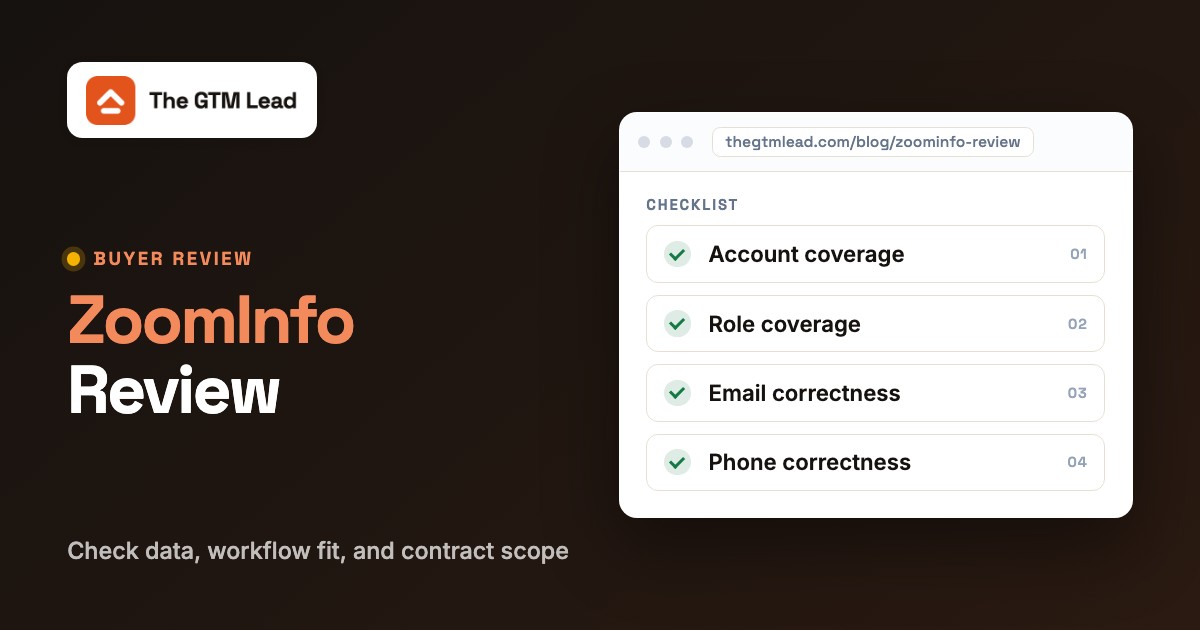
| Pilot measure | How to record it | Why it matters |
|---|---|---|
| Account coverage | Target accounts with usable company profiles | Shows fit with your ICP. |
| Role coverage | Accounts with a current contact in the buying group | Tests whether data supports your motion. |
| Email correctness | Verified usable work emails divided by checked emails | Separates contact quality from campaign deliverability. |
| Phone correctness | Valid intended-person numbers divided by numbers checked | Matters to phone-first SDR teams. |
| CRM match quality | Records synced without unintended overwrite or duplicate | Exposes RevOps cleanup cost. |
| Time to useful list | Research time including corrections | Measures actual labor savings. |
ZoomInfo pricing: what buyers can verify
ZoomInfo's US pricing page lists ZoomInfo Professional, Copilot Advanced, and Copilot Enterprise. It describes capabilities and free-trial calls to action, but doesn't show a dependable published dollar amount for the account-specific sales package in the page we reviewed. You'll need to request a written quote for the exact seats, data rights, credits, features, and term you need.
| Package | What the current pricing page highlights | Buying question |
|---|---|---|
| ZoomInfo Professional | Contact and company profiles, search and exporting, CRM integrations, basic AI assistance | Are the contact fields and exports sufficient for the core outbound motion? |
| Copilot Advanced | Professional capabilities plus account prioritization, intent clusters, website visitors, and workflow features | Will your team act on signals often enough to justify the upgrade? |
| Copilot Enterprise | Advanced capabilities plus real-time intent, advanced reporting, custom integrations, and a dedicated customer service manager | Which enterprise features are included in writing, and who will own implementation? |
Beware of reviews that repeat a precise starting price without a dated vendor quote. Those figures can be useful negotiation context, but they're not the contract you'll be offered. Our separate ZoomInfo pricing guide goes deeper into how to evaluate package and credit terms.
The most important cost driver may not be the price on the proposal. It may be the difference between credits purchased and contacts your team can actually use. Compare the quote with the pilot's usable-contact count, then include the labor required to correct records and maintain the integration.
A disciplined buyer plans for data quality that's lower than the demo suggested, and asks which contractual remedies or exit options exist. Don't accept a verbal assurance as a substitute for the written order form and governing terms.
ZoomInfo pros and cons for GTM teams
Where ZoomInfo looks strong:
- It combines contact search with company context, intent, and workflow capabilities, so an established team can reduce context switching.
- Broad segmentation can support complex account-based prospecting and territory planning.
- CRM-connected workflows can fit organizations with a dedicated operations owner and a mature data model.
- AI account preparation can help sellers assemble context faster when the underlying records are reliable.
Where buyers should be cautious:
- Public reviews repeatedly flag outdated or incorrect contact records. Coverage should be measured by segment rather than assumed.
- A quote-led purchase makes it harder to compare total costs until the exact package and contract are documented.
- Advanced signals and automation are package-specific; an attractive demo may not represent the base tier.
- AI-generated outreach can amplify stale facts or unapproved claims if no editorial review is built into the workflow.
- Integrations create governance obligations around field ownership, consent, permissions, and data retention.
None of these cautions means ZoomInfo can't deliver value. They explain why the purchase needs both a commercial review and a live data-quality test.
Who should buy ZoomInfo, and who should skip it?
| Team situation | Recommendation | Reason |
|---|---|---|
| Multi-territory outbound team with RevOps support | Shortlist | A single intelligence workflow can simplify account research and CRM operations. |
| Enterprise account-based sales with complex buying groups | Pilot advanced features | Buying signals and stakeholder mapping may be useful if reps act on them. |
| Small team researching prospects occasionally | Compare alternatives first | An extensive platform can be more than the team will use. |
| Team without CRM governance or clear ownership | Fix process before buying | Enrichment can magnify existing duplicate and permission problems. |
| Field team struggling with inconsistent product messaging | Use an enablement process as well | Better prospect data doesn't ensure that sellers understand the latest launch. |
The right buyer has a defined ideal customer profile, enough prospecting activity to evaluate the tool, and someone accountable for data operations. The wrong buyer expects a contact database to create demand, fix poor messaging, or make up for a process that doesn't exist.
ZoomInfo alternatives worth comparing
There's no universal winner among prospecting tools. Compare them against the specific job you're trying to perform, not a single feature checklist.
Apollo for a self-serve prospecting and engagement stack
Apollo publishes a Basic plan at $49 per seat per month when billed annually on its US pricing page. It combines prospecting and outreach capabilities, making it an obvious benchmark for teams that want transparent entry pricing. Check current credits, seat limits, and integrations before comparing the final invoice. If your team already has a strong CRM process and needs a lightweight daily outbound workflow, test Apollo alongside ZoomInfo using the same accounts.
UpLead for contact lookup and verification-focused workflows
UpLead lists Essentials at $99 per month on its pricing page. Its positioning emphasizes contact discovery, verification, and export. It's worth testing when the team mostly needs usable emails and numbers rather than a broad account-intelligence environment. The relevant comparison isn't the advertised size of the database, but the number of correct contacts you can find in your ICP.
Cognism for teams with international coverage needs
Cognism currently presents Standard and Pro prospecting packages, each described with five seats included. It's a reasonable shortlist candidate when your team wants to compare geographic coverage and mobile-data quality. Don't infer that one vendor is categorically better in Europe or the US without checking the actual territories, industries, and roles you sell to. Ask Cognism and ZoomInfo for equivalent quotes and run the same accuracy test.
| If your primary need is... | Compare first | Keep ZoomInfo in the mix when... |
|---|---|---|
| Transparent self-serve entry pricing | Apollo | You need deeper account intelligence and governance. |
| Contact lookup with a narrow workflow | UpLead | Intent and broader CRM operations matter. |
| International prospecting evaluation | Cognism | Your target segments benefit from ZoomInfo's specific coverage. |
| One workspace for data, signals, and sales execution | ZoomInfo | Your reps and RevOps team can operationalize it. |
For a deeper direct comparison, see ZoomInfo vs Cognism and Apollo pricing.
The GTM gap ZoomInfo cannot solve on its own
A contact database can tell an account executive whom to approach. It can't establish that the account executive has absorbed the latest approved product positioning. A product launch can fail in the field even when account data is excellent: reps may quote old packaging, promise a feature that isn't available, or miss a new qualification rule they weren't told about.
The fix is to treat contact intelligence and release readiness as different jobs. Keep your CRM and prospecting tool focused on account execution. Separately, give sellers an approved release brief, the specific language they may use, the caveats they must preserve, and a short way to confirm understanding. Review readiness by team before a launch, not after the first customer correction.
- Publish a short approved release brief with the customer problem and target audience.
- Specify approved positioning and examples of claims sellers must not make.
- Identify which SDRs, AEs, and CSMs need the update.
- Ask recipients to acknowledge the brief and answer a readiness question.
- Escalate missing acknowledgements or misunderstandings before launch.
- Give the field team a clear owner for last-minute messaging changes.
For teams that want a narrowly scoped process for release acknowledgements rather than a full learning platform, our own product, The GTM Lead, covers that adjacent job. It shouldn't replace your sales-intelligence or CRM system, only complement it.
You can also use our go-to-market strategy template to connect the product launch plan with ownership, messaging, and field execution.
Our verdict on ZoomInfo
ZoomInfo deserves a place on an enterprise or mid-market sales-intelligence shortlist, but the purchase should be conditional on verified data quality and a written commercial scope. Its strongest proposition is the combination of account research, contact discovery, buying signals, and CRM-connected action. Its weakest point for an uninformed buyer is the temptation to treat broad database claims or attractive demos as evidence of fit.
Run a representative pilot, and don't skip it. Have your RevOps owner review the integration and field permissions. Have frontline managers verify that sellers actually use the outputs. Get a quote that spells out features, credits, support, and renewal terms, since you can't compare what isn't written down. If the results are strong and the terms make sense, you've got a sensible choice. If not, a narrower prospecting tool may be the better investment.
Frequently asked questions
Is ZoomInfo worth it for small businesses?
ZoomInfo can be useful for a small business with a high-volume B2B prospecting motion, but many small teams should compare simpler tools before committing to a quote-led package.
Is ZoomInfo data accurate?
ZoomInfo offers extensive contact and company information, but public reviews also describe outdated or incorrect records. Accuracy must be measured in your own target accounts and geographies.
Does ZoomInfo publish its prices?
ZoomInfo lists its sales packages and their features publicly, but the pricing page we checked didn't provide a dependable account-specific dollar quote. Ask sales for the full written commercial terms.
What is the difference between ZoomInfo SalesOS and GTM Workspace?
G2 describes GTM Workspace as an upgraded version of ZoomInfo Sales and ZoomInfo Copilot. The newer positioning emphasizes a unified seller workspace built around CRM context and intelligence.
Does ZoomInfo replace Salesforce?
ZoomInfo positions GTM Workspace as a layer that works with existing CRM systems rather than replacing them. Validate sync, permissions, and field ownership during implementation.
What are the best alternatives to ZoomInfo?
Apollo, UpLead, and Cognism are useful comparisons for different buying needs. Run the same account sample through each provider and compare verified contact quality, workflow fit, and full contract cost.