CPQ software is the system sales teams use to configure a product or bundle, price it under rules and produce a quote, usually from the opportunity in the CRM. Teams buy it when quotes take days, discounts get approved in chat threads, or a pricing change ships and half the reps keep quoting the old one.
This guide compares eight tools: HubSpot, PandaDoc, DealHub, Salesforce Revenue Cloud, Conga CPQ, Oracle CPQ, SAP CPQ and Tacton. We read each vendor's pricing, product and documentation pages on November 11, 2026, plus a review source where one was available, and we didn't run these products. Many CPQ vendors publish no price, so "price status" below means what a vendor page shows before a sales call. The topic sits next to our guides to deal management software, pipeline management software and sales forecasting software. This one stays on the quote itself: how it's built, who approves it, and what has to change when the price list changes.
- CPQ and quoting tools compared
- 8
- per user per month, SAP CPQ list price, 50-user minimum
- $98
- per user per month, Oracle CPQ list price (November 2024), 25-user minimum
- $240
- of CPQ implementations fully succeed, per a Simon-Kucher survey of 200 leaders
- 40%
What Is CPQ Software?
CPQ software, short for configure, price, quote software, helps a seller pick the right products or options, applies price books, discounts and approval rules, and produces a quote that finance and the customer can accept. Salesforce describes it as software that works with the CRM so sellers create quotes directly from an active opportunity.
A quote moves through the same stages in most products. The seller starts a quote from an account or opportunity and configures products, with rules that stop invalid combinations. The system then prices the quote from price books, volume tiers and discounts. A rule violation, such as a discount or total above the allowed limit, sends the quote to an approver. The approved quote becomes a document and goes out for signature, and the signed deal passes to an order, contract or billing system.
Four neighboring product types get mixed up in shopping, and the difference decides the shortlist.
| Product type | Main job | Where it falls short as a CPQ |
|---|---|---|
| CPQ software | Configure, price and approve complex quotes | Heavier setup, rules need an owner |
| CRM quote template | Turn opportunity products into a quote document | Little rule logic and shallow approvals |
| Proposal and e-signature tool | Build, send and sign the document | Pricing rules and configuration are light or an add-on |
| Billing software | Invoice and collect after the deal | Does not shape the quote |
Most vendors below sit in the first row. HubSpot and PandaDoc start from the second and third rows and add CPQ features, which is why they come first in this guide. Billing is a separate system in every vendor's own documentation: SAP lists subscription billing as an additional solution next to CPQ, and Oracle pairs CPQ with a separate subscription management product.
Our Picks by Situation
 Best if you run HubSpot CRMHubSpot quotes (Revenue Hub)Quotes, approvals, e-signature and payment sit on the deal record, so there is no second system to sync.
 Best for quotes plus signature without a long rolloutPandaDocBundles, rulesets and approvals sit on top of a document tool that syncs to your CRM.
 Best for a deal desk selling subscriptionsDealHubParallel approvals, a buyer-facing DealRoom and contract templates in one vendor.
 Best for Salesforce teams with complex rulesSalesforce Revenue Cloud (formerly Salesforce CPQ)Product, price and approval rules on the CRM you already run, with a Revenue Cloud path for new buyers.
 Best when quotes must flow into contracts and billingConga CPQConstraint-based configuration plus contract and billing products from the same vendor.
 Best for ERP-linked enterprise sellersOracle CPQAny CRM, 20-plus ERP connectors and serial or parallel approvals.
 Best inside the SAP stackSAP CPQReuses SAP variant configuration and hands quotes to S/4HANA.
 Best for engineered, configurable productsTacton CPQConstraint-based configuration with live bill of materials and net price.
 Our product · for the step after the price changeThe GTM LeadTells reps what changed in pricing, what to say and what not to say, and shows who is ready.
Best CPQ Software Compared
| Tool | Where it fits | Starting price | G2 rating | How a quote moves |
|---|---|---|---|---|
| HubSpot quotes (Revenue Hub) | CRM-native quoting and CPQ-lite | Revenue Hub Professional from $85 and Enterprise from $140 per seat per month (USD); Sales Hub Professional $90 annual and Enterprise $150 | 4.4 (13,900) | Quote is built from the deal, passes rule checks and approvals, then becomes an e-signed contract record and a payment |
| PandaDoc | Document-first quoting with CPQ add-on | Starter $19 and Business $49 per seat per month billed annually (USD); Enterprise custom; CPQ is a paid add-on for Enterprise with no published price | 4.7 (3,863) | Quote document pulls CRM or catalog products, applies bundle and discount rules, routes approvals, then goes to e-signature |
| DealHub | Deal desk and CPQ | Quote only (Growth and Scale packages) | 4.7 (868) | Discount and deal-size rules route quotes to approvers in parallel, then into a DealRoom buyer portal and contract |
| Salesforce Revenue Cloud (formerly Salesforce CPQ) | Enterprise CPQ and quote-to-cash | Growth $150 and Advanced $200 per user per month, billed annually (USD); requires a Sales Cloud, Service Cloud or CRM license | 4.2 (1,686) | Rep configures, prices and quotes on the opportunity; discount and rule violations route for approval before the quote goes out |
| Conga CPQ | Enterprise CPQ | Contact sales (G2 lists Basic from $85 per user per month) | 4.2 (245) | Out-of-policy discounts route through multi-step approvals, then quotes pass to Conga CLM for contracts and Conga Billing for invoices |
| Oracle CPQ | Enterprise CPQ | List $240 per named user per month, 25-user minimum, 3-year initial term (Oracle price list, Nov 2024) | 4.0 (278) | Quote to ERP order via 20+ ERP connectors, Oracle Subscription Management, Oracle Commerce |
| SAP CPQ | Enterprise CPQ | USD 98.00 per user per month (standard edition), 50-user minimum, 1 to 5 year term (SAP US site) | 4.2 (144) | Quote to S/4HANA solution order via BTP Cloud Integration; connects to SAP Sales, Commerce and Service Cloud |
| Tacton CPQ | Configurator-led CPQ for manufacturers | Contact sales (no public price) | 4.3 (54) | Configured product, BOM and net price sync from the configurator into the CRM quote and then to ERP |
| The GTM Lead Our product | Release enablement acknowledgements | From $29 per month (Starter, up to 50 recipients), Growth $79 per month (up to 250 recipients) | No reviews yet | Shows which SDRs, AEs and CSMs are ready to explain a product change |
Prices in USD, checked on November 11, 2026. HubSpot's G2 figures cover Sales Hub overall.
Price is only part of the cost, and minimums, CRM requirements and contract terms decide who can buy a tool at all.
| Tool | CRM requirement | Smallest purchase on the vendor's list | Price status |
|---|---|---|---|
| HubSpot quotes | HubSpot CRM | One Revenue Hub seat | Published, per seat |
| PandaDoc | Works with HubSpot, Salesforce, Pipedrive and Monday | One seat | Plans published, CPQ add-on not |
| DealHub | Salesforce, Dynamics 365 or HubSpot; others by API | Not published | Quote only |
| Salesforce Revenue Cloud | Sales Cloud, Service Cloud or CRM license | Annual contract | Published, per user |
| Conga CPQ | Salesforce for the native edition; none for the platform editions | Not published | Contact sales |
| Oracle CPQ | Any CRM | 25 users, 3-year initial term | List price in a PDF dated 2024 |
| SAP CPQ | None stated | 50 users, 1 to 5 year term | Published, per user |
| Tacton | Salesforce, Dynamics 365, SAP or Oracle integrations | Not published | Contact sales |
What to Check Before You Buy CPQ Software
Five checks separate a quoting engine from a nicer quote template. We used them to read every vendor.
- Where the catalog lives. A CPQ that reads products and prices from your CRM is faster to start. One with its own catalog is easier to control but needs two places kept in sync.
- How deep the configuration goes. Bundles and tiers cover most software sales. Products with dependencies, such as parts that only fit together in certain ways, need a rules or constraint engine.
- How many approval steps you need. Ask whether approvals can run in parallel, what happens when one approver rejects, and which plan unlocks multi-step flows.
- What the quote hands off to. A signed quote can become a contract, an order in an ERP or a billing schedule. The handoff is where most quoting errors turn into invoice errors.
- Minimums and terms. Oracle's list sets a 25-user minimum and SAP's sets 50. Those floors rule out small teams regardless of features.
How a Pricing Change Moves Through a CPQ
When pricing or packaging changes, the CPQ is where the change has to land before any rep can quote it correctly. Vendor documentation points to the same three places, and a fourth step sits outside the software entirely.
- Step 1Update price books and models
- Oracle CPQ
- SAP CPQ
- HubSpot quotes (Revenue Hub)
Check the old and the new price are both active for one product - Step 2Change pricing and discount rules
- Salesforce Revenue Cloud (formerly Salesforce CPQ)
- Conga CPQ
- PandaDoc
Check a rule still caps discounts at last quarter's number - Step 3Reset approval thresholds
- Oracle CPQ
- DealHub
- HubSpot quotes (Revenue Hub)
Check approvers still see the old limits, so deals stall or skip review - Step 4Tell the people who quote
- The GTM Lead
Check reps quote from memory of last month's rule
In Oracle CPQ, a price model is the container for prices, discounts or markups, and a model can link to pricing rules and to rate plans for subscription charges. Its approval sequences list the reasons that trigger a review and the approvers, serial or parallel, and the help center's example is a VP approval above $100,000 or for a high discount. Salesforce's classic CPQ uses price rules that run when the rep saves or calculates the quote. SAP calculates the discount on save and blocks the order action until an approver releases the quote. The names differ, but the job is the same: price list, rules, approval limits.
The fourth step is the one no vendor automates, and it's the one reps feel first. A rule change in the system doesn't tell a rep why the discount floor moved, what to say to a customer on an old contract, or what not to promise. That message usually goes out as a Slack post or a release note that people skim.
CPQ Inside Your CRM: HubSpot and PandaDoc
These two start from the quote document and the CRM record. They suit teams whose catalog is mostly plans, seats and tiers, and who want quoting live in weeks. Neither is a true configurator for products with parts and dependencies, though.
HubSpot quotes (Revenue Hub)
Best if you run HubSpot CRM
HubSpot's current quoting and CPQ run on Revenue Hub seats, not on Sales Hub alone.
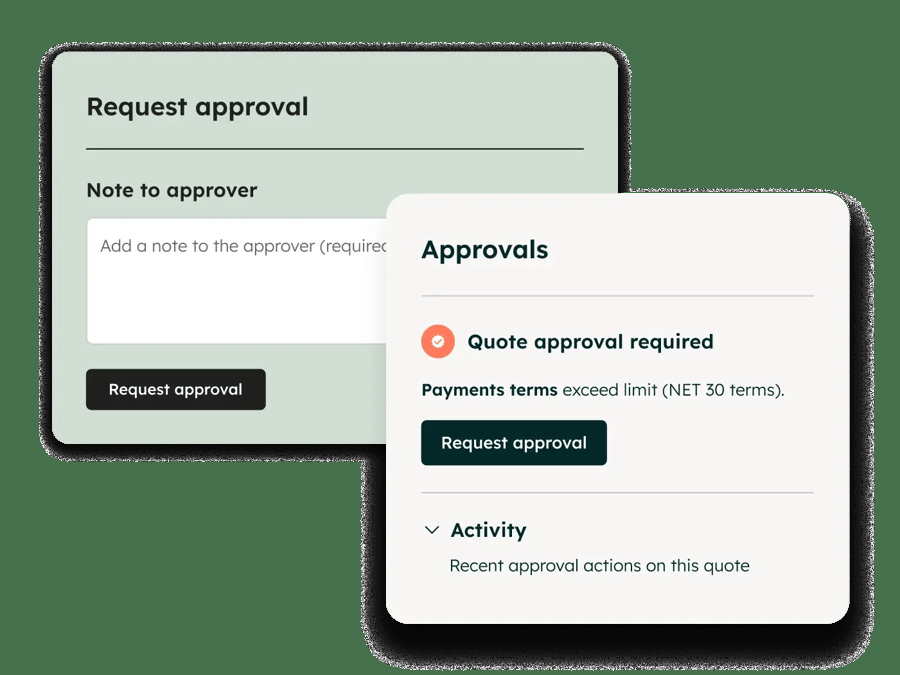
A seller builds the quote in a single-page editor. Line items populate from the associated deal, and discounts and billing terms are set per line item. Products come from a product library that supports flat-rate, stair-step and tiered pricing plus price books. HubSpot states that tiered pricing and price books require a Revenue Hub subscription. Quote rules can show a warning while the seller builds the quote or block publishing until a requirement is met.
Standard approvals work with any approver or all approvers. Advanced approvals, built as workflows on quote properties such as discount, amount or term length with up to five steps, need Revenue Hub Enterprise. When the buyer accepts, HubSpot creates a contract record, and the buyer can pay from the quote through HubSpot Payments or Stripe.
Sales Hub accounts keep the older quotes tool, which caps a quote at 200 line items and can't add tier-priced products. It isn't available to new users since September 3, 2025. HubSpot's own CPQ guide positions the product for small and midsize teams and points buyers with complex configuration needs to Salesforce or Oracle.
- you already run HubSpot CRM and want quotes, e-signature and payments on the deal record
- your catalog is tier or price-book based, not deeply configurable
- you need advanced multi-step approvals without paying for Revenue Hub Enterprise
- you sell highly configurable products or need ERP-deep CPQ (HubSpot's own guide points those buyers to Salesforce or Oracle)
- Starting price
- Revenue Hub Professional from $85 and Enterprise from $140 per seat per month (USD); Sales Hub Professional $90 annual and Enterprise $150
- CPQ seat
- Revenue Hub Professional or Enterprise
- Advanced approvals
- Revenue Hub Enterprise, up to 5 steps
- Legacy quotes
- Kept by Sales Hub accounts; 200 line item cap
- Pricing models
- Flat, stair-step, tiered, price books
- Price
- Revenue Hub from $85 (Professional) and $140 (Enterprise) per seat per month
PandaDoc
Best for quotes plus signature without a long rollout
PandaDoc is a document and e-signature tool whose quoting and CPQ features add bundles, rules and approvals on top of your CRM.
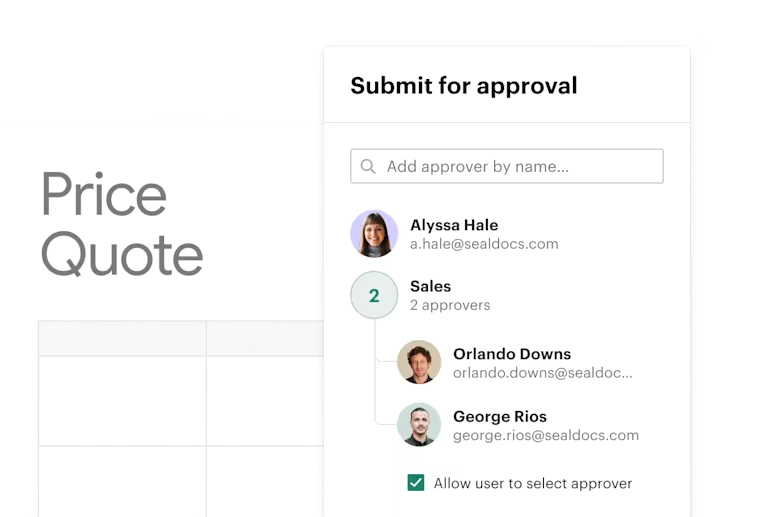
Product data can live in your CRM or in PandaDoc's own catalog, and Business and Enterprise list a product catalog and pricing tables. The CPQ add-on, sold on Enterprise, lets an admin create bundles and predefined rulesets so required add-ons are included automatically. The rules use WHEN and THEN logic. A real-time pricing engine applies discounts and customer-specific pricing, and pricing beyond a set limit triggers a separate review where the approver can approve or reject with one click.
The help center describes conditional approvals: a document goes to an approver only when quote values match your rules, such as a discount total, and an approver whose condition isn't met is skipped. It also states a limit. Conditional approvals don't support product bundles in the current release of the new quotes experience. Quotes go out for signature from inside the CRM, and the CPQ page names HubSpot, Salesforce, Pipedrive and Monday as synced systems.
Starter is $19 and Business is $49 per seat per month, billed annually. Enterprise is custom, and the CPQ add-on has no published price. A 14-day free trial needs no credit card.
- you want quotes and e-signature in one tool synced to HubSpot or Salesforce
- you need simple bundles and discount-threshold approvals without a long implementation
- you need conditional approvals that look inside product bundles (not supported in the new experience release)
- you need heavy constraint-based configuration or a published CPQ price on lower tiers
- Users like
- Ease of use and document management
- Users dislike
- Signing issues and missing features
- Source: G2, 3,863 reviews
- Starting price
- Starter $19 and Business $49 per seat per month billed annually (USD); Enterprise custom; CPQ is a paid add-on for Enterprise with no published price
- CPQ plan
- Optional paid add-on on Enterprise
- Catalog
- In your CRM or PandaDoc's own catalog
- Approvals
- Conditional approvals on Business and Enterprise
- CRMs named
- HubSpot, Salesforce, Pipedrive, Monday
- Plans
- Starter $19, Business $49, Enterprise custom (per seat per month, annual)
- CPQ
- Optional paid add-on on Enterprise
- Rules
- WHEN and THEN rulesets and bundles
- CRM sync
- HubSpot, Salesforce, Pipedrive, Monday
Deal-Desk CPQ: DealHub, Salesforce Revenue Cloud and Conga CPQ
Deal-desk CPQ serves teams with real discount governance: a deal desk, subscription or usage pricing, and approval chains. All three assume an owner for the rules, and Salesforce and Conga assume a partner or a long project.
DealHub
Best for a deal desk selling subscriptions
DealHub combines CPQ, contracts and a buyer-facing DealRoom, and since November 2025 it also owns a subscription billing product.
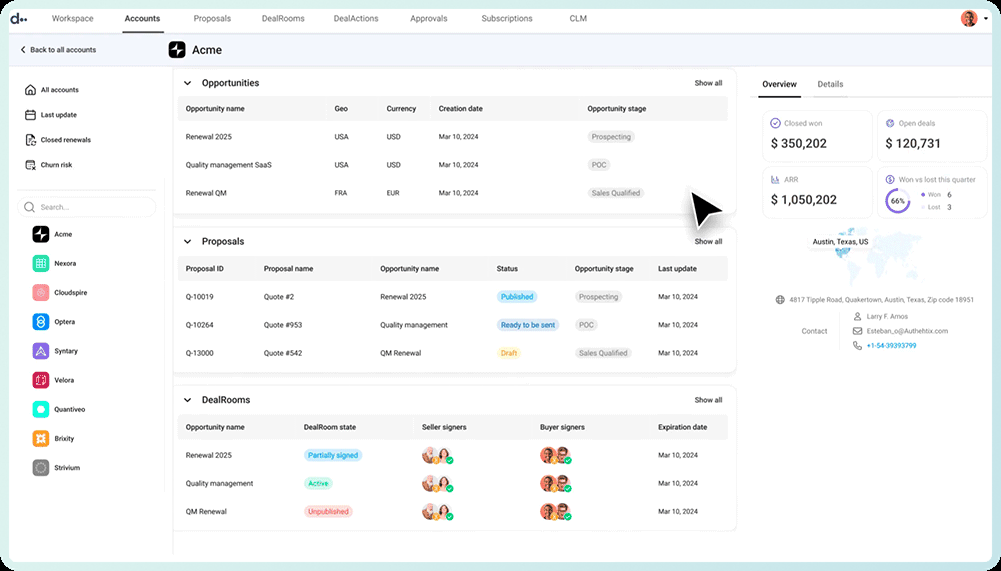
Sellers use guided selling with smart filters over structured products. An adaptive pricebook supports usage-based, tiered and fixed pricing, with bundles and dynamic discounts held inside pricing guardrails. Approval workflows run in parallel, approvers can approve with one click, and a Deal Desk Dashboard shows status. After approval, the quote links to a DealRoom, a digital room where the buyer sees the proposal, content and signatures, and to contract templates with a clause library. E-signature runs through a DocuSign add-on.
DealHub syncs natively with Salesforce, Microsoft Dynamics 365 and HubSpot. Other systems connect through its API, and ERP connectors are sold as add-ons. The vendor lists AI conversational quoting, AI pricing optimization and an MCP interface, and says pricing rules, approval thresholds and discount policies apply to every AI-generated quote.
DealHub announced the Subskribe acquisition on November 19, 2025. Its FAQ says existing environments continue as they are and that Subskribe will be fully integrated, with no dates given. The pricing page names Growth and Scale packages and shows no prices, and G2 lists three editions: CPQ+, CPQ plus CLM, and Quote-to-Revenue.
- discount approvals run through email and Slack threads today and you want one governed workflow
- you sell subscriptions or usage pricing and want quoting, contracts and billing from one vendor
- your pricing is simple and discounts are rare, since pricing is quote only and G2 reviewers report a 3 month average implementation
- your CRM is not Salesforce, Dynamics 365 or HubSpot, because other systems need the API and ERP connectors are add-ons
- Users like
- Customer support and ease of use
- Users dislike
- Learning curve and limited customization
- Source: G2, 868 reviews
- Starting price
- Quote only (Growth and Scale packages)
- CRMs
- Salesforce, Microsoft Dynamics 365, HubSpot (others via API)
- Approvals
- Parallel, one-click, with a deal desk dashboard
- Billing
- Subskribe, acquired 2025, integration timeline not published
- AI
- AI Conversational Quoting, AI Pricing Optimization, native MCP (vendor page)
- Implementation
- About 3 months average, reported by G2 reviewers
Salesforce Revenue Cloud (formerly Salesforce CPQ)
Best for Salesforce teams with complex rules
Salesforce's own CPQ is end of sale for new customers, and Revenue Cloud is the product it names as the successor.
In classic CPQ, product rules validate or change what a seller can configure: validation, selection, filter and alert rules. Price rules update quote lines when the seller saves or calculates, and multi-dimensional quoting handles subscriptions as line items over time periods. Revenue Cloud puts product, pricing and approval rules on one platform built so that pricing and quoting logic lives in the APIs, not the user interface. Salesforce says it adds a unified product catalog, asset lifecycle management, usage billing and agentic AI compared with CPQ.
Revenue Cloud Growth is $150 per user per month and Advanced is $200, billed annually. Growth includes the quoting and configurator, order capture and subscriptions. Advanced adds contracts and orders, consumption and invoicing, and AI and analytics. The price footnote requires a Sales Cloud, Service Cloud or CRM license, so this is a Salesforce-only choice.
Salesforce's page on CPQ says existing customers can keep using it, renew licenses, add users and get support, and that there is no forced migration. It estimates a typical migration at three to six months and says about 15% of Revenue Cloud Advanced customers previously used CPQ. Salesforce has used several names for the Revenue Cloud line, so confirm the product name on any quote.
- you already run Salesforce CRM and need deep product, price and approval rules
- you have complex catalogs or subscription and usage pricing and can fund a 3 to 6 month implementation
- you do not use Salesforce as your CRM (a Sales Cloud, Service Cloud or CRM license is required)
- you have a simple catalog and want to be live in days without partners
- Starting price
- Growth $150 and Advanced $200 per user per month, billed annually (USD); requires a Sales Cloud, Service Cloud or CRM license
- CPQ status
- End of sale, not end of life; no end-of-life date announced
- Successor
- Revenue Cloud Advanced
- Migration
- No forced migration; typical 3 to 6 months
- Billing
- Annual contract
- Price
- Growth $150, Advanced $200 per user per month, annual
- Prerequisite
- Sales Cloud, Service Cloud or CRM license
- Implementation
- About 5 months average, reported by G2 reviewers
Conga CPQ
Best when quotes must flow into contracts and billing
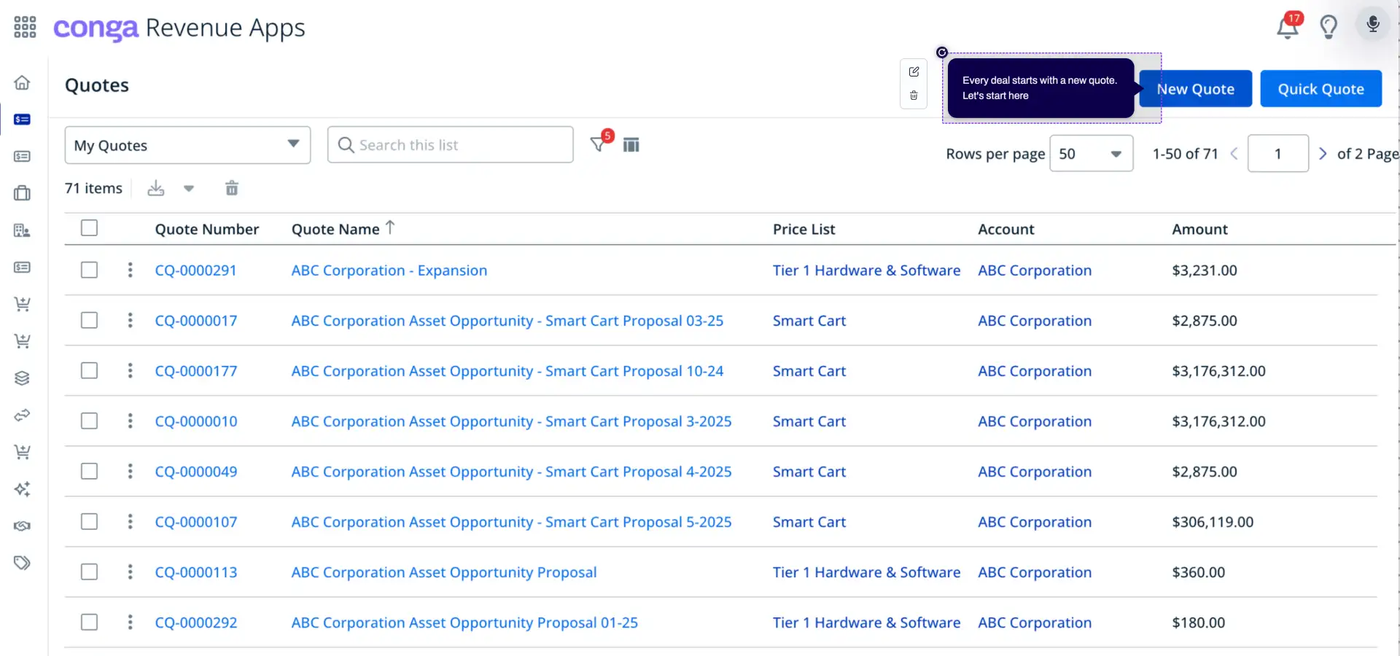
Conga CPQ, formerly Apttus CPQ, is sold as a Salesforce-native product and as Smart CPQ and Advantage CPQ on Conga's own platform.
Conga's engine is rules-based and constraint-based, and its documentation for the Salesforce edition lists guideline limits: up to 4 price dimensions, 500 price rule entries, 1,000 matrix entries per price list item, 100 price lists per org and three-level nested bundles. Conga calls these general guidelines, so ask how your catalog compares.
Approvals are built from steps of type Standard, Subprocess and Child Process, the last working on line items. If anyone in the process rejects an item, the whole process is rejected. The docs describe auto-escalation and backup assignees and list 100 approval steps and 350 simultaneous requests. A quote can then flow to Conga's contract product and to Conga Billing under one data model.
Conga completed its acquisition of the PROS B2B business on February 2, 2026, which brings AI pricing guidance. Price optimization is a separate product. Conga shows no price, and G2 lists a Basic plan from $85 per user per month without describing what it includes. The pages describe the Salesforce, Smart and Advantage editions in different terms, so ask which edition a quote covers.
- you have complex configuration and discount rules on Salesforce and want contracts and billing from the same vendor
- you need CPQ that also runs on Dynamics 365 or outside Salesforce through Smart CPQ or Advantage CPQ
- you have a simple catalog, since G2 reviewers cite complexity and complex setup and report about 7 months to implement
- you want published list pricing, because Conga's site shows none
- Users like
- Ease of use, integrations and product configuration
- Users dislike
- Complex setup and learning curve
- Source: G2, 245 reviews
- Starting price
- Contact sales (G2 lists Basic from $85 per user per month)
- CRMs
- Salesforce (native), Dynamics 365 (Smart CPQ); SAP and Oracle via APIs
- Approvals
- Standard, Subprocess and Child Process steps with escalation
- News
- Completed PROS B2B acquisition 2026-02-02 for AI pricing optimization
- Lineage
- Formerly Apttus CPQ, combined with Conga in 2020
- Implementation
- About 7 months average, reported by G2 reviewers
Enterprise and Manufacturing CPQ: Oracle, SAP and Tacton
These three target sellers with complex products, ERP handoffs and long contracts. Oracle and SAP publish list prices with minimum seats. Tacton doesn't, and it starts from configuration rather than discounts.
Oracle CPQ
Best for ERP-linked enterprise sellers
Oracle CPQ, formerly BigMachines, sits between the CRM and the ERP, and it doesn't require any particular CRM.
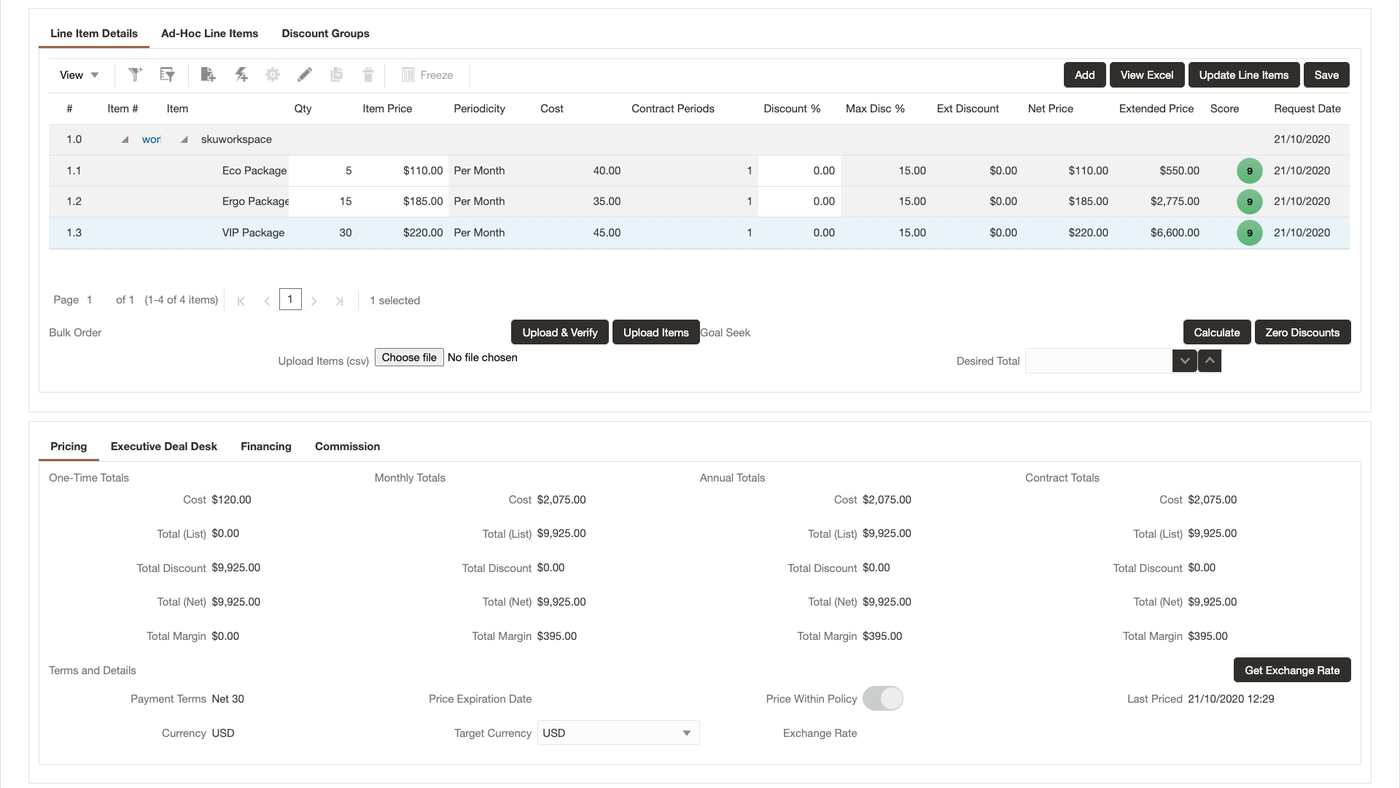
A seller configures through guided selling and reusable product models, prices from price books with discounts and promotions, and produces branded quotes, proposals and contracts. Price models are containers for prices and come as price list, discount list, markup list or advanced models, with tier, volume, matrix and rate card pricing and rate plans for subscription charges.
Approval sequences trigger when the user clicks Submit. An admin defines reasons and approvers, each reason can run serial or parallel, delegation is supported, and a quote with no triggering reason is approved on submit. Oracle's product page names Salesforce and Oracle Sales as CRM options and more than 20 ERP systems, including Oracle E-Business Suite, JD Edwards, SAP, Infor LN and Microsoft.
Oracle's price list, dated November 1, 2024, shows $240 per hosted named user per month with a 25-user minimum and says initial quotes require a three-year term. The Salesforce connector is a separate $5 per user per month line. The list is two years old, so treat it as a starting point. The vendor's AI claims include deal scoring and discount recommendations, and it says more AI capabilities are coming with Fusion.
- you sell complex or subscription products and need ERP-grade order handoff
- you need multi-tier serial and parallel approvals and channel pricing
- you are a small team: 25-user minimum and 3-year initial term on the list
- you want a fast, light setup: G2 reviewers cite complexity and learning curve
- Users like
- Ease of use, time savings, integrations
- Users dislike
- Complexity, complex setup, learning curve
- Source: G2, 278 reviews
- Starting price
- List $240 per named user per month, 25-user minimum, 3-year initial term (Oracle price list, Nov 2024)
- Minimum
- 25 users, 3-year initial term
- CRM
- Any CRM; Salesforce connector $5 per user per month
- ERP
- 20-plus systems including SAP and JD Edwards
- G2 implementation time
- 6 months (user average)
- Price
- $240 per named user per month, 25-user minimum, 3-year term (list dated November 2024)
- Implementation
- About 6 months average, reported by G2 reviewers
SAP CPQ
Best inside the SAP stack
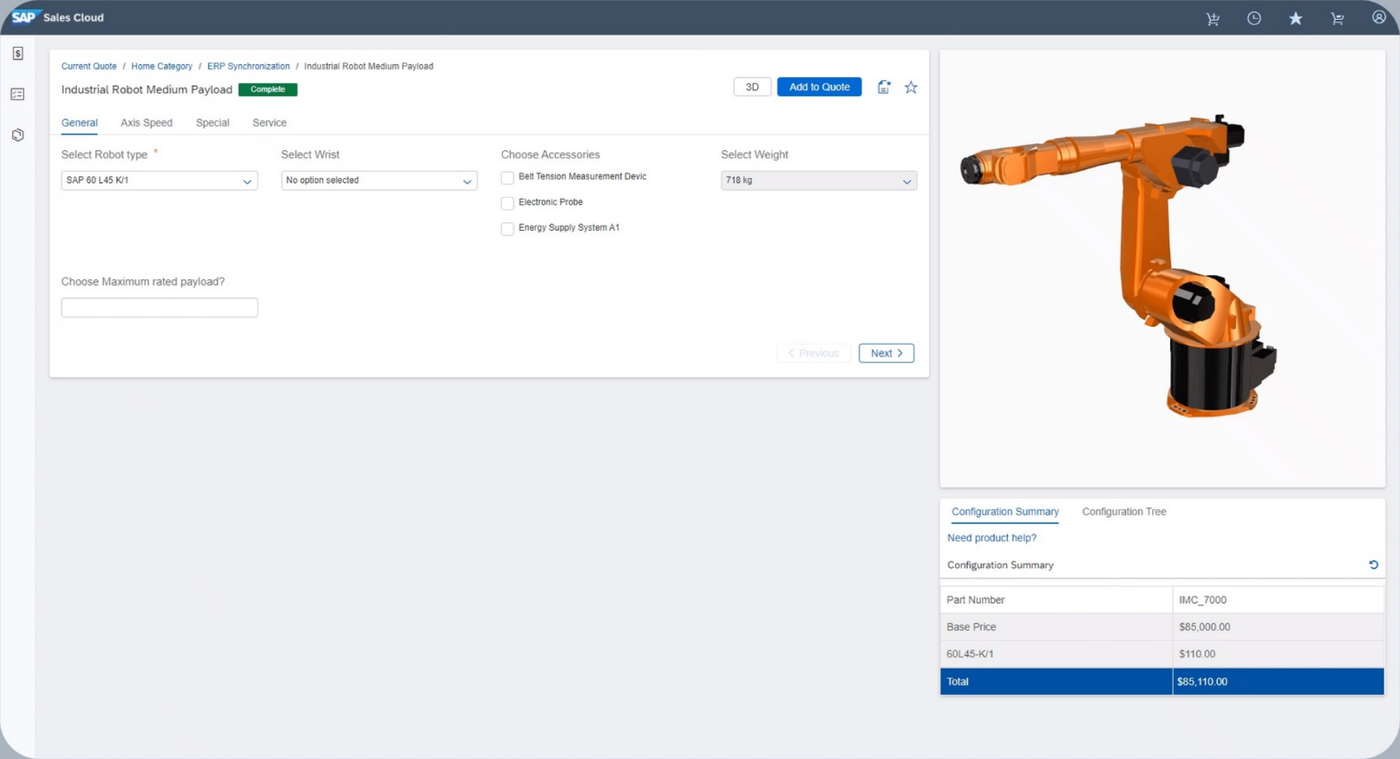
SAP CPQ handles complex configuration, price-book pricing and discount approvals, and reuses SAP variant configuration and ERP data.
SAP Learning describes the approval path: a quote needs approval when the discount or total is higher than allowed or a company rule is violated. Discounts calculate on save, and a violating discount percent turns red and makes place order and checkout unavailable. The seller clicks Request Approval and comments on each violation, and the approver finds the quote under Waiting for Approval and can approve, reject or forward it. SAP's training material calls modeling the workflow the most important part of an implementation.
SAP's community documentation describes a predefined integration with solution orders in S/4HANA Cloud Public Edition through SAP BTP Cloud Integration, and states that the matching scope item needs a separate SAP CPQ license. SAP's product page says CPQ connects to your CRM, e-commerce or ERP, and lists SAP Sales Cloud, Commerce Cloud and Service Cloud in its unified data model.
The SAP US list shows $98 per user per month for the standard edition, with a 50-user minimum, a one to five year term and auto-renewal, and it includes one production and one test tenant. An extra test tenant is $3,163 per month, and an external subscription for dealers, distributors or partners is $24 per user per month.
- you run S/4HANA or SAP Sales/Commerce Cloud and want variant configuration reused
- you sell complex products through dealers and need a partner user license ($24/user/mo)
- you have under 50 sellers: the list sets a 50-user minimum
- you are outside the SAP stack: G2 reviewers cite complexity and slow performance
- Users like
- Efficiency, pricing optimization, ease of use
- Users dislike
- Complexity, learning curve, slow performance
- Source: G2, 144 reviews
- Starting price
- USD 98.00 per user per month (standard edition), 50-user minimum, 1 to 5 year term (SAP US site)
- Minimum
- 50 users, 1 to 5 year contract
- Extra test tenant
- USD 3,163.00 per month
- External users
- $24 per user per month for partners and dealers
- S/4HANA
- Predefined solution order integration (scope item 6BV)
- Price
- $98 per user per month, 50-user minimum, 1 to 5 year term
- ERP handoff
- S/4HANA solution orders via BTP Cloud Integration
- AI
- Embedded AI and pricing recommendations, per the vendor page
Tacton CPQ
Best for engineered, configurable products
Tacton CPQ is a configurator-led product for manufacturers of complex goods, where an invalid configuration means rework or a failed install.
Its configuration is constraint-based: the model defines what is possible instead of listing every combination, so a seller can't build something that can't be built. After every selection the platform updates the bill of materials, the customer net price and the product visualization, and multi-level bills of materials are supported. Discount, volume and customer-specific rules apply on top, and sellers produce branded quote documents without engineering support. Buyers can also configure through a self-service experience.
Salesforce is embedded, and Microsoft Dynamics 365, SAP and Oracle are listed as integrations alongside product lifecycle and product information systems and open REST APIs. The vendor FAQ says it runs in the cloud or on premise. Tacton's pages mention approval logic only in passing and don't describe an approval workflow, so ask for a demo of discount approvals if you need them.
Tacton publishes no price. G2 reviewers tag it as expensive, and the review sample is small at 54 reviews. The vendor says an AI Product Modeling Assistant, announced on May 5, 2026, turns product documents into CPQ-ready models, which modelers review before they sync.
- you sell engineered or highly configurable products where an invalid configuration means costly rework
- you want one configurator for direct sales, partners and customer self-service tied to your CRM and ERP
- you sell simple products or services, since the product targets complex manufactured goods
- you need documented approval workflows or a short rollout, because approvals are barely described and G2 reviewers report about 8 months to implement
- Users like
- Ease of use and easy integrations
- Users dislike
- Expensive, with a learning curve
- Source: G2, 54 reviews
- Starting price
- Contact sales (no public price)
- Engine
- Constraint-based configuration with live bill of materials and net price
- CRMs and ERPs
- Salesforce (embedded), Microsoft Dynamics 365, SAP, Oracle
- Deployment
- Cloud or on premise, per the vendor FAQ
- AI
- AI Product Modeling Assistant announced 2026-05-05 to speed up CPQ model building (vendor claim)
- Integrations
- Salesforce (embedded), Dynamics 365, SAP, Oracle
- Implementation
- About 8 months average, reported by G2 reviewers
How Long Does a CPQ Implementation Take?
Oracle NetSuite's guide says a typical CPQ implementation takes three to six months and stretches with the complexity of configurations, pricing rules and approval workflows. A Simon-Kucher survey of 200 business leaders found that only 40 percent of implementations fully succeed, and it names clear scope, system integration and organizational readiness as the critical factors. Vendors publish few timelines of their own. G2 reviewers report an average implementation time for five of the tools here.
Short timelines come with simple catalogs and one approval chain. The long ones belong to products with many rules and an ERP handoff, which matches the tools that serve those buyers.
Which CPQ Fits Your Quotes?
Start with how your quotes are built today, not with the longest feature list.
- Your deals live in HubSpot and the catalog is plans and seatsHubSpot quotes (Revenue Hub)
- You need quote, e-signature and simple bundles in weeksPandaDoc
- A deal desk approves discounts in Slack todayDealHub
- You run Salesforce CRM and need deep product and price rulesSalesforce Revenue Cloud (formerly Salesforce CPQ)
- Quotes must flow into contracts and billing from one vendorConga CPQ
- Your ERP is Oracle, JD Edwards or Infor and you need serial and parallel approvalsOracle CPQ
- You run S/4HANA and want variant configuration reusedSAP CPQ
- You build engineered products where invalid configurations cost moneyTacton CPQ
HubSpot's own guide lists the signs that a team has outgrown a plain quote: many product combinations, custom pricing, subscriptions and negotiated discounts, plus hours spent on quotes, pricing errors and approval waits. If none of those describe you, a CRM quote template is enough, and CPQ will likely cost more than it saves.
Ask every vendor the same four questions in the demo: which plan includes the approval depth you need, which CRM or ERP version the connector supports, what the minimum seats and contract term are, and who maintains the rules after go-live. The last answer is where most projects stall.
Where CPQ Stops
A CPQ decides what can be sold and at what price. It doesn't teach reps the new price list. When pricing changes, the quote engine enforces the new rules the next time someone quotes, but the rep who sees a blocked discount still has to explain it to a customer. Our product, The GTM Lead, covers that last step for one release at a time: a release brief with approved messaging and a do-not-say list goes to SDRs, AEs and CSMs, and you see who has read it, acknowledged it and answered a readiness check. It isn't a quoting tool, a sales enablement suite or a learning system, but it does cover the one step the quote engine can't. For the wider picture, see our guides to sales enablement software and sales playbook software.
FAQ
What does CPQ stand for and what is a quoting process?
CPQ stands for configure, price, quote. The quoting process is the sequence a seller follows to turn an opportunity into an approved offer: choose and configure products, price them from price books and discounts, send the quote for approval if a rule is violated, then send it for signature and hand the deal to an order or billing system.
Is CPQ owned by Salesforce?
No. Salesforce sells one CPQ product, and Oracle, SAP, Conga, DealHub, Tacton and others sell their own. Salesforce's CPQ is end of sale for new customers, and Revenue Cloud is the product Salesforce names as its successor.
Is Salesforce discontinuing CPQ?
Salesforce says CPQ is end of sale, not end of life. It no longer sells CPQ to new customers, has not announced an end-of-life date, and lets existing customers renew, add users and keep support. It says there is no forced migration to Revenue Cloud.
Is Oracle CPQ an ERP?
No. Oracle CPQ is a quoting application that sits between the CRM and the ERP. Oracle's product page says it integrates with any CRM, including Salesforce and Oracle Sales, and works with more than 20 ERP systems.
How long does a CPQ implementation take?
Oracle NetSuite's guide puts a typical implementation at three to six months, longer for complex rules. G2 reviewers report averages of 3 months for DealHub, 5 for Salesforce Revenue Cloud, 6 for Oracle CPQ, 7 for Conga CPQ and 8 for Tacton.
Do I need CPQ or is a CRM quote enough?
A CRM quote is enough when your catalog is simple and discounts are rare. HubSpot's guide lists the signs that you need more: many product combinations, custom pricing, subscriptions, negotiated discounts, and time lost to quote errors and approval waits.