Sales playbook software holds your plays in one governed place and shows each one to a rep at the moment it applies, on a CRM record, inside a sales tool or during a call. A play is the written answer to a recurring selling moment, such as a demo request, a stalled deal or a pricing change. The software adds clear ownership, versions, search and, in some tools, a way to see who used it.
Most results for this query are guides on how to write a playbook, and two of the top five are published by vendors that sell playbook software. This page covers the part they skip. It lays out what a single playbook entry needs, then shows what seven tools actually call a playbook, where a rep sees it and which plan includes it. We read each vendor's pricing and product pages on October 27, 2026. Where a tool has no feature by that name, we say so.
- A sales playbook is a set of plays. Each play needs a trigger, an owner, steps, approved wording, an exit rule and a review date.
- Software decides where a play shows up: on the CRM record (HubSpot, Highspot), in the call (Dialpad), as a task from a buyer signal (Salesloft) or in a program with in-app guidance (Salesforce).
- Only three of the seven tools publish a USD price for the playbook feature: HubSpot at $90 per seat on Professional, Dialpad at $79 on Premium and Salesforce Sales Programs at $100. The rest are quote only.
- None of the playbook features we read confirms that a rep has read a changed play. Check that before you buy, or track it separately.
What Sales Playbook Software Does
Three jobs separate a playbook tool from a folder of slides. It finds the play: a rule on deal stage, a persona or a buyer signal decides which play appears. It guides the rep: steps, talk tracks and links sit next to the work instead of in a wiki. And it keeps the play current: owners, version history and review dates make clear which wording is approved today.
The alternative is a shared document that nobody can find when a call starts, and that is the real cost of a playbook kept in a folder.
What it is not
A playbook tool isn't the same product as a content library, a learning system or a call recorder, although several vendors sell all of them together. Content libraries hold decks and one-pagers. Learning systems teach and test. Conversation intelligence analyzes calls after the fact. A playbook sits between them and says what to do in a given situation. If you're comparing the wider category, our guide to sales enablement software covers the suites, and sales coaching software covers the call-review side.
What a Playbook Entry Needs
Every play always needs the same six fields, whatever tool holds it. A play without an owner goes stale within a quarter, and a play without an exit rule never tells the rep when to stop.
| Field | What goes in it | Question it answers |
|---|---|---|
| Trigger | The event or record state that starts the play | When does a rep open this? |
| Owner | One named person or role who edits it | Who fixes it when it is wrong? |
| Steps | Three to seven actions in order, each with a timing | What do I do first? |
| Approved wording | What to say, plus what not to say | How do I phrase it to a buyer? |
| Exit rule | The result that ends the play: booked, disqualified, handed off | When am I done? |
| Review date | The date or the event that forces a re-read | When does this expire? |
A filled example: a pricing change
The pricing-change entry below is an illustration, not a vendor template. It shows how much detail a play needs before software can help.
| Field | Entry |
|---|---|
| Trigger | A buyer or customer asks about the price change, or a renewal with a price change is within 60 days |
| Owner | Product marketing manager for pricing |
| Steps | 1. Confirm the plan the customer is on. 2. State the effective date. 3. Explain what changes for that plan. 4. Offer the approved options. 5. Log the question in the deal record |
| Approved wording | "Annual plans keep today's rate until renewal." Don't say "Prices are going up for everyone." Don't offer any discount that is not on the approved sheet |
| Exit rule | The customer's question is answered, or the case goes to the pricing owner |
| Review date | The change's effective date, then 30 days later |
- One named owner who can edit it
- A trigger a rep can recognize without asking
- Approved wording and a do-not-say list
- An exit rule that ends the play
- A review date or a review event
- A way to tell which version a rep saw
Where the Playbook Lives: What Each Tool Calls It
The same word covers different products. In one tool a playbook is a panel on a CRM record. In another it's a script that checks off steps during a phone call. The table below lists seven tools that carry a playbook or play feature, what each vendor calls it and where a rep meets it.
| Tool | What the vendor calls it | Where the rep sees it | Plan that includes it |
|---|---|---|---|
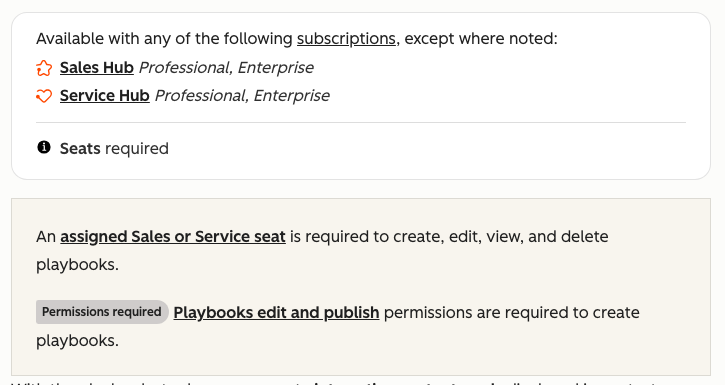
 HubSpot Sales Hub HubSpot Sales Hub | Playbooks | Right panel of contact, company, deal and ticket records; rules on properties or deal stage move a matching playbook to the top | Sales Hub Professional or Enterprise seat |
 Highspot by Seismic Highspot by Seismic | Sales Plays | Surfaced in the CRM by persona, industry or deal stage | All three packages (Good, Better, Best) |
 Seismic Seismic | Sales plays and playbooks | Inside the rep's workflow, with in-context training and suggested next actions | Not stated on the pages we read |
 Dialpad Sell Dialpad Sell | AI Playbooks | Live during calls and meetings; the AI checks off completed steps and flags missed ones | Sell Premium |
 Salesloft Salesloft | Plays in Rhythm | A task that appears when a buyer signal fires | Not stated on the pages we read |
 Salesforce Sales Cloud Salesforce Sales Cloud | Path guidance and Sales Programs | Guidance text per stage on the record (Path); in-app guidance and walkthroughs (Sales Programs) | Path has no separate price on the pages we read; Sales Programs is a paid add-on |
 Outreach Outreach | No product by that name | Plays are built from sequences, smart views and call guidance, per Outreach's own blog | Quote only |
Three patterns come out of the table, and each one suits a different team.
The record-based playbook: HubSpot, Highspot, Salesforce
Record-based tools put the play where the rep already works. HubSpot's playbook can hold formatted text, links, images, knowledge base articles, snippets and videos, plus questions the rep answers and a property update that writes back to the record. Highspot builds plays from templates by team, region, industry or segment and adds play scorecards for managers. Salesforce Path shows guidance text for each stage, and Sales Programs adds a no-code builder and in-app walkthroughs. The real strength is context. The limit is that a play on a record tells the rep what to do, not whether they have read the latest version.
The signal-based play: Salesloft and Outreach
Salesloft describes a Play as automation that tells reps what to do next inside their workflow when a buyer signal fires. That's a task engine, not a library of talk tracks. Outreach doesn't sell a product called a playbook; its own blog explains how a play maps onto sequences, smart views and call guidance. Both are sales engagement software and suit teams whose plays are mostly outbound steps with timing. Neither is where you'd store a long objection-handling guide.
The live-call playbook: Dialpad
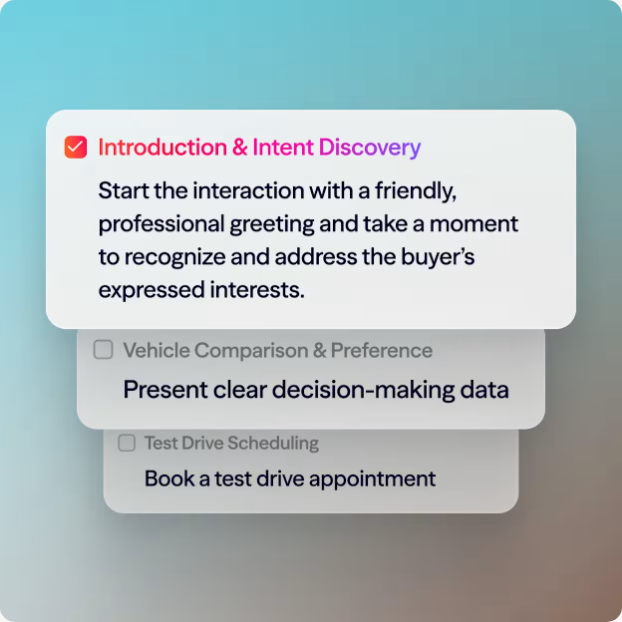
Dialpad's AI Playbooks run during the conversation. Templates exist for BANT, SPIN, MEDDIC, Challenger and SPICED, or you build one from your own topics. The AI marks steps as done or missed, and managers see adherence per rep. The scope is clearly the call itself, so a play about a pricing email or a renewal handoff doesn't fit.
Tools next to a playbook that do not sell one
Not every enablement tool has a playbook feature.  Showpad lists content management, courses and, from the Advanced package, knowledge checks and certifications, but no playbook feature on its pricing page.
  Guru verifies cards: each card has an assigned verifier and reminders from weekly to yearly, which keeps content fresh but isn't a read receipt.
  Spekit pushes changes as in-app Spotlights and tests understanding with Knowledge Checks. These are useful companions to a playbook, and it's worth knowing they stop short of one.
What Sales Playbook Software Costs
Three of the seven tools publish a price for the playbook feature, and the rest are quote only. The published prices are per seat and per month, and they tell you which plan to buy, which matters more than the number itself: HubSpot gates playbooks to Professional and above, Dialpad to its top tier, and Salesforce sells its guided programs as a separate add-on. HubSpot adds a one-time onboarding fee on Professional and Enterprise.
| Tool | Published price for the playbook feature | Notes |
|---|---|---|
| HubSpot Sales Hub | Professional $90 per seat per month billed annually | Plus $1,500 onboarding; Enterprise $150 plus $3,500 |
| Dialpad Sell | Premium $79 per user per month | Essentials $39 and Advanced $59 don't list AI Playbooks |
| Salesforce Sales Cloud | Sales Programs $100 per user per month billed annually | Add-on; we found no separate price for Path |
| Highspot by Seismic | Quote only | Sales Plays in all three packages |
| Seismic | Quote only | Highspot is part of Seismic since the August 2026 merger |
| Salesloft | Quote only | Plays are part of Rhythm |
| Outreach | Quote only | No playbook product to price |
No tool in this group offers the playbook feature free. HubSpot has a free CRM tier with up to two users in its CRM, but the playbook feature we read about requires a paid Sales or Service Hub seat. If you only need a shared place for plays, a documented wiki page with an owner and a review date works without software. It stops working when reps need the play on the record or during a call.
How to Choose
The right tool is the one that matches where your reps lose the play today. Start from the moment, not from the vendor.
- Reps already work inside HubSpot and want a play next to the dealHubSpot Playbooks on a Professional seat
- You already run an enablement platform and want plays tied to content and scorecardsHighspot Sales Plays or Seismic
- Plays are mostly outbound steps triggered by buyer signalsSalesloft Plays or an Outreach sequence
- The moment that matters is the live callDialpad AI Playbooks on Premium
- You run Salesforce and want stage guidance on the recordPath first, then Sales Programs only if you need walkthroughs
- You only need a documented play with an ownerA wiki page and a review date
Before any demo, put three questions to every vendor. First, find out who can edit a play and whether a version history exists. Second, check whether you can see which version a rep saw. Third, ask whether you can see who read a changed play, not only who opened the tool. HubSpot's analytics report usage and adoption by team and by user, and the knowledge base doesn't describe read receipts or quizzes. Highspot's page mentions play scorecards and tracking of play use. Dialpad reports adherence per rep, but only on calls. Read the answers against your own change process, because a very good search box won't help if reps never learn the change happened.
Keeping the Playbook Current
A playbook goes wrong at the moment something changes: a new price, a retired plan, a competitor launch. The tools above help a rep find a play. They are weaker at a different job, which is showing which reps have read the update and can say it correctly.
Separate that question into three levels. Viewed means the rep opened the change. Acknowledged means the rep confirmed they read the approved wording and the do-not-say list. Ready means the rep answered a short check correctly. A tool that tracks opens covers the first level only, and that's rarely enough for a price change.
Write the change as a short brief
Effective date, what changed, approved wording and a do-not-say list. One screen, not a deck.
Update the play
Change the play in your playbook tool and set the review date to the effective date.
Ask for acknowledgement
Send the brief to SDRs, AEs and CSMs and ask each person to confirm they read it.
Check readiness with one question
Ask one scenario question a customer would ask, and follow up with the people who miss it.
If your playbook tool doesn't show who read the change, Guru verification and Spekit Knowledge Checks cover part of it, and a focused tool covers the rest. The GTM Lead is a small release-enablement tool for exactly this gap: you write one release brief with approved messaging and caveats, send it to SDRs, AEs and CSMs, and see who has viewed it, acknowledged it and passed a one-question readiness check. It isn't a playbook tool, a content library or a learning system, and signup needs an access code. Keep your playbook where it is and use a tool like it only for the change that must land this month. For the launch side, see our guide to product launch software and the go-to-market plan template.
Pilot a Playbook Tool Before You Commit
Pick one play, the one reps ask about most, and be strict about it: and run it in the candidate tool for 30 days. Compare it with how reps handled the same moment before.
- One play with an owner and a review date
- Five reps and one manager in the pilot
- Reps can find the play from the record or the call in under 30 seconds
- The tool shows which version each rep used
- One change is made during the pilot and its reach is checked
- Reps and managers answer: did this play help in the moment?
FAQ
What is sales playbook software?
It is a tool that holds your plays, names an owner for each and shows the right one to a rep on a CRM record, in a sales tool or during a call. Some add version history and usage reports.
What goes in a sales playbook?
Each play needs a trigger, an owner, steps, approved wording, an exit rule and a review date. Company background and buyer personas belong in the wider playbook, not in every play.
Is HubSpot Playbooks free?
No. HubSpot's playbook feature requires a paid Sales Hub or Service Hub seat, and Sales Hub Professional is listed at $90 per seat per month billed annually plus a one-time onboarding fee.
What is the difference between a playbook and a battlecard?
A battlecard answers one question, how to position against a named competitor. A playbook covers a whole selling moment, such as a demo request or a pricing change, and may contain battlecards as one step.
Can I use a document instead of software?
Yes, for a small team with a few plays. A shared page with an owner and review dates works until reps need the play on the CRM record or during a call, or until you need to know who read a change.
How do I know reps read a changed playbook?
Most playbook features report usage, not reading. Track three levels instead: viewed, acknowledged and ready, where ready means the rep answered a short check correctly.