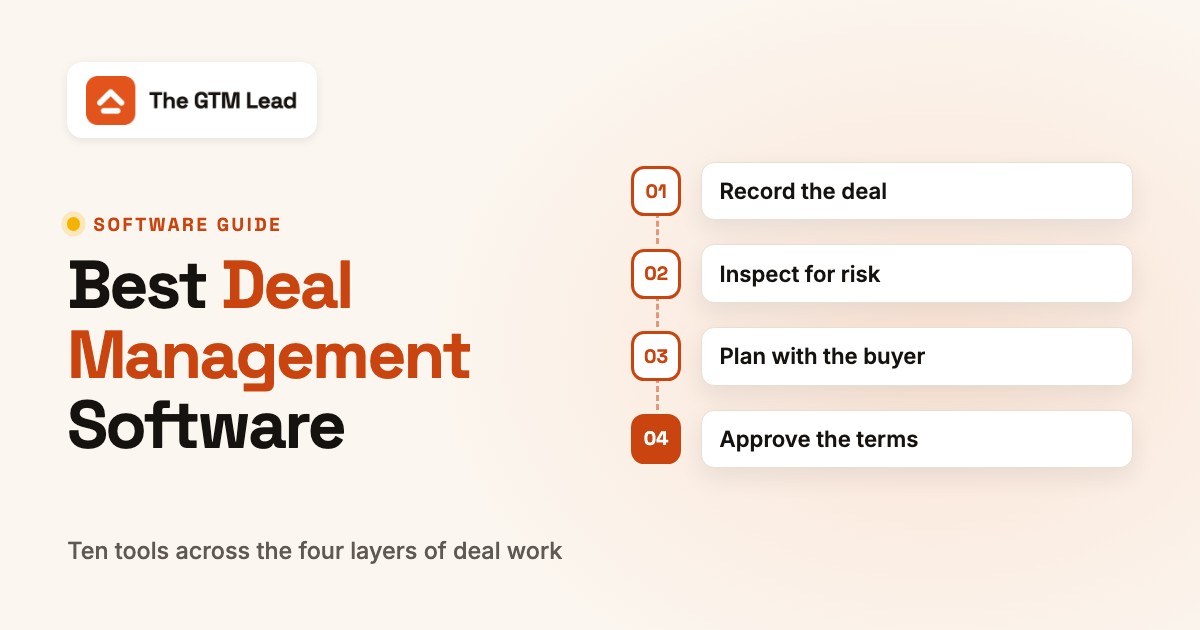
Deal management software tracks every open sales opportunity from first contact to signature and helps the team decide what to do next on each one. Most teams run it in two parts: a CRM that holds the deal record, and one or more tools on top that flag deals at risk, plan the next steps with the buyer or route discounts for approval.
This guide compares ten tools across those four jobs: keeping the record, inspecting risk, planning with the buyer and approving the terms. For each one we show how a deal review actually runs inside it, which plan unlocks the deal features and who should skip it. We read every vendor's pricing, product and help pages and a review source on October 22, 2026.
- tools compared across four layers of deal work
- 10
- publish a full USD price list (Salesforce, HubSpot, Sybill, Dock)
- 4 of 10
- per user per month: the first Salesforce edition with Pipeline Inspection
- $195
- won and lost deals Gong needs before it scores deals
- 50 / 150
Best Deal Management Software: Our Picks
Each pick solves one deal problem better than the rest of this list, judged by its plan gates, its review data and how much of a deal review it covers. Most B2B teams already own the first layer (the CRM) and buy one tool on top of it; few need more than two.
 Best for deal inspection inside the CRMSalesforce Sales CloudPipeline Inspection shows what changed on every open deal this week, from the Core edition up.
 Best free starting pointHubSpot Sales HubFree for up to two users; deal summaries and forecasting arrive at Professional.
 Best for small teamsPipedriveA pipeline reps keep current, with idle deals turning red and meeting notes on every plan.
 Best for risk from calls and emailGongDeal likelihood scores and warnings built from what buyers actually say.
 Best for CRM updates after callsSybillFills qualification fields from recorded calls, with a published price and a free plan.
 Best for mutual action plansDockOne shared workspace per deal, priced per internal seat, buyers free.
 Best for discount approvalsDealHubRule-based approvals with an audit trail before the quote goes out.
Deal Management Software Compared
The table lists the ten tools in the order of the four layers below. "Starting price" is the entry point for the deal features where the vendor publishes one, not the cheapest seat that leaves them out.
| Tool | Tool type | What it checks on a deal | Starting price (USD) | G2 rating |
|---|---|---|---|---|
| Salesforce Sales Cloud | CRM with pipeline inspection | Weekly changes to close date, amount, stage and forecast category, plus AI deal insights | Starter $25; Pro Suite $100; Core $195 (first edition with Pipeline Inspection and Deal Insights); Advanced $395; Max $550 per user per month, Pro and up billed annually | 4.4 (27,576) |
| HubSpot Sales Hub | CRM with deal pipeline | Deal board with rule-based deal tags; deal summaries and forecasting from Professional | Free (up to 2 users); Starter from $7 per seat; Professional $90 per seat billed annually ($100 monthly) plus $1,500 onboarding; Enterprise $150 per seat plus $3,500 onboarding | 4.4 (14,366) |
| Pipedrive | Deal-centric CRM | Visual pipeline where idle deals turn red after a set number of days per stage | Lite, Growth, Premium, Ultimate per seat; USD annual prices not shown to us (EUR 14, 39, 59, 79 billed annually); G2 lists $24, $49 and $79 per seat per month billed monthly for the first three | 4.5 (Capterra, 3,042) |
| Gong | Revenue intelligence | Deal boards with AI deal likelihood scores and warnings built from calls, emails and CRM data | Quote only (per-user license plus a platform fee); deal likelihood scores need a Gong Forecast seat | 4.8 (Capterra, 560) |
 Salesloft Salesloft | Revenue orchestration | Deal inspection with an engagement score, buying-group capture and AI deal summaries | Quote only | 4.5 (4,287) |
 Outreach Outreach | Sales execution platform | Deal grid with health scores, seven-day trends and a Deal Agent that updates fields | Quote only; deal management is listed in Amplify Essentials, Plus and Pro, not in Core | 4.4 (Capterra, 311) |
| Sybill | Conversation-based deal intelligence | Reads recorded calls to flag new objections, a silent buying committee or a fading champion | Free; Pro $30 and Business $90 per user per month billed annually ($36 and $108 monthly); Enterprise custom; 14-day Business trial | No reviews yet |
 Altify Altify | Opportunity planning | Qualification, relationship maps and a win plan inside the Salesforce opportunity | Quote only (annual subscription); G2 shows Altify Insights from $20 per user per month | 4.2 (76) |
| Dock | Digital sales room | Shared workspace and mutual action plan; buyer views and task progress sync back to the CRM | Free; Standard $350 per month for 5 seats; Premium $1,000 per month billed annually for 10 seats; extra seats $50 per month; Enterprise custom | 4.7 (436) |
| DealHub | Deal desk and CPQ | Discount and deal-size rules route quotes to approvers with an audit trail | Quote only (Growth and Scale packages) | 4.7 (850) |
 The GTM Lead Our product The GTM Lead Our product | Release enablement acknowledgements | Shows which SDRs, AEs and CSMs are ready to explain a product change | Access code | No reviews yet |
Prices in USD per user per month unless noted, checked October 22, 2026 on each vendor's pricing page. Pipedrive's pricing page showed us EUR and CAD only, so its USD figure is the monthly price on G2's vendor-supplied listing. Ratings are G2 values unless marked Capterra; G2 blocked direct access, so several are search-result values from October 2026. Sybill has no G2 listing we could find and one Capterra review.
What Deal Management Software Does
In a sales team, deal management covers four jobs on every open opportunity: recording it, spotting risk early, agreeing the next steps with the buyer and controlling the commercial terms. A CRM handles the first job on its own. The other three usually come from add-on editions or separate tools, which is why the category looks so mixed when you compare vendors.
In practice, every deal review answers the same four questions, and each tool in this guide answers some of them better than others.
- What do we know? The record holds stage, amount, close date, contacts and activity. This is the CRM's job, and it's only as good as what reps enter or what the software captures automatically from email, calendar and calls.
- Is it at risk? Warning signs are a close date that keeps slipping, one contact on a six-person buying group, no reply in two weeks, a pricing objection nobody answered. Inspection tools such as Gong, Salesloft and Salesforce Pipeline Inspection exist to surface these without a manager reading every record.
- What happens next, and does the buyer agree? The answer should be a dated next step and, on larger deals, a mutual action plan that both sides can see. Dock and Outreach's Success Plans live here.
- Can we sign on these terms? This covers discount limits, approvals and the quote itself. A deal desk tool like DealHub handles this part.
If your deals mostly stall at question 2, you need inspection. If they stall at question 3, a CRM upgrade won't help; a shared plan with the buyer will.
Deal Management Software vs CRM vs Pipeline Management
The CRM stores the deal; deal management works the deal while it's open. Pipeline management looks at all deals together, usually for the forecast. The three overlap, and in Salesforce and HubSpot they're features of the same product at different price levels.
| Term | Unit it looks at | Main question | Typical tools |
|---|---|---|---|
| CRM | One record: account, contact, opportunity | What is the current state of this deal? | Salesforce, HubSpot, Pipedrive |
| Deal management | One open deal and its buying group | What is blocking this deal and who fixes it? | Gong, Salesloft, Sybill, Altify, Dock, DealHub |
| Pipeline management | All open deals in a period | Will we hit the number, and which deals decide it? | Salesforce Pipeline Inspection, Clari Forecast, Gong Forecast |
If you're mainly after the forecast call, our guide to sales forecasting software covers that side in more depth.
Deal Management in Private Equity, VC and Real Estate
About half of the search results for this term are about investment deals, not sales deals. If you source and track investments, the tools in this guide are the wrong category. Pages written for that audience most often name DealCloud, Affinity and 4Degrees for private equity and venture capital, DealRoom for M&A teams, and Dealpath for commercial real estate acquisitions. Those products track deal flow, relationships and diligence for a fund, not a seller's pipeline. Fund management platforms such as Fundwave, which also show up for this search, put a deal pipeline next to capital calls, investor portals and LP reporting for venture and private equity funds, which is a different purchase again. For company and funding data behind investment research, see our guide to market intelligence software, which covers PitchBook and Crunchbase.
The Four Layers of Deal Management Software
The tools sort into four layers, and each layer breaks in its own way. Buying a tool from the wrong layer is the most common reason deal management software doesn't change win rates: a richer CRM doesn't fix a buyer who has stopped answering, and a deal room doesn't fix reps who never update the close date.
- Layer 1Record the deal
- Salesforce Sales Cloud
- HubSpot Sales Hub
- Pipedrive
Breaks when reps skip fields, so stage and close date go stale - Layer 2Inspect for risk
- Gong
- Salesloft
- Outreach
- Sybill
Breaks when too little call and email history to score, or nobody acts on the flag - Layer 3Plan with the buyer
- Altify
- Dock
Breaks when the plan lives in the seller's head, not in a shared document - Layer 4Approve the terms
- DealHub
Breaks when discounts get approved in chat with no record of who agreed
Layer 1 is the only one you can't skip. Layers 2 to 4 are separate purchases for most teams, although Salesforce (Core and up), HubSpot (Professional and Enterprise) and Outreach cover parts of two layers in one product.
Which Tool Fits Which Deal Problem
Start from the problem you see in deal reviews, not from the feature list. This table maps the most common ones to the layer that fixes them and the tools in this guide that handle it.
| Problem you see | Layer | Tools to shortlist |
|---|---|---|
| Close dates and amounts change and nobody notices until the forecast call | Inspect | Salesforce Pipeline Inspection (Core), Gong, Salesloft |
| Reps don't update the CRM after calls | Record + inspect | Sybill, Pipedrive Nova, Outreach Deal Agent |
| Deals go quiet after the demo | Plan with the buyer | Dock, Outreach Success Plans |
| One contact on a deal that needs five approvers | Inspect + plan | Gong warnings, Salesloft buying group, Altify relationship maps |
| Large deals lack a written plan and qualification | Plan | Altify, HubSpot Deal Plans (Professional, beta) |
| Discounts are approved in Slack threads | Approve | DealHub, HubSpot deal approvals (Enterprise) |
| A small team just needs a pipeline people use | Record | Pipedrive, HubSpot Free or Starter |
How to Choose Deal Management Software
The vendors in this guide all claim AI deal insights, so judge them on five facts you can check in a demo.
- Where does the evidence come from? Activity-based tools (Gong, Salesloft, Sybill) need recorded calls and synced email. If half your deals are won over the phone without recording, their scores will miss them. Methodology tools (Altify) need reps to answer qualification questions.
- Does it write back to the CRM? Gong lets you edit allowed CRM fields from the deal board, Outreach's deal grid respects CRM validation rules, and Dock syncs buyer activity back to Salesforce. A tool that only reads the CRM creates a second place to update.
- Which plan unlocks the deal features? Pipeline Inspection starts at Salesforce Core, HubSpot's deal summaries at Professional, Sybill's deal workspace at Business, and Outreach's Core tier doesn't list deal management at all. The plan table further down lists each gate.
- Which CRMs are supported? Altify is Salesforce only. Gong scores deals on Salesforce, HubSpot and Microsoft Dynamics. Salesloft's own sources disagree on whether Deals works outside Salesforce.
- Does your history qualify? Gong needs at least 50 closed-won and 150 closed-lost deals from the last two years before it shows deal likelihood scores.
In the demo, bring one real deal you lost and one you won, and ask the vendor to show what their tool would have flagged on each.
- Which plan or seat type shows the deal features you just demoed?
- What does the tool need from us before scores or flags appear (call recording, history, fields)?
- Which fields can a rep edit here and have written back to our CRM?
- What does a manager see on Monday morning without opening each deal?
- How is the price built: seats, platform fee, AI credits or onboarding fees?
- What happens to the data and the shared buyer plans if we cancel?
The CRM Layer: Where the Deal Record Lives
Every other tool reads from this layer, so its data quality caps the rest. The three CRMs here differ less in pipeline basics than in which plan adds the review features on top.
Salesforce Sales Cloud
Best for deal inspection inside the CRM
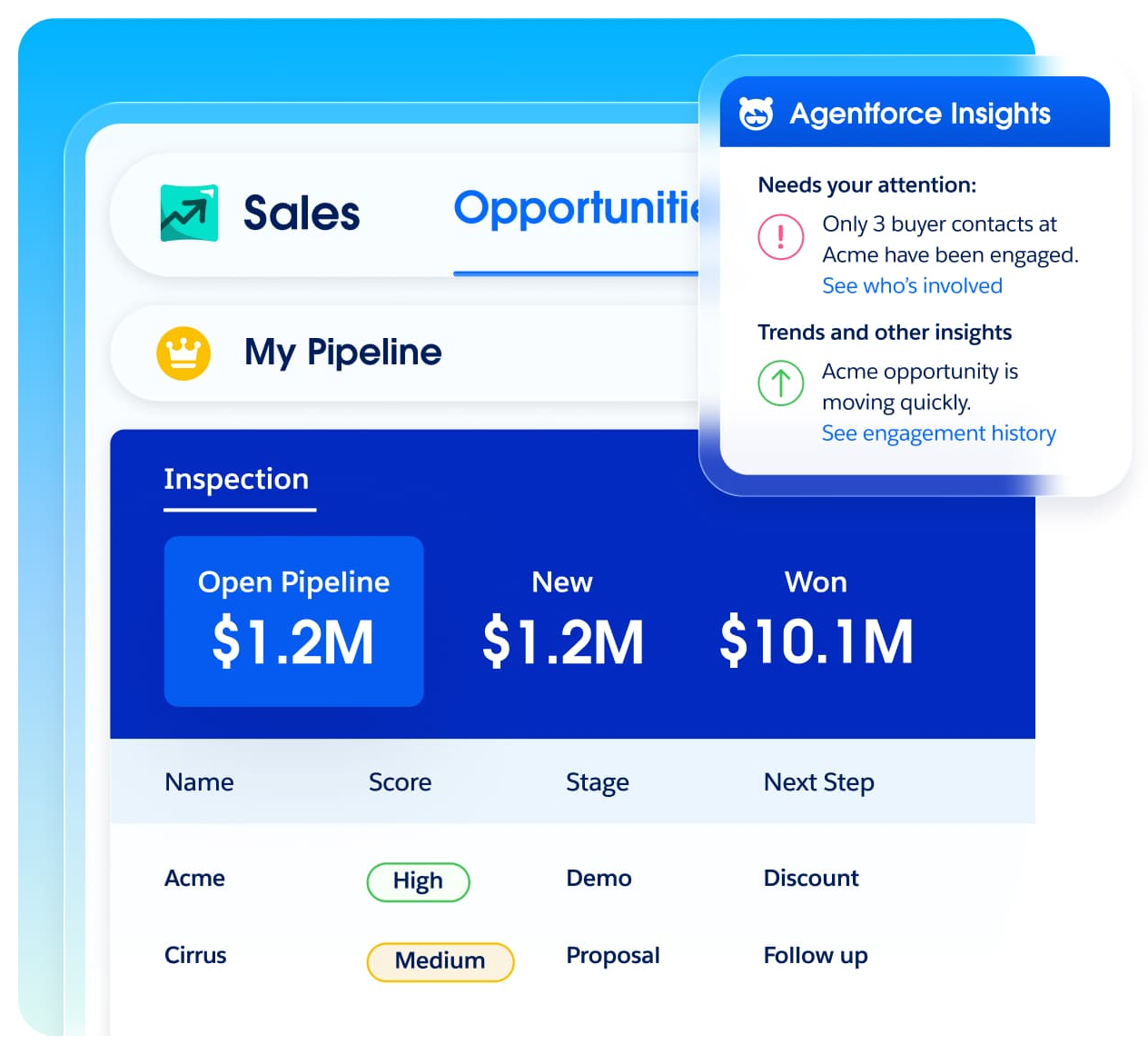
Salesforce Sales Cloud stores accounts, contacts and opportunities, and from the Core edition it adds Pipeline Inspection and Deal Insights, so the weekly deal review can happen in the same system as the record.
One deal review in Salesforce. A manager opens Pipeline Inspection, which puts every open opportunity in one view with the week-to-week changes to close date, amount, stage and forecast category highlighted. The view also flags deals whose next steps haven't been updated. Opening a deal shows the Deal Insights panel, which mixes AI-based deal health signals with activity from emails, call recordings and service cases. The fix happens on the opportunity itself: the rep updates next steps or the forecast category, and the manager takes the same view into the forecast call.
The catch is the edition. Pro Suite at $100 per user per month already includes forecasting, so it looks like the natural deal management plan, but the pricing table includes Pipeline Inspection, Deal Insights, Opportunity Scoring and Conversation Intelligence only from Core at $195. Predictive Forecasting is included from Advanced ($395), and Agentforce for Sales is a paid add-on until Max ($550).
- your opportunities already live in Salesforce and you can budget for Core or higher
- you want the deal review, the forecast and the record in one system
- you're on Starter or Pro Suite and need deal inspection: it starts at Core ($195 per user per month)
- you have no admin: reviewers cite configuration effort
- Users like
- Pipeline and opportunity management score highly
- Users dislike
- Support and ease of use score lower
- Source: G2, 27,576 reviews
How it works in practice
Slack comes bundled at every level (Slack Business+ from Core). Most Salesforce products run on annual contracts, and the pricing page offers a 30-day free trial. G2 now lists the product as Agentforce Sales (formerly Salesforce Sales Cloud), while salesforce.com still uses the Sales Cloud name. Capterra reviewers praise how easy the pipeline is to oversee once data is centralized; the recurring complaints are extra fees for features and support, a steep learning curve and the configuration work.
- Starting price
- Starter $25; Pro Suite $100; Core $195 (first edition with Pipeline Inspection and Deal Insights); Advanced $395; Max $550 per user per month, Pro and up billed annually
- Pipeline Inspection
- Core edition and up
- Deal Insights
- Core edition and up
- Free trial
- 30 days
- Activity Capture
- Email and calendar sync from Starter
HubSpot Sales Hub
Best free starting point
HubSpot Sales Hub keeps deals on a pipeline board inside the same CRM as your marketing data. The free plan covers the board; deal summaries, deal plans and forecasting start at Professional, and deal approvals need Enterprise.
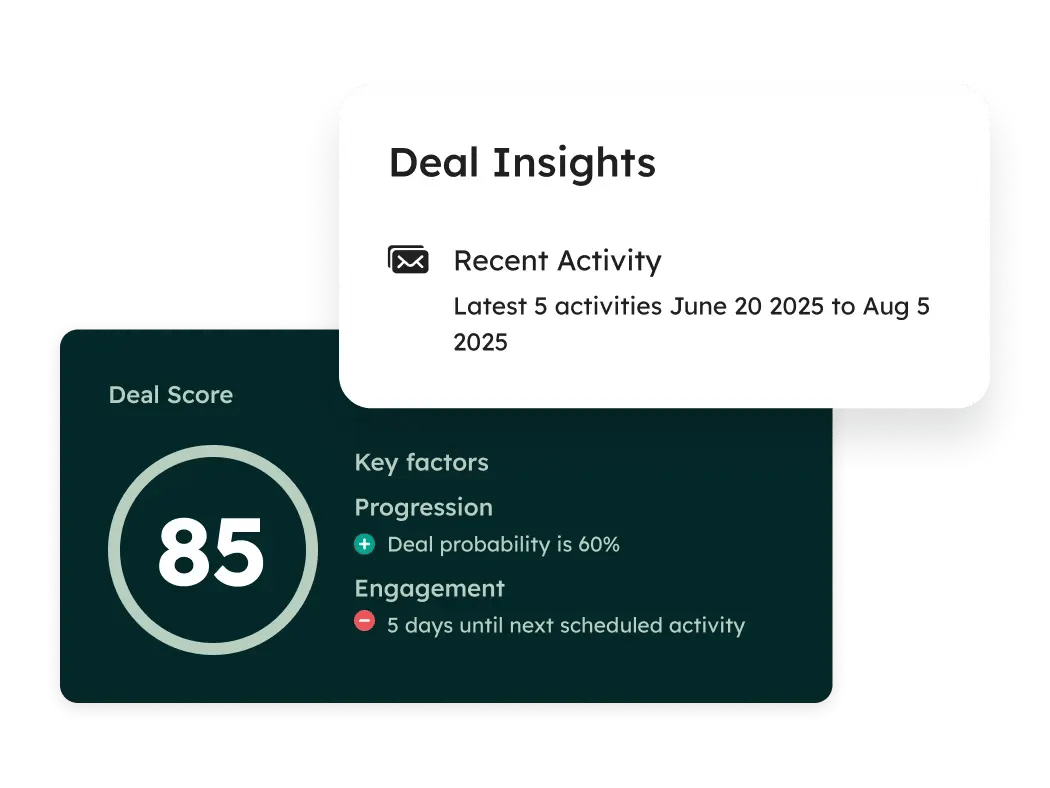
One deal review in HubSpot. The manager opens the deal board, where color-coded deal tags appear on the cards when a deal meets a rule you set, for example no activity for 14 days or an amount above a threshold. Emails, meetings and calls are logged to the deal automatically. On Professional, Deal Summaries condense the history of a deal, and Deal Plans (in beta) give the rep a structured plan for it. Required stage properties stop a deal from moving forward until fields like the decision maker are filled. The leader sees the board plus the forecast tool, where deal stages map to forecast categories and AI projections refresh on fixed days each month.
HubSpot also has a Predictive Deal Score that rates the likelihood to close and flags deals at risk of stalling, but its product page doesn't say which plan or how many AI credits it needs. Ask before you count on it.
- your marketing and sales data already sit in HubSpot
- you want to start free and add deal features as the team grows
- you need deal approvals or deal splits but can't justify Enterprise ($150 per seat plus $3,500 onboarding)
- you want forecasting below Professional: it isn't included
- Users like
- Pipeline management and ease of use
- Users dislike
- Cost grows with seats and add-ons
- Source: G2, 14,366 reviews
How it works in practice
AI features run on HubSpot Credits: 500 a month on Starter, 3,000 on Professional and 5,000 on Enterprise, with extra credits at $0.010 each. Playbooks (where you can embed a qualification framework) are capped at 5 on Professional. The pricing page shows $7 and $20 for a Starter seat; check which one applies to your billing term. Capterra reviewers say it's easier to learn than Salesforce and like the automatic activity logging; the most cited complaints are the pricing structure and interface glitches.
- Starting price
- Free (up to 2 users); Starter from $7 per seat; Professional $90 per seat billed annually ($100 monthly) plus $1,500 onboarding; Enterprise $150 per seat plus $3,500 onboarding
- Deal summaries
- Professional and up
- Deal approvals
- Enterprise only
- Pipelines
- 15 Starter, 100 Professional, 350 Enterprise
- Onboarding fee
- $1,500 Professional, $3,500 Enterprise
Pipedrive
Best for small teams
Pipedrive is a CRM built around the deal pipeline. Every plan includes Nova meeting intelligence and an MCP server for AI assistants, and the forecast view starts at Growth.
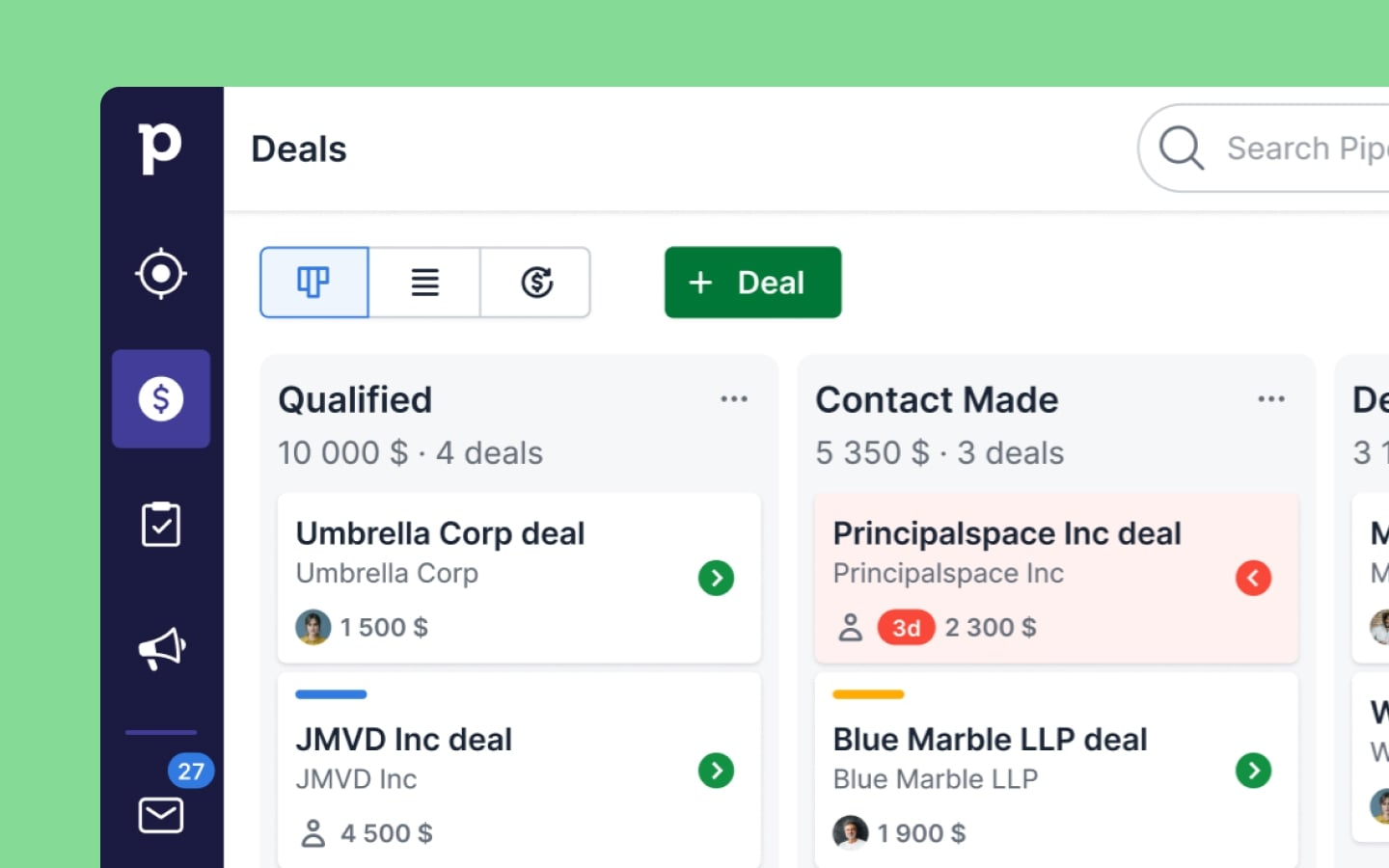
One deal review in Pipedrive. The pipeline board is the review. Each stage has a rotting setting in days, and a deal that sits idle past it turns red, so a manager can scan for red tiles instead of opening records. Rotting is based on the last update, and Pipedrive's help center notes that a scheduled future activity doesn't stop the timer. The AI Sales Assistant adds deal summaries, recent changes and a win-probability prediction with a suggested next action. Since September 16, 2026, Nova records meetings in Google Meet, Zoom or Teams and proposes CRM field changes that the rep approves. The manager then checks forecast reports from the Growth plan up.
What it doesn't have: we found no qualification framework fields, approval workflows or buyer-side plan. For a small sales team selling in a few calls, that's usually fine, and it's the reason Pipedrive is our pick for teams that need deal tracking more than deal inspection.
- you're a small or mid-size team that wants a pipeline reps will actually keep current
- you want meeting notes and AI CRM updates without buying a second tool
- you sell to large buying committees and need MEDDICC fields, approvals or buyer engagement scores
- you need deep custom reporting: reviewers name it as the weak spot
- Users like
- Intuitive, customizable pipeline view
- Users dislike
- Reporting lacks customization and advanced analytics
- Source: Capterra, 3,042 reviews
How it works in practice
Pipedrive renamed its plans in 2025: Essential became Lite, Advanced became Growth, Professional and Power merged into Premium, and Enterprise became Ultimate. Its pricing page showed us only EUR and CAD; the EUR annual prices are 14, 39, 59 and 79 per seat, and G2's vendor-supplied listing shows $24, $49 and $79 per seat billed monthly for Lite, Growth and Premium. The marketplace lists more than 500 integrations. G2 rates it 4.3 from 5,095 reviews; Capterra reviewers call the pipeline intuitive and quick to learn, and say reporting lacks customization.
- Starting price
- Lite, Growth, Premium, Ultimate per seat; USD annual prices not shown to us (EUR 14, 39, 59, 79 billed annually); G2 lists $24, $49 and $79 per seat per month billed monthly for the first three
- Plans
- Lite, Growth, Premium, Ultimate
- Forecast view
- Growth and up
- Free trial
- 14 days, no credit card
- MCP server
- All plans, announced June 30, 2026
The Inspection Layer: Finding Deals at Risk
These tools read calls, emails and CRM changes and turn them into a short list of deals that need attention. They all need data to work, so check what yours requires before the trial.
Gong
Best for risk from calls and email
Gong records sales calls and syncs email, then puts deals on boards with a deal likelihood score, warnings and an AI deal brief next to the CRM fields.
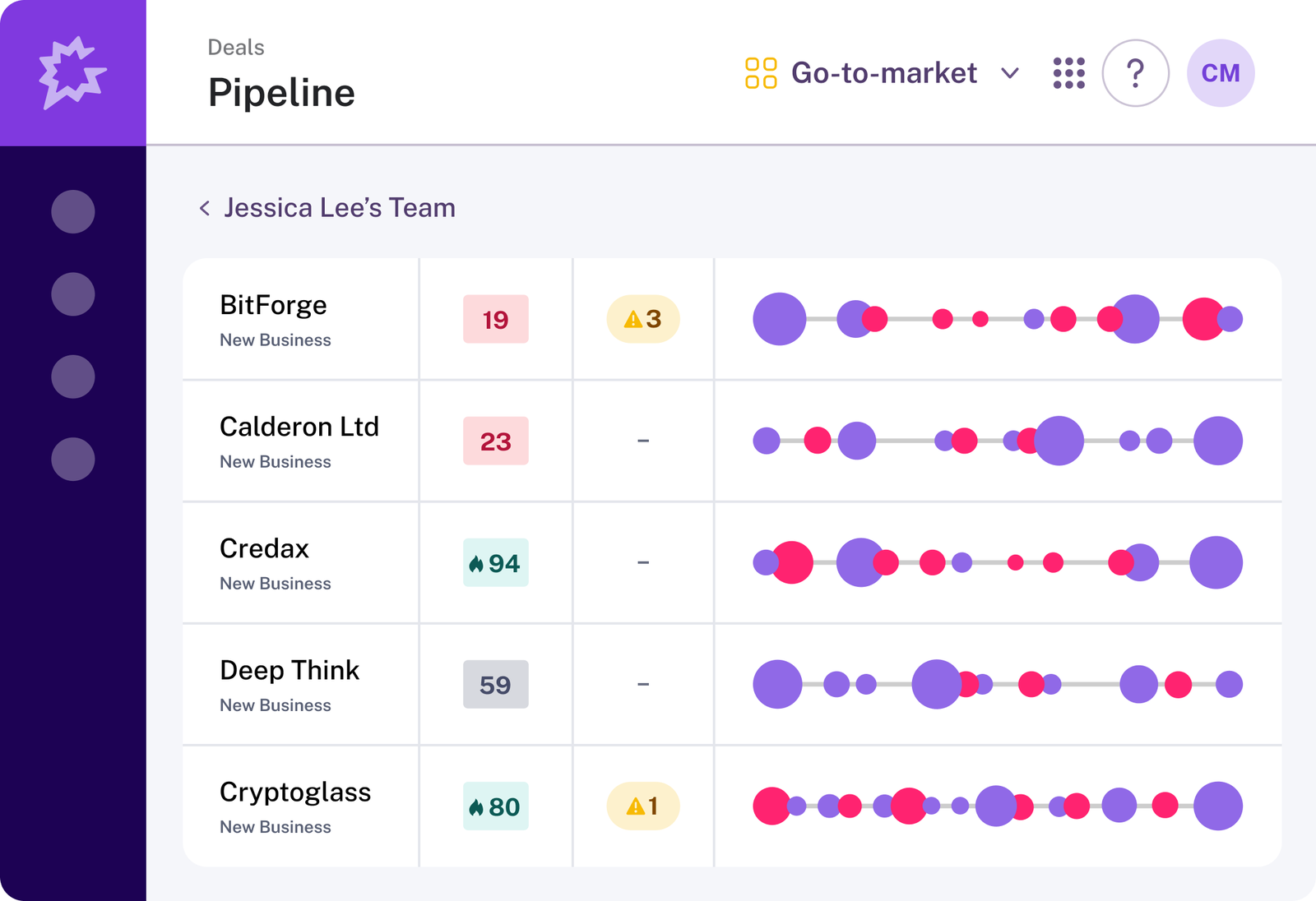
One deal review in Gong. A manager opens a deal board under Revenue, grouped by stage or owner, and sorts by the deal likelihood score. The score is a percentile rank against your own deals, not a win probability: Low runs from 1 to 29, Fair from 30 to 75 and High from 76 to 99, and Gong lists the positive and negative signals behind each score. The deal page adds warnings for low engagement, single-threaded relationships, stalled deals and pricing concerns nobody addressed. The manager reads the deal brief, checks the playbook steps, and can edit allowed CRM fields straight from the board.
Scores have two preconditions in Gong's help center. You need a Gong Forecast seat, and your company needs at least 50 closed-won and 150 closed-lost deals from the last two years, each open at least three days. Deal boards are listed for Forecast Essentials and Gong Forecast.
- your deals run through recorded calls and email and you want risk flagged from what buyers say
- you already use Gong for calls and want deal reviews in the same place
- you have little closed-deal history: scores need at least 50 won and 150 lost deals from the last two years
- you need a published price: Gong sells by quote
- Users like
- Searching past calls for what a buyer said
- Users dislike
- Transcription gaps, slow call imports and hard-to-navigate reporting
- Source: Capterra, 560 reviews
How it works in practice
Gong sells per-user licenses plus a platform fee, quoted individually. Deal scores work with Salesforce, HubSpot and Microsoft Dynamics. G2 rates Gong 4.8 from about 6,500 reviews (search-result value, October 2026). If you also coach from those calls, we cover that side in our guide to sales coaching software, and the call-recording side in our guide to conversation intelligence software.
- Starting price
- Quote only (per-user license plus a platform fee); deal likelihood scores need a Gong Forecast seat
- Score bands
- Low 1-29, Fair 30-75, High 76-99
- Score history needed
- 50 won and 150 lost deals in two years
- CRMs for scores
- Salesforce, HubSpot, Microsoft Dynamics
- Score refresh
- Daily
Salesloft
Best if your reps already sell from Salesloft
Salesloft, which merged with Clari and has used one brand since September 2, 2026, adds a Deals product to its sales engagement platform: engagement scores, stalled-deal flags, buying-group capture and AI deal summaries.
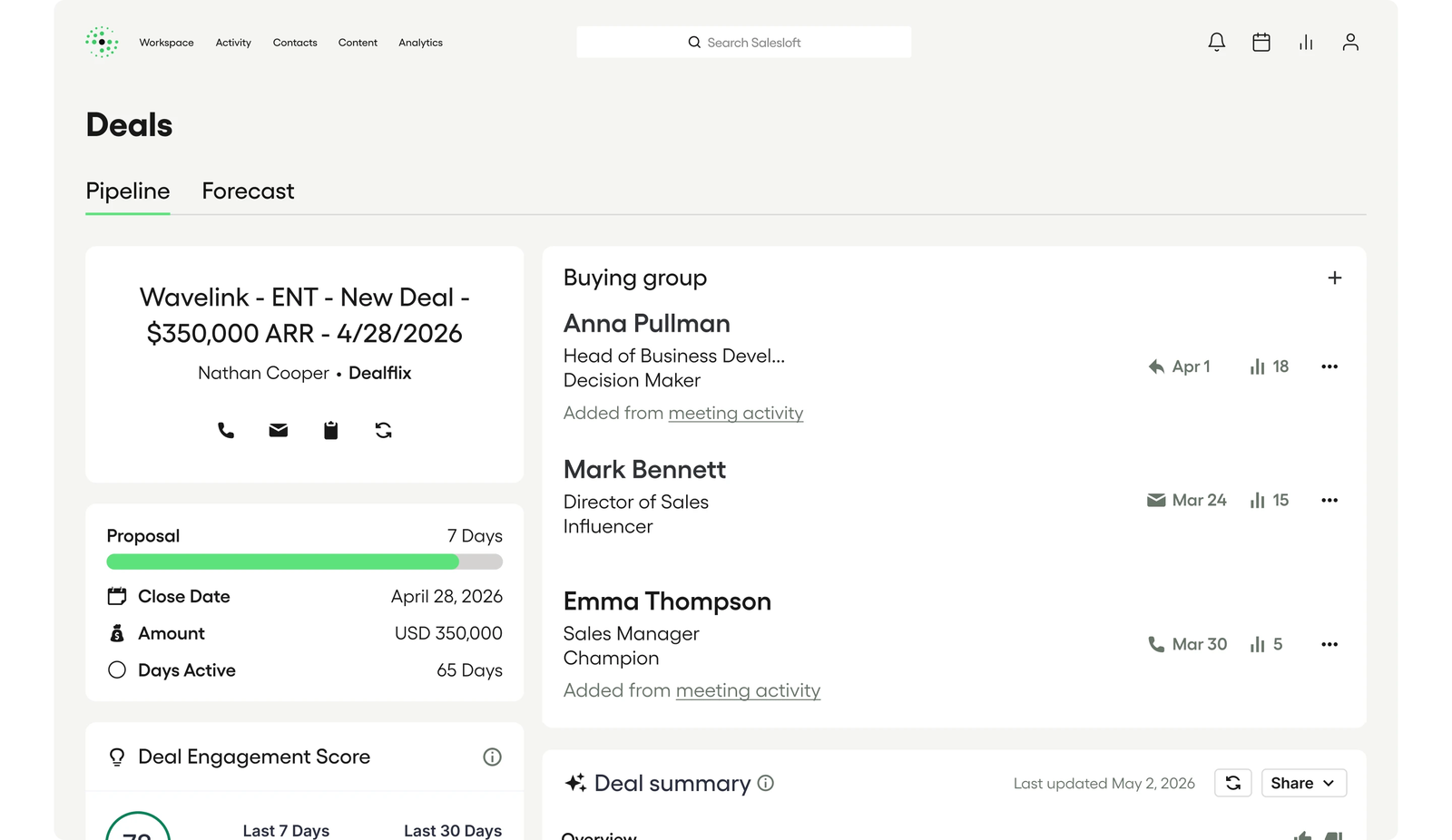
One deal review in Salesloft. Deals syncs stage and activity from the CRM, so the manager opens it without asking reps to update anything first. Deal inspection surfaces engagement gaps, missing contacts and stalled progression, and each deal carries a Deal Engagement Score. Salesloft captures every contact who touched the opportunity as the buying group and pulls MEDDPICC, BANT and SPIN details out of buyer conversations. Deal Summary AI condenses emails, calls and CRM history into one briefing, which Salesloft says cuts call prep from 20 minutes to 30 seconds (a vendor claim). The manager assigns follow-up tasks from the same dashboard, and Clari Forecast, which kept its name after the merger, handles the forecast.
CRM coverage is the open question. The product page says activity syncs to Salesforce, HubSpot or Microsoft Dynamics 365, while a Salesloft community answer says Deals is for Salesforce users. Get it in writing if you're not on Salesforce.
- your reps already run cadences in Salesloft and you want deal inspection next to them
- you use Clari Forecast and want deals and forecast from one vendor
- you need a self-serve price: Salesloft sells by quote
- you're HubSpot-only: confirm Deals support first, since Salesloft sources conflict
- Users like
- Easy tracking and time saved on prospecting
- Users dislike
- Call quality issues and uneven support
- Source: G2, 4,287 reviews
How it works in practice
Salesloft publishes no prices; the pricing page leads to sales. G2 reviewers praise easy tracking and the time saved on prospecting and complain about call quality and uneven support; on Capterra one reviewer objected to a five-seat minimum. Clari Forecast is covered in our sales forecasting software guide.
- Starting price
- Quote only
- Brand
- One Salesloft brand since September 2, 2026
- Clari
- Clari Forecast keeps its name
- Qualification capture
- MEDDPICC, BANT, SPIN from calls
- Activity logged
- 30+ activity metrics to the CRM
Outreach
Best for deal health and buyer plans in one tool
Outreach, now at outreach.ai, adds deal health scores, a Deal Agent that updates opportunity fields and Success Plans (its mutual action plans) to its sequencing platform.
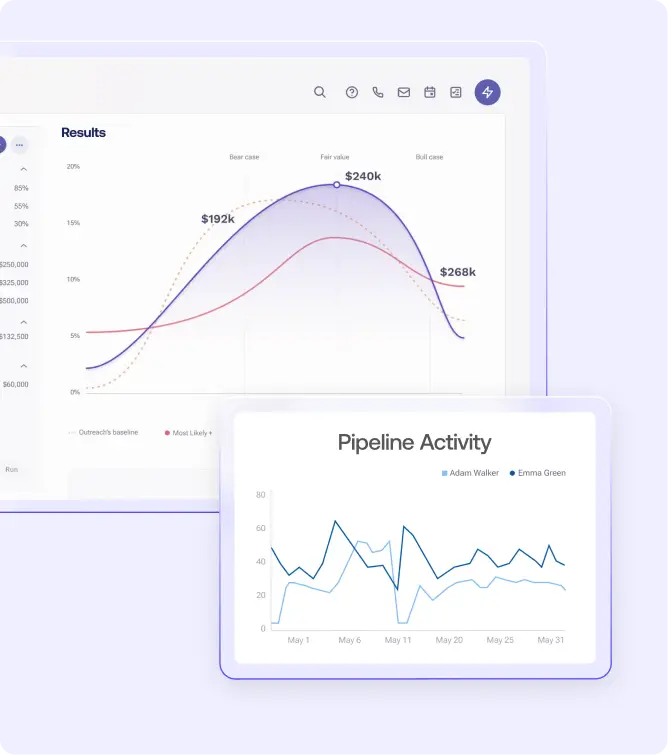
One deal review in Outreach. The manager works from the deal grid, where each deal shows a Deal Health Score with a seven-day trend and suggested actions. Deal Agent proposes or makes updates to opportunity fields from conversations, and edits in the grid write back to the CRM while respecting its validation rules. When a deal needs buyer commitment, the rep builds a Success Plan: a shared project plan with the buyer, from templates mapped to CRM fields, that shows which members of the buying committee opened it. On the Pro tier the same data feeds AI Forecast Projection and scenario planning.
Packaging decides whether you get any of this. Outreach sells four Amplify tiers, all by quote. The pricing page lists Deal Agent, Deal Health and Alerts and Deal Management in Essentials and Plus (and Pro, which includes Plus), but not in Core, which is built around pipeline creation.
- your reps already work in Outreach sequences
- you want a mutual action plan and deal health in the same tool
- you're quoted the Amplify Core tier: it doesn't list deal management
- you want predictable cost: all tiers are quoted and include AI credit allowances
- Users like
- Easy sequence building and multi-channel tracking
- Users dislike
- Frequent technical glitches
- Source: Capterra, 311 reviews
How it works in practice
Slack integration is listed in Plus; other connectors are sold as add-ons. G2 rates Outreach 4.3 from about 3,500 reviews (search-result value). Capterra reviewers like how easy sequences are to build and the multi-channel tracking; frequent technical glitches are the most tagged complaint.
- Starting price
- Quote only; deal management is listed in Amplify Essentials, Plus and Pro, not in Core
- Deal plans
- Amplify Essentials, Plus, Pro
- Mutual action plans
- Success Plans
- Domain
- outreach.io redirects to outreach.ai
- AI credits
- 10,000 Essentials to 100,000 Pro
Sybill
Best for CRM updates after calls
Sybill records sales calls, writes summaries and fills CRM fields after each meeting. On the Business plan it adds a deal workspace that checks deals against MEDDPICC and your past wins.
One deal review in Sybill. Sybill reads risk from what the buyer said: a new objection, a buying committee that went quiet, a champion who stopped engaging, a shift in sentiment or a long gap since the last contact. Deal inspection scores each deal against MEDDPICC and patterns from deals you won and lists the missing information. The manager can ask Ask Sybill a question about one deal or the whole pipeline in plain language, and the rep acts through AI follow-up emails and tasks. Stage and qualification fields land in the CRM through CRM Autofill, so the forecast in your CRM stays current.
Sybill is explicit that it isn't a CRM replacement. It sits on Salesforce, HubSpot, Zoho and others, and it doesn't run the forecast or a pipeline board.
- your CRM is fine but nobody updates it after calls
- you want a published price and a free plan to test with
- you want forecasting or a pipeline board: Sybill sits on top of your CRM
- you need more than 10 auto-filled CRM fields below Enterprise

How it works in practice
Pricing is published: Free, Pro at $30 and Business at $90 per user per month billed annually ($36 and $108 monthly, from the page's 17 percent annual saving), and a custom Enterprise plan with unlimited CRM Autofill and SSO. Business includes API and MCP access and a two-way Slack integration, and there's a 14-day trial of Business without a card. The pricing page states different limits for AI summaries on Pro in two places, so confirm the number if it matters to you. We found no G2 listing and only one Capterra review, so there's no review data to report yet.
- Starting price
- Free; Pro $30 and Business $90 per user per month billed annually ($36 and $108 monthly); Enterprise custom; 14-day Business trial
- Deal workspace
- Business plan
- CRM Autofill
- 10 fields on Business
- MCP access
- Business plan
- Free plan
- 500 credits a week
Gong vs Salesloft vs Outreach for Deal Inspection
All three read calls, emails and CRM changes, so the choice usually follows the tool your reps already live in. The differences that matter in a deal review are the risk signal, the precondition and the plan you need.
| Tool | Risk signal in the review | Precondition before it works | Plan that includes it |
|---|---|---|---|
| Gong | Deal likelihood score (percentile 1 to 99) plus warnings | Gong Forecast seat; 50 won and 150 lost deals in two years | Forecast Essentials or Gong Forecast |
| Salesloft | Deal Engagement Score and stalled-deal flags | CRM sync; Deals confirmed for Salesforce | Not published |
| Outreach | Deal Health Score with a seven-day trend | CRM write-back under validation rules | Amplify Essentials, Plus or Pro |
If your reps already run sequences in Salesloft or Outreach, start there. If calls are your main evidence and your history clears Gong's bar, Gong gives the most explainable score of the three, because it lists the signals behind each number.
The Planning Layer: Opportunity Plans and Buyer Collaboration
Inspection tells you a deal is at risk. These two tools give the rep a structure to fix it: Altify on the seller's side, inside Salesforce, and Dock on the buyer's side, in a shared workspace.
Altify
Best for methodology-led deals in Salesforce
Altify runs natively inside Salesforce and adds qualification in your chosen methodology, buying-group relationship maps and a win plan to each opportunity. It has been independent again since March 2025, when Gallant Capital Partners bought it from Upland Software.
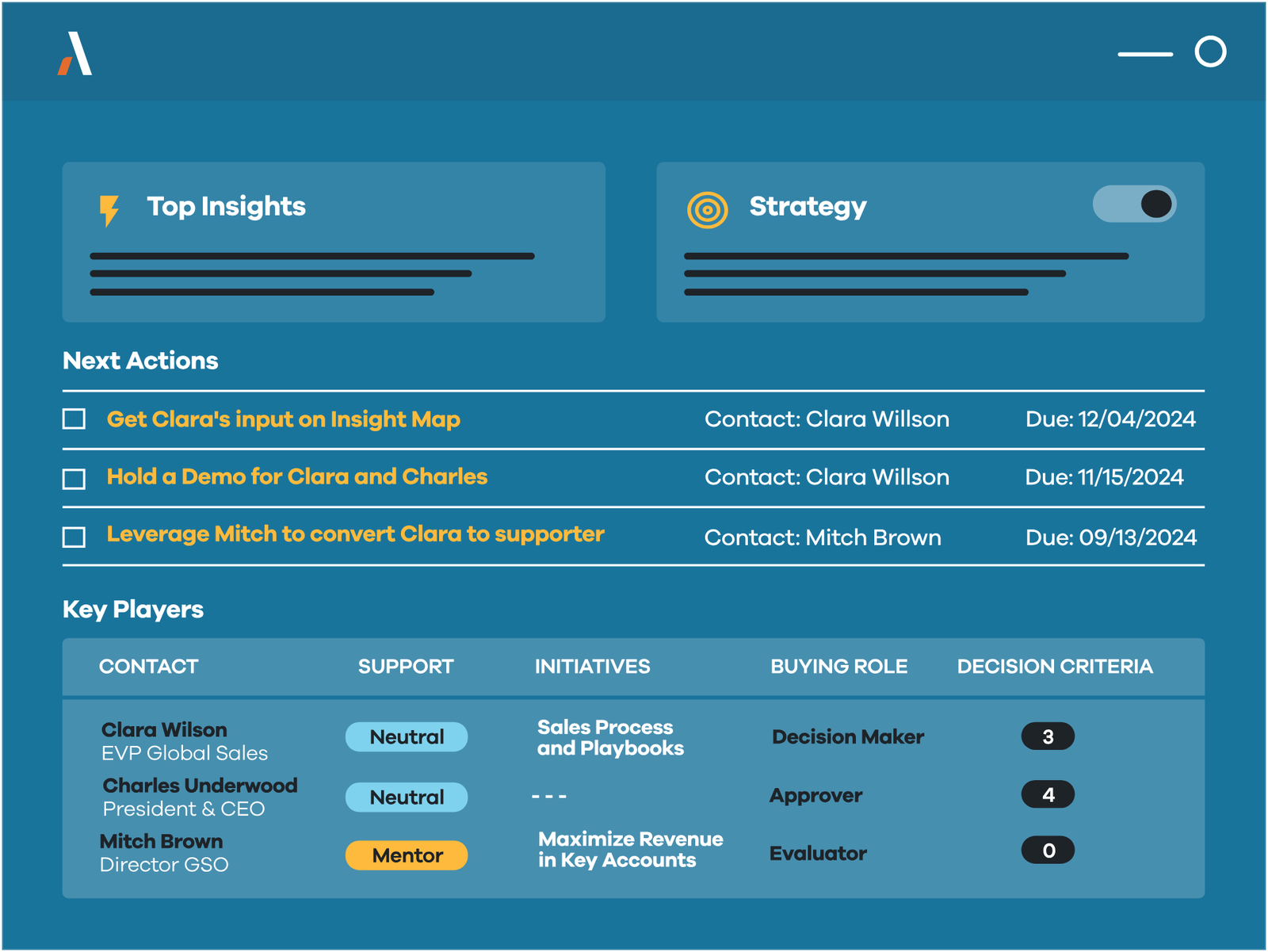
One deal review in Altify. Before the review, the rep answers the qualification questions of your methodology on the opportunity (Altify supports TAS, MEDDIC, MEDDPICC, Sandler, Miller Heiman or a custom one) and updates the relationship map that shows who holds power, who supports you and who needs attention. Gaps and blockers show up in the opportunity view. The review itself is Altify's core idea: the manager and the wider revenue team walk through the gaps and leave with actions assigned. MaxAI, launched July 29, 2026, reads the same Altify data through an MCP server and coaches the deal inside Claude, Copilot, ChatGPT or Agentforce, flagging structural risks like single-threading.
Altify doesn't capture calls or email itself. Its risk view depends on reps filling in the plan, which is the point for teams that sell long enterprise deals and the problem for teams that won't.
- you sell complex deals in Salesforce and follow a methodology such as MEDDPICC or Miller Heiman
- you want deal reviews built on a written win plan, not on activity scores
- you're not on Salesforce: it's the only CRM Altify supports
- you want risk scored automatically from emails and calls
- Users like
- Relationship mapping at account and opportunity level
- Users dislike
- Setup and admin score lower; few recent reviews
- Source: G2, 76 reviews
How it works in practice
Pricing is by quote and depends on the modules (Accounts, Opportunities, Insights, Sales Process, MaxAI) and seat count; G2 shows Altify Insights from $20 per user per month. G2 rates Altify 4.2 from 76 reviews, with setup and admin scored lower. A TrustRadius reviewer finds the relationship maps detailed and insightful and another says executive reports are not well designed, but TrustRadius has only three reviews.
- Starting price
- Quote only (annual subscription); G2 shows Altify Insights from $20 per user per month
- CRM
- Salesforce only, native
- Methodologies
- MEDDIC, MEDDPICC, Sandler, Miller Heiman, custom
- Ownership
- Independent since March 2025
- Contract
- Annual subscription
Dock
Best for mutual action plans
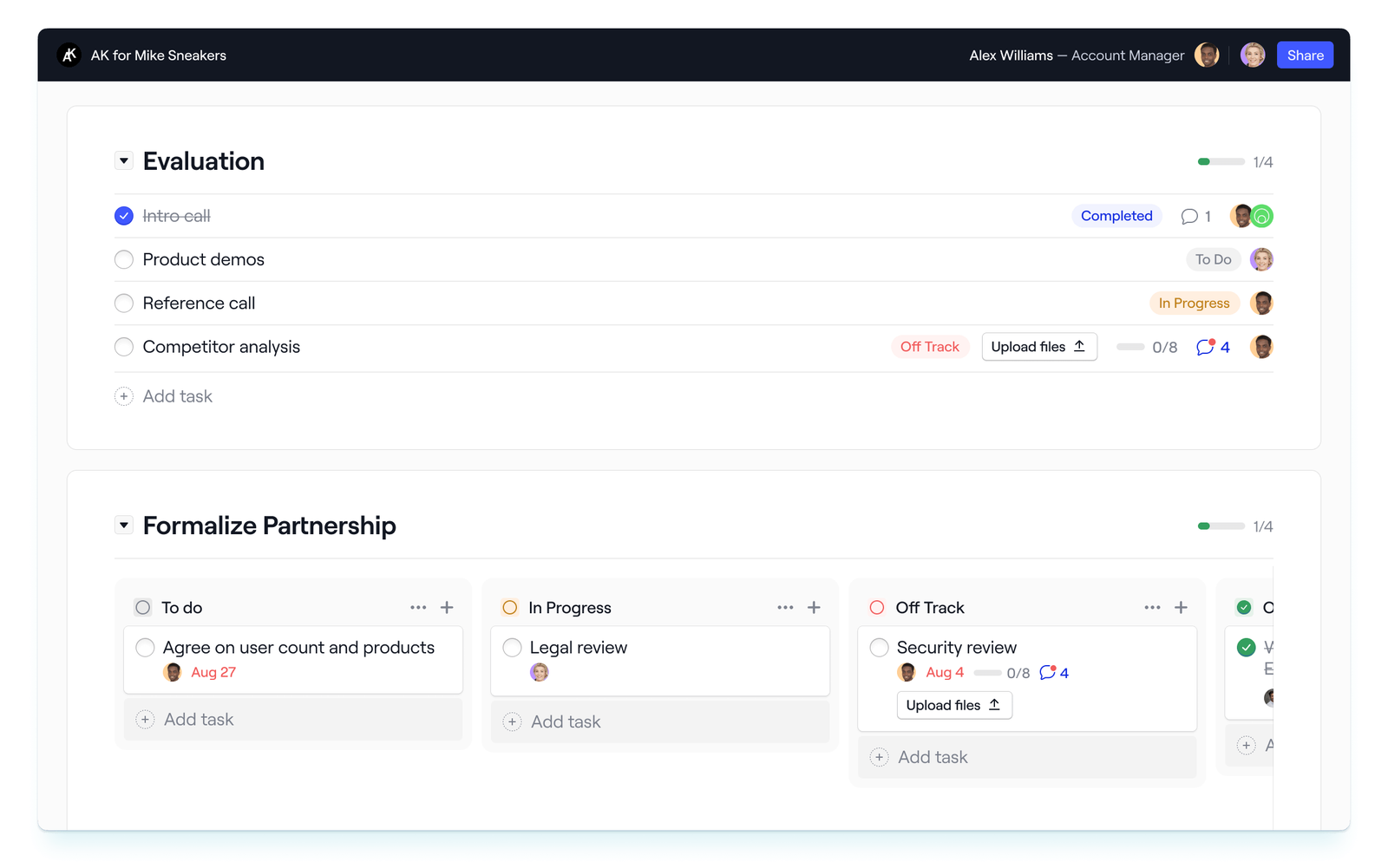
Dock gives each deal a shared workspace with a mutual action plan, the content the buyer needs and, on higher plans, an order form. Buyers don't need an account and don't count as seats.
One deal review in Dock. The rep builds a multi-phase plan from a template (Dock ships mutual action plan, implementation plan and sales pilot templates) and shares the workspace with the buying group, who can check off tasks, comment and upload files. Dock tracks views, clicks, downloads and plan activity, and emails the owner when the workspace is opened. In the deal review, the signal is simple: tasks overdue on the buyer side, or nobody from the buying group opening the workspace. With the Salesforce integration, opportunity data flows into the workspace and buyer activity and signed order forms flow back to the record.
What Dock doesn't do is score deals or roll them up for the forecast. We found no deal health score on its pages. Treat it as the layer that makes the buyer's next steps visible, and pair it with a CRM or inspection tool for the manager's view.
- your deals stall after the demo because nobody owns the next steps on the buyer side
- you want buyer engagement written back to Salesforce or HubSpot
- you need deal health scores or forecast rollups: Dock is a buyer workspace
- you need the CRM integration on the free plan: it starts at Standard
- Users like
- Salesforce integration cuts manual work
- Users dislike
- Setup is rated harder than some rivals
- Source: G2, 436 reviews
How it works in practice
Pricing is published per internal seat bundle: Free, Standard at $350 a month with five seats, Premium at $1,000 a month billed annually with ten seats, extra seats $50 a month, and Enterprise by quote with API, automations and SSO. Salesforce and HubSpot integrations start at Standard; CRM-integrated order forms, custom fields and webhooks at Premium. The pricing table doesn't say whether mutual action plans or analytics are limited on lower plans. Dock includes an MCP server even on Free. G2 rates it 4.7 from about 436 reviews (search-result value).
- Starting price
- Free; Standard $350 per month for 5 seats; Premium $1,000 per month billed annually for 10 seats; extra seats $50 per month; Enterprise custom
- CRM sync
- Salesforce and HubSpot from Standard
- Billing
- Internal seats only, buyers free
- API
- Enterprise only
- Free plan
- 10 workspaces, no CRM integration
The Approval Layer: Deal Desk and Quotes
Late in a deal, the risk moves from the buyer to your own pricing rules. If discounts, non-standard terms and quote approvals run through chat threads, this is the layer that fixes it.
DealHub
Best for discount approvals
DealHub handles the end of a deal: configure-price-quote, rule-based approvals, a DealRoom buyer portal, contracts and subscription billing.
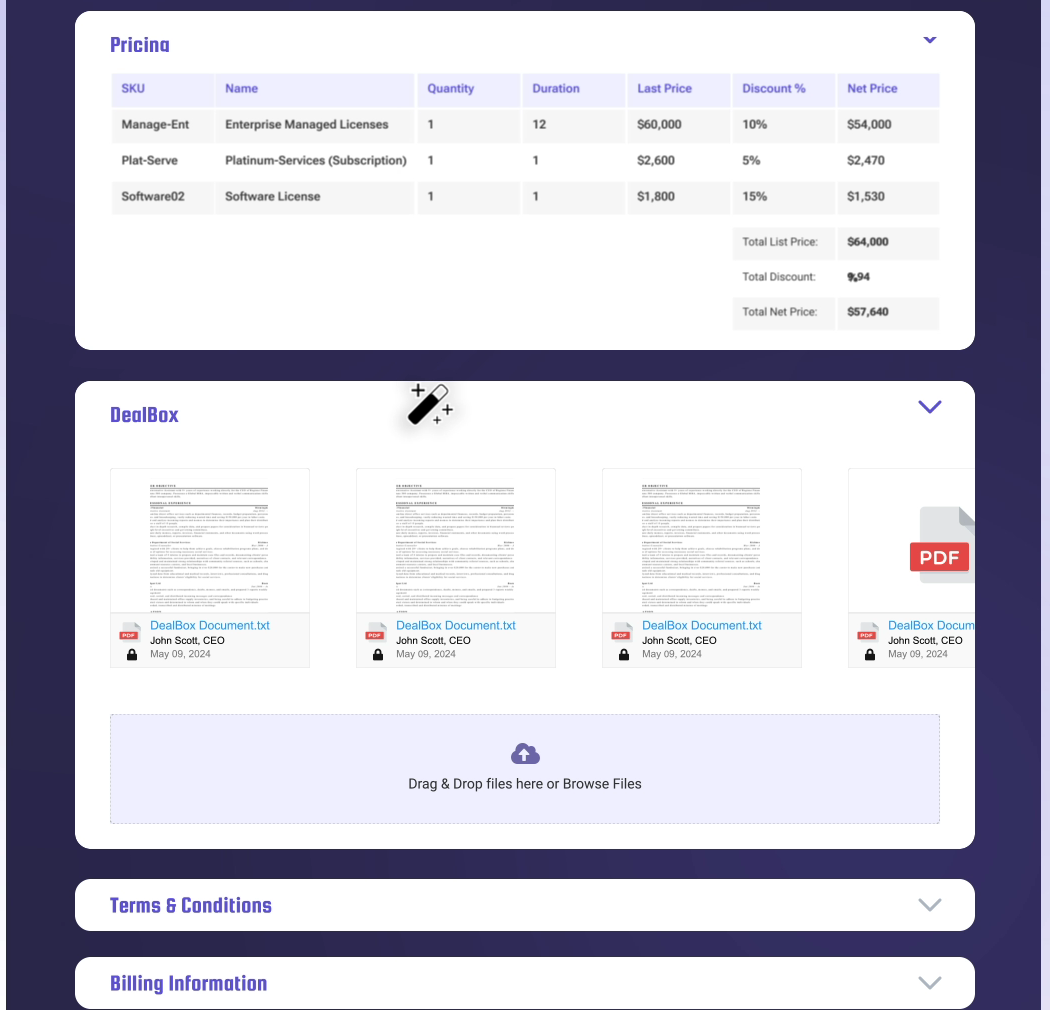
One deal review in DealHub. The evidence here is the quote. Pricing, discounts and terms are configured against the CRM opportunity, and your deal desk rules decide what happens next: a discount over a limit or a deal above a size threshold goes to the right approver, and each approval is logged with an audit trail. The rep then sends the quote, contract and next steps through a DealRoom the buyer can review. Leaders see approvals and DealHub's revenue analytics. A Software Advice reviewer says the approval workflows gave management visibility into discounting and let them automate it.
DealHub doesn't help with early-stage qualification or inspection; its pages don't mention either. Buy it when the problem is the paper process, not the pipeline.
- discount approvals run through email and Slack threads today
- you sell subscriptions or usage pricing and quotes need rules
- your pricing is simple and discounts are rare
- you're looking for pipeline inspection or qualification: DealHub governs quotes, not early deal stages
- Users dislike
- Steep learning curve and complex implementation
- Source: G2, 850 reviews
How it works in practice
DealHub publishes no prices; its Growth and Scale packages are quoted, and headless API quoting is an add-on. It connects natively to Salesforce, Microsoft Dynamics 365 and HubSpot, and to NetSuite and QuickBooks on the finance side. G2 rates it 4.7 from about 850 reviews (search-result value); the recurring complaints are a steep learning curve and a complex implementation.
- Starting price
- Quote only (Growth and Scale packages)
- CRMs
- Salesforce, Microsoft Dynamics 365, HubSpot
- Approvals
- Rule-based with audit trail
- Billing
- Subscription management (Subskribe, acquired 2025)
- Acquisition
- Bought Subskribe for subscription billing (announced November 2025)
Which Plan Unlocks Deal Inspection
Deal features are where quotes get expensive, because most vendors put them one or two tiers above the plan you'd pick for basic CRM work. This is what each vendor's own pricing or help pages say.
| Tool | Plan that unlocks the deal features (USD) | What the lower plans miss (USD) |
|---|---|---|
| Salesforce Sales Cloud | Core ($195): Pipeline Inspection, Deal Insights, Opportunity Scoring | Pro Suite ($100) has forecasting but no Pipeline Inspection |
| HubSpot Sales Hub | Professional ($90 plus $1,500 onboarding): deal summaries, deal plans, forecasting; Enterprise ($150): deal approvals and splits | Starter has pipelines and deal tags only |
| Pipedrive | Growth: forecast view and forecast reports | Lite has no forecast view; rotting and AI assistant plans aren't stated |
| Gong | Gong Forecast seat for deal likelihood scores; deal boards in Forecast Essentials and Gong Forecast | Gong Pro shows no deal scores |
| Outreach | Amplify Essentials, Plus or Pro: Deal Agent, deal health, deal management | Amplify Core lists none of them |
| Sybill | Business ($90): deal workspace, 10 CRM Autofill fields | Pro ($30) pushes summaries to the CRM only |
| Dock | Standard ($350 for 5 seats): Salesforce and HubSpot sync; Premium: CRM order forms | Free has no CRM integration |
| Salesloft, Altify, DealHub | Packages by quote | Not published |
How Much Deal Management Software Costs
Deal management software costs from $0 on free CRM plans to $195 per user per month for the first Salesforce edition with Pipeline Inspection, among the tools that publish prices. Conversation-based tools sit in between: Sybill's deal workspace costs $90 per user per month billed annually, and Dock's Standard plan works out to $70 per seat when all five included seats are used. Gong, Salesloft, Outreach, Altify and DealHub are quote only.
Seat prices are only part of the bill. For a ten-rep team, a realistic first purchase is the CRM edition that includes the deal features plus one tool from the inspection or planning layer. On HubSpot that means Professional at $90 per seat ($900 a month for ten seats, billed annually) plus the one-time $1,500 onboarding fee. On Salesforce, moving from Pro Suite to Core adds $95 per user per month, or $950 a month for ten users.
Is There Free Deal Management Software?
Yes, free deal management software exists for small teams and for testing. HubSpot's free plan covers the deal pipeline for up to two users, without deal summaries or forecasting. Dock's free plan gives you 10 shared workspaces with mutual action plans but no CRM integration. Sybill's free plan records and transcribes calls with capped AI summaries and no deal workspace. Aligned, a deal room we left out of the main list, also has a free Starter plan. For a full evaluation, Salesforce offers a 30-day trial, Pipedrive 14 days and Sybill 14 days of its Business plan.
Deal Qualification Fields Worth Tracking
Most of the tools above can capture qualification details, but only if you decide which fields matter. This template uses MEDDPICC, the framework Salesloft, Sybill and Altify name, and shows where the software helps and what should worry you in a review.
| Field | Question it answers | Where software helps | Red flag in the review |
|---|---|---|---|
| Metrics | What measurable result does the buyer expect? | Call summaries (Gong, Sybill) | No number after the second meeting |
| Economic buyer | Who signs off on the budget? | Relationship maps (Altify), buying-group capture (Salesloft) | Nobody on our side has met them |
| Decision criteria | What will they compare vendors on? | MEDDPICC capture from calls (Salesloft, Sybill) | The criteria match a competitor's pitch |
| Decision process | Which steps lead to a decision, and when? | Mutual action plan (Dock, Outreach Success Plans) | No dated step after this week |
| Paper process | Which legal, security and procurement steps come before signature? | Mutual action plan, deal desk (DealHub) | Procurement first appears in commit week |
| Identified pain | What problem costs them enough to act? | Call summaries and objections (Gong, Sybill) | The pain is ours, not theirs |
| Champion | Who sells for us when we're not in the room? | Champion and engagement signals (Sybill, Gong warnings) | Single-threaded: one contact on the deal |
| Competition | Who else are they talking to, including doing nothing? | Mentions in recorded calls | "No competition" on a six-figure deal |
You don't need all eight on every deal. Smaller deals can run on pain, economic buyer, decision process and champion; keep the full set for deals large enough to need a mutual action plan.
A Weekly Deal Review That Uses the Software
The software only pays off if the review uses it. This is a 30-minute weekly review for one manager and five to eight reps, built on the features covered above. For the win rate, stage conversion and cycle length reports that go with it, see our guide to sales analytics software.
Sort the board by risk before the meeting
Open the risk view your stack has: Pipeline Inspection's weekly changes in Salesforce, the deal likelihood score in Gong, deal health in Outreach, red rotting tiles in Pipedrive. Pick the deals that changed close date or amount, carry a warning, or sit in Commit.
Ask three questions per deal
What changed since last week, which qualification field is still empty, and what is the next step the buyer agreed to, with a date. If the answer to the third is "waiting for them", the deal needs a plan, not a status update.
Leave with an action in the tool
Add the missing contact to fix single-threading, update the mutual action plan in Dock or Outreach, or route a discount to the deal desk. Write it in the system, not in meeting notes.
Check the trend once a month
Track win rate, sales cycle length and how long deals sit in each stage. Altify names these three numbers for deal management. They show whether the reviews change outcomes or just describe them.
Tools We Looked at and Left Out
The tools below are good products that didn't make the ten, mostly because another tool in the list does the same job for the same buyer, or because they changed hands this year.
- Zoho CRM, Freshsales, Close and monday.com Sales CRM: solid CRMs that other guides list. For deal management they cover the same record layer as Salesforce, HubSpot and Pipedrive.
- Aligned and GetAccept: digital sales rooms like Dock. Aligned has a free Starter plan; GetAccept's Professional plan is $49 per user per month billed annually with a five-user minimum and adds e-signatures.
- Terret (formerly BoostUp): revenue intelligence and forecasting; boostup.ai now redirects to terret.ai. Covered in our forecasting guide.
- Backstory (formerly People.ai): renamed in April 2026, answers deal and forecast risk questions from CRM and communication data, and prices by usage rather than per seat.
- Momentum: CRM automation with Slack deal rooms, now part of Salesforce after an acquisition completed on March 2, 2026.
- folk: a lightweight CRM for small teams; deals and custom objects start at its Premium plan ($48 per member per month billed annually).
When Pricing Changes in the Middle of Open Deals
Deal reviews assume every rep tells the buyer the same story. That breaks when your pricing, packaging or product changes while deals are open: half the team quotes the old plan, someone promises a discount that no longer exists, and the deal desk finds out at approval. The tools above flag the deal after the wrong message went out. Our own product, The GTM Lead, covers the step before that: it sends one release brief with the approved messaging and "do not say" caveats to your SDRs, AEs and CSMs and shows who has read it and answered a short readiness check.
FAQ
What is deal management software?
Deal management software helps a sales team move each open opportunity to a decision. It records the deal in a CRM, flags deals at risk, organizes next steps with the buyer and controls discounts and approvals. Most teams combine a CRM with one tool on top for inspection, buyer collaboration or approvals.
What is the difference between a CRM and deal management software?
A CRM stores the deal record: stage, amount, contacts and activity. Deal management works the open deal: it finds the risk, plans the next steps with the buyer and handles approvals. Salesforce and HubSpot include deal management features in higher editions; tools like Gong, Sybill, Dock and DealHub add them on top of a CRM.
How much does deal management software cost?
Deal management software costs from free CRM plans to $195 per user per month for Salesforce Core, the first edition with Pipeline Inspection. HubSpot's deal features start at Professional for $90 per seat plus a $1,500 onboarding fee, and Sybill's deal workspace costs $90 per user per month billed annually. Gong, Salesloft, Outreach, Altify and DealHub sell by quote.
What is the best deal management software for a small team?
For a small team, start with a CRM the reps will keep current: Pipedrive or HubSpot's free or Starter plan. Add a free Dock workspace for larger deals that need a shared plan with the buyer. Inspection tools like Gong need enough call and deal history to be useful.
Can AI manage deals automatically?
AI can update CRM fields from calls, summarize deals and flag risk, as Sybill, Gong, Outreach and Pipedrive Nova do. It can't agree next steps with the buyer or approve a discount; those still need the rep and the manager. Most tools ask the rep to approve AI changes before they reach the CRM.
Is deal management software the same as private equity deal software?
No. Sales deal management tracks a seller's pipeline. Private equity, venture capital and real estate teams use deal flow tools such as DealCloud, Affinity, 4Degrees or Dealpath to track investments, relationships and diligence.