Conversation intelligence software records your sales calls and meetings, turns the audio into a searchable transcript and uses AI to flag what was said: topics, objections, competitor mentions, questions and next steps. Most products add coaching tools, deal-risk views and CRM updates on top.
This guide compares nine of them. For each one we looked at the job a product marketer or enablement lead actually has after a launch: find out whether reps are using the new wording, which objections and competitor names come up, and which deals are at risk. That job depends on one capability, how the tool decides what to listen for, so every entry covers how a topic or tracker is defined, who may edit it and which plan unlocks it. We read each vendor's pricing page, a product page and a help-center article where one was readable, on October 26, 2026. Only four of the nine list a USD price, so the price column says "quote only" for the rest.
- tools compared in two groups
- 9
- list a USD price on their own site
- 4 of 9
- custom keyword insights an admin can define in Salesforce Conversation Insights
- 100
- transcription languages besides English at Jiminny
- 60+
Best Conversation Intelligence Software: Our Picks
Each pick below is the tool we'd look at first for one situation, judged on where the calls come from, how a tracker or topic is defined, which plan unlocks it and how much of that you can verify before a demo.
 Best for searching calls, emails and deals togetherGongKeyword trackers are free of credits; AI trackers use them. Results show in call search, Team Insights and deals.
 Best if you already buy ZoomInfoChorus by ZoomInfoCall and meeting capture with CRM sync from the ZoomInfo platform; tracker detail isn't public.
 Best for a published price and a trialAvomaTrackers match 5 to 20 example sentences and need the $29 Conversation Intelligence add-on.
 Best for multilingual teams and Slack nudgesJiminnyTopics scoped by speaker and language, CSV bulk import and saved searches pushed to Slack.
 Best for describing a topic in plain EnglishClari CopilotAI Smart Topics and Recommended Topics, now under the merged Salesloft and Clari company.
 Best for Salesforce teams that want consent toolingSalesloftKeyword and Smart Topics, saved-filter alerts and a pre-meeting consent page.
 Best for teams that live in Salesforce recordsSalesforce Einstein Conversation InsightsUp to 100 custom keyword insights shown on the call and opportunity; $50 per user per month.
 Best for HubSpot teams on ProfessionalHubSpot Sales HubTranscripts and summaries from Professional; tracked terms are Enterprise only.
 Best for phone-heavy teams that want in-call promptsDialpad SellCustom Moments and Live Coach cards inside the dialer, from $59 per user per month.
Conversation Intelligence Software Compared
Read the table left to right: tool type, what the tool listens for, price and rating. The column called What it listens for is how each vendor says a topic, tracker or keyword is defined, and the rows follow the order of the two groups further down.
| Tool | Tool type | What it listens for | Starting price | G2 rating |
|---|---|---|---|---|
| Gong | Conversation intelligence platform | Keyword trackers and AI trackers on calls, emails and meetings | Quote only (per-user license plus a platform fee that depends on the number of users) | 4.7 (6,470) |
| Chorus by ZoomInfo | Conversation intelligence | Not described on ZoomInfo's Chorus page | Quote only; no price on ZoomInfo's Chorus page | 4.5 (2,988) |
| Avoma | AI meeting assistant with a conversation intelligence add-on | Smart Topics, keyword trackers and smart trackers from example sentences | Startup $19, Organization $29, Enterprise $39 per recorder seat per month billed annually; Conversation Intelligence add-on $29 per seat annually ($35 monthly); viewers and collaborators free; 14-day Organization trial | 4.6 (1,352) |
| Jiminny | Conversation intelligence platform | Themes and Topics triggered by keywords or phrases | Quote only (Capture, Scale, Grow); seat types for recording, insights and listening; 12-month minimum; one-time setup fee; 14-day free trial | 4.6 (1,037) |
| Clari Copilot | Conversation intelligence | Pre-built, keyword and AI Smart Topics | Quote only; Clari's pricing page now redirects to Salesloft's sales contact page | No reviews yet |
| Salesloft | Revenue orchestration platform with a conversation intelligence module | Keyword Topics, Smart Topics and Recommended Topics | Quote only (Advanced and Elite packages) | 4.5 (9,908) |
| Salesforce Einstein Conversation Insights | CRM-native conversation intelligence | Standard insights and up to 100 custom keyword insights | $50 per user per month billed annually (Conversation Insights, also in the Sales Engagement add-on); $100 in Sales Programs; included in Sales Cloud Unlimited; Agentforce for Sales listed at $125 | 4.4 (27,577) |
| HubSpot Sales Hub | CRM-native call recording and conversation intelligence | Tracked terms in categories (Enterprise) | Professional from $90 per seat per month (plus a $1,500 one-time onboarding fee); Enterprise from $150 (plus $3,500 onboarding) | 4.4 (14,369) |
| Dialpad Sell | Sales dialer with built-in conversation intelligence | Custom Moments for phrases, with Live Coach cards | Sell Essentials $39, Advanced $59 (adds Live Coach and Custom Moments), Premium $79 (adds AI quality management) per user per month | 4.4 (4,216) |
 The GTM Lead Our product The GTM Lead Our product | Release enablement acknowledgements | Shows which SDRs, AEs and CSMs are ready to explain a product change | Access code | No reviews yet |
Checked October 26, 2026 on each vendor's pricing, product and help pages. Ratings are G2 values from search results and the G2 pages we could open; G2 blocked direct access for several tools and review counts can differ by a few between pages. The Salesloft, Salesforce, HubSpot and Dialpad ratings cover the whole product (Dialpad: Dialpad Connect), not the conversation intelligence features. Clari Copilot shows No reviews yet only because we could not read a G2 rating for it.
What Conversation Intelligence Software Does
Conversation intelligence software, sold by vendors such as Gong, Avoma, Jiminny and Salesloft, records sales conversations, transcribes them and uses AI to find the moments that matter, so a manager or marketer can search what customers and reps said instead of relying on notes. The work runs in four steps: capture the call, transcribe it, tag it and surface the result.
Capture decides which conversations you can analyze at all. Tagging is where the tools differ most, because it decides whether a launch phrase or a competitor name shows up. Surfacing is the dashboard, the alert or the field written back to the CRM. If you run a sales analytics stack or a deal management tool, conversation intelligence is the layer that adds what was said to the numbers you already track.
Conversation Intelligence vs Conversational AI and Meeting Note Bots
Conversation intelligence analyzes conversations between people, usually a rep and a buyer. Conversational AI is software that holds a conversation itself, such as a chatbot or a voice agent, and is a different category. Meeting note bots record any meeting and write a summary. The nine tools here add the sales-specific layer: trackers, scorecards, deal views and CRM sync. If you also coach reps, see our guide to sales coaching software.
Where the Calls Come From
A tool can only analyze what it receives, and the sources differ. Some tools run their own bot in your meetings, some are the phone system, and some depend on a recording provider you connect.
| Tool | Where the calls come from |
|---|---|
| Gong | Calls, meetings and emails captured automatically, with Salesforce and Zoom among the core integrations |
| Chorus by ZoomInfo | Calls, meetings and emails; a reviewer on ZoomInfo's page mentions an automatic Zoom connection |
| Avoma | A bot on Zoom, Google Meet and Microsoft Teams, plus dialers such as Aircall, Dialpad, RingCentral and Zoom Phone |
| Jiminny | Its own recorder, meeting integrations and integrated dialers |
| Clari Copilot | A Copilot Notetaker for Zoom, Microsoft Teams and Google Meet, according to Clari community posts |
| Salesloft | The Salesloft CI Bot or a cloud recorder on Zoom, Teams and Google Meet, uploads, and a dialer add-on |
| Salesforce Conversation Insights | A recording provider you connect: Sales Dialer, Amazon Connect, Zoom, Google Meet or Microsoft Teams |
| HubSpot Sales Hub | HubSpot's calling tool and select third-party calling providers; Zoom and Teams recordings create meeting records |
| Dialpad | Calls and meetings placed in Dialpad itself |
How Each Tool Decides What to Listen For
How a tool decides what to listen for is the deciding capability for a launch. A literal keyword list is much more precise, but it misses a rep who says the same thing in different words. A concept or question-based tracker catches variations but can cost credits or need example sentences.
| Tool | How a topic is defined | Who sets it | Literal or AI |
|---|---|---|---|
| Gong | Keyword trackers for exact phrases; AI trackers built from a question | Admin with the Manage AI Trackers permission | Both |
| Chorus by ZoomInfo | Not described on ZoomInfo's page | Not documented | Not documented |
| Avoma | Smart Topics, keyword trackers and smart trackers from 5 to 20 example sentences | Avoma Admin | Both |
| Jiminny | Themes holding Topics triggered by keywords or phrases | Manager or Admin, or your CSM | Literal |
| Clari Copilot | Pre-built topics, keyword topics and AI Smart Topics, plus Recommended Topics | Admin in Manage Topics | Both |
| Salesloft | Keyword Topics and Smart Topics, plus Recommended Topics | Admin | Both |
| Salesforce Conversation Insights | Standard insights and up to 100 custom keyword insights | Admin in Setup | Literal |
| HubSpot Sales Hub | Tracked terms grouped in categories | Super admin, Enterprise only | Literal |
| Dialpad | Custom Moments built from trigger words and phrases | Admin, per team | Phrases |
Dedicated Conversation Intelligence Platforms
Gong, Chorus, Avoma, Jiminny and Clari Copilot exist to analyze conversations and little else, and each sits beside your CRM rather than inside it. You buy a separate contract and point the tool at the calls you already hold.
Gong
Best for searching calls, emails and deals together
Fits a team that wants one place to search calls, emails and meetings for a new message and can buy by quote.
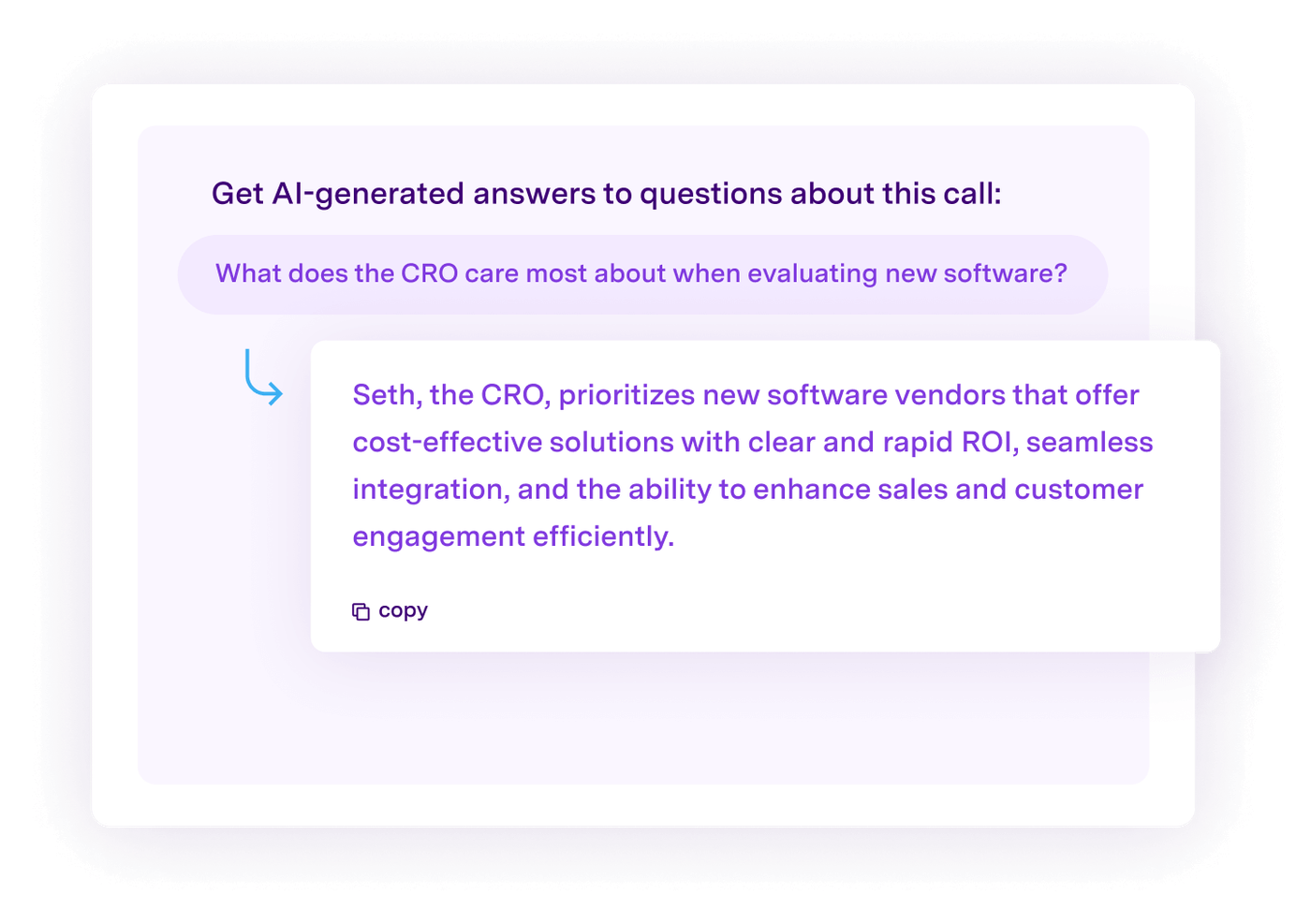
A pricing change in Gong. Gong captures calls, meetings and emails automatically. To find out whether reps use the new wording, an admin with the Manage AI Trackers permission sets up two kinds of tracker. Keyword trackers look for exact words and phrases, such as a new package name or a competitor, and don't use Gong credits. AI trackers look for an idea instead of a phrase. The question-based ones are built by an admin and use credits, while Gong's pre-built AI trackers don't use credits and can't be edited. Results show on the call page, as a filter in call search, in Team Insights, on deals and in Salesforce, and anyone can view them without a special permission.
The catch is metering. When an account runs out of credits, published question-based trackers pause, so a launch tracker can stop in the middle of a quarter. Gong prices per user plus a platform fee by quote, and its pricing page groups customers by team size (1 to 50, 51 to 1,000, 1,001 to 9,999 and 10,000+) without listing prices.
- you want one place to search calls, emails and deals for a new message, a competitor or an objection
- you can budget for a quote-only contract and want tracker results inside deal and Salesforce views
- you need a published price before a demo: Gong prices per user plus a platform fee by quote
- you plan to lean on AI trackers: question-based trackers use credits, and exhausted credits pause published ones
- Users like
- Ease of use and support
- Users dislike
- Less tailored to small businesses
- Source: G2, 6,470 reviews
How it works in practice
Gong's help center says feature access depends on the plan and the seat a user is assigned. Gong lists Salesforce and Zoom among its core integrations and says integrations are free of charge. Its security page lists default retention of up to three years or the contract length, consent management, and redaction and filtering rules.
- Starting price
- Quote only (per-user license plus a platform fee that depends on the number of users)
- Keyword trackers
- Exact words and phrases; no credits
- AI trackers
- Question-based, admin-created, use credits
Chorus by ZoomInfo
Best if you already buy ZoomInfo
Fits a team that already buys ZoomInfo and wants call and meeting capture from the same vendor.
What we could and couldn't confirm. ZoomInfo's Chorus page says Chorus captures and analyzes customer calls, meetings and emails, syncs contacts and communications to the CRM automatically, and measures deal momentum. It also describes team coaching and market intelligence on why deals are won or lost. The page doesn't describe trackers, scorecards or deal boards, and we found no public Chorus help center, so we can't tell you how a team defines a tracker for a new message or who may edit it.
Third-party and marketplace summaries mention AI-based contextual trackers that drive reports and daily email alerts. Treat that as a claim to check in a demo. Chorus came to ZoomInfo through a 2021 acquisition and is sold as part of ZoomInfo's platform, by quote.
- you already buy ZoomInfo data and want conversation intelligence from the same vendor
- you want call capture, CRM sync and coaching in one sales-focused product
- you need to read tracker or scorecard documentation before you buy: ZoomInfo's Chorus page doesn't describe them and we found no public Chorus help center
- you want a published price: Chorus is a request-a-demo product
- Users like
- Call review and coaching
- Users dislike
- Steeper learning curve
- Source: G2, 2,988 reviews
How it works in practice
ZoomInfo's page names automatic CRM sync and a Zoom connection mentioned by one reviewer. Salesforce, HubSpot and Microsoft Teams appear in a third-party integration summary, not on ZoomInfo's page. The G2 strengths and complaint shown above come from G2 comparison-page summaries, because the review pages were blocked to us.
- Starting price
- Quote only; no price on ZoomInfo's Chorus page
- Owner
- ZoomInfo (acquired 2021)
- CRM
- Automatic sync of contacts and communications
Avoma
Best for a published price and a trial
Fits a team that wants to read per-seat prices and try the product before talking to sales.
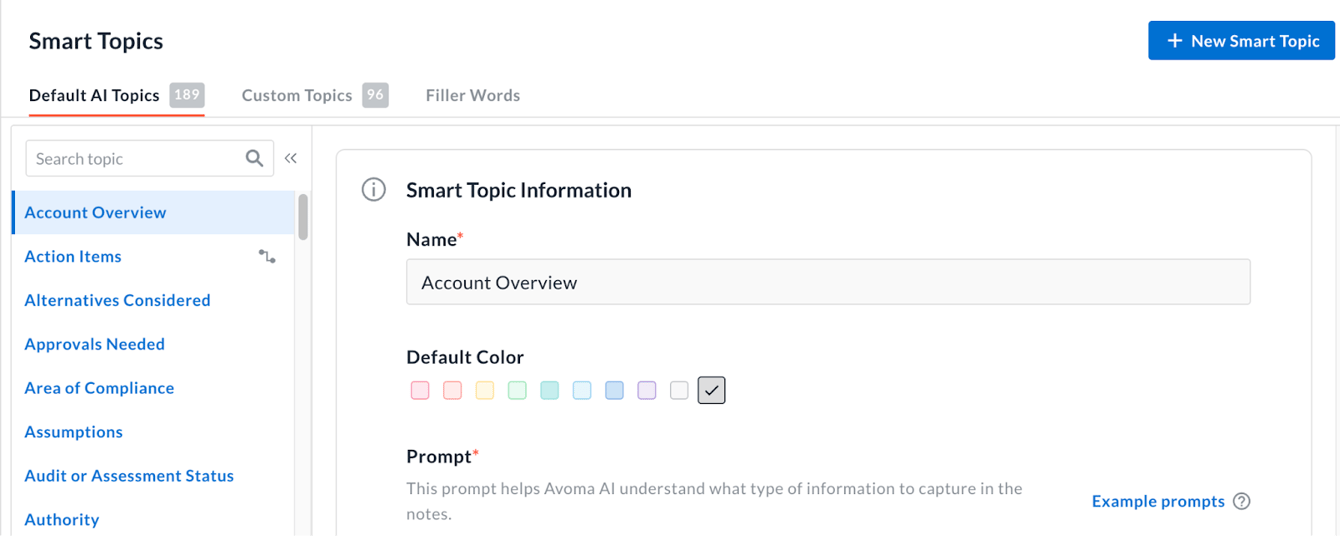
Tracking a new package name in Avoma. Avoma records meetings with a bot on Zoom, Google Meet and Microsoft Teams, and through dialers including Aircall, Dialpad, RingCentral and Zoom Phone. An Avoma Admin then defines Smart Topics, which are categories with a name, a color and a prompt, plus keyword trackers for exact phrases and smart trackers. A smart tracker matches a concept from 5 to 20 example sentences you supply, so the wording can vary. A new tracker can reprocess past meetings for up to 12 months, and the tracker dashboard takes 24 to 48 hours to update. Matches can send alerts to Slack or email, instantly or on a schedule.
Read the plan gate first. Custom keyword trackers, custom smart topic trackers and AI scorecards sit in the Conversation Intelligence add-on, on top of a recorder seat. Avoma's pricing page shows both $24 and $29 for the Organization plan billed annually in different places, so confirm that figure in a quote.
- you want a published per-seat price and a free trial before talking to sales
- you want tracker alerts in Slack or email and the option to reprocess past meetings for a new tracker
- you expected custom trackers in the base seat: they need the Conversation Intelligence add-on
- you want a permanent free plan: Avoma offers a 14-day trial only
- Users like
- Automated note-taking and transcription
- Users dislike
- Recording issues and AI inaccuracy
- Source: G2, 1,352 reviews
How it works in practice
Meeting notes save to account, opportunity and contact records in Salesforce, HubSpot, Zoho, Pipedrive and Copper. Two-way field updates need the Revenue Intelligence add-on at $29 per seat per month billed annually. Viewers and collaborators are free. Avoma offers a 14-day Organization trial with all add-ons and no credit card, and no permanent free plan.
- Starting price
- Startup $19, Organization $29, Enterprise $39 per recorder seat per month billed annually; Conversation Intelligence add-on $29 per seat annually ($35 monthly); viewers and collaborators free; 14-day Organization trial
- Smart trackers
- 5 to 20 example sentences; reprocess up to 12 months
- Tracker dashboard delay
- 24 to 48 hours
Jiminny
Best for multilingual teams and Slack nudges
Fits a team that sells in several languages and wants matching calls pushed to Slack.
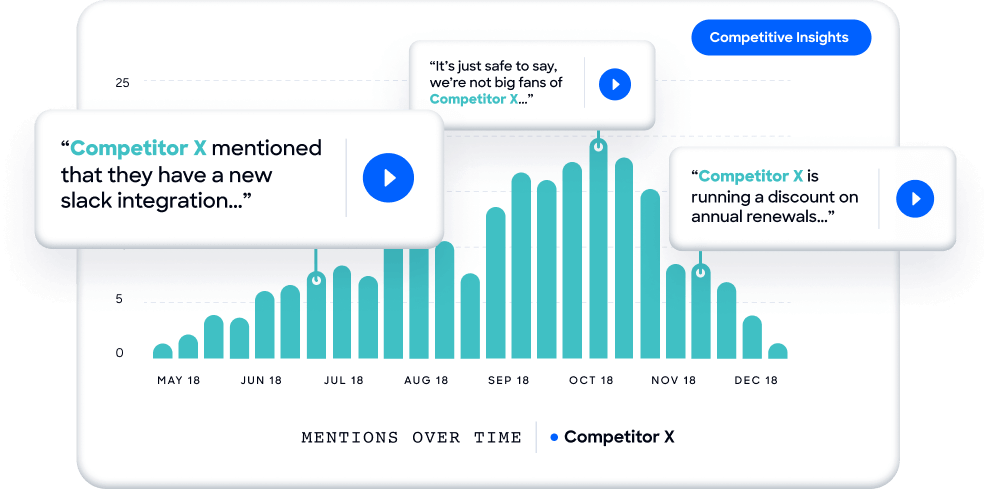
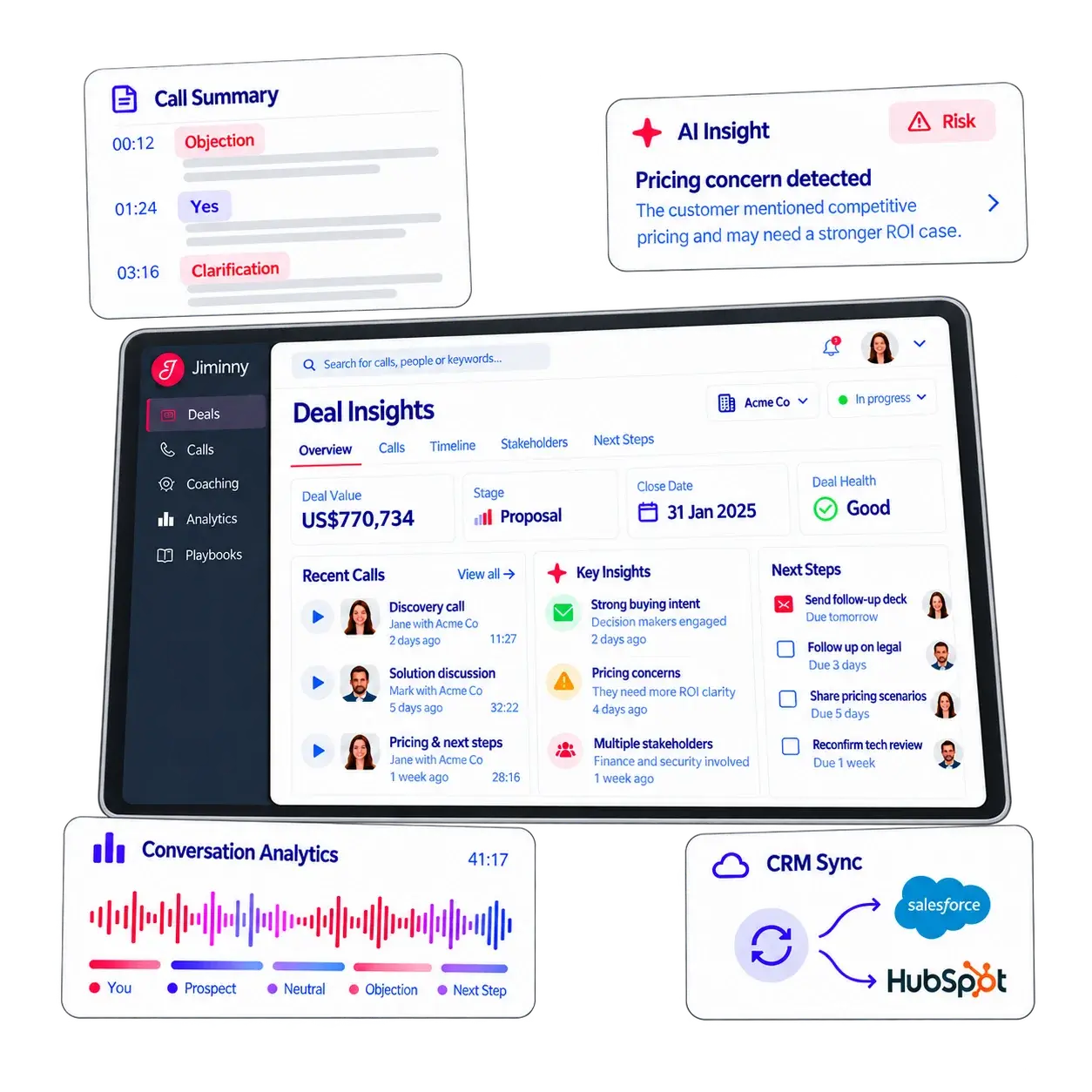
A competitor-mention watch in Jiminny. Jiminny records through its own recorder, meeting integrations or integrated dialers and transcribes in 60+ languages besides English. A manager or admin creates Themes, each holding Topics that fire on keywords or phrases, and can limit a Topic to one speaker (rep or customer) and one language. Default triggers already cover competitors, concerns, quantities such as seats, and contract or negotiation terms. For a launch you add the new claim wording and the competitor names as triggers, one by one or through a CSV upload of up to 2,900 line items per file, and Team Insights shows how often each Topic was mentioned over time.
Saved searches in the call library can become Nudges. Jiminny sends the matching calls, with an AI summary or transcript excerpt, to Slack or email in real time or on a daily to monthly schedule. Topics fire on keywords, not on a plain-English description, so wording variants have to be listed.
- you work in more than one language and want topics scoped by speaker and language
- you want saved call searches pushed to Slack, for example every call that mentions a named competitor
- you want plan-by-plan feature detail before a demo: Jiminny's pricing page doesn't say which feature sits in which plan
- you want AI-described topics: Jiminny's topics are triggered by keywords or phrases
- Users like
- Ease of use and call summaries
- Users dislike
- Clumsy tagging and call issues
- Source: G2, 1,037 reviews
How it works in practice
Salesforce users get an app with 15 out-of-the-box reports, including Early-Stage Deals Citing Pricing and Lost or Won Competitive Opportunities; most of them don't work in Full Data Transience storage mode. Jiminny lists native Salesforce and HubSpot integrations. Pricing is by seat type (recording, insights and listener seats) with no platform fee and a one-time setup fee whose amount isn't stated. Its pricing page doesn't say which feature sits in which plan.
- Starting price
- Quote only (Capture, Scale, Grow); seat types for recording, insights and listening; 12-month minimum; one-time setup fee; 14-day free trial
- Languages
- 60+ besides English
- CSV import
- Up to 2,900 line items per file
Clari Copilot
Best for describing a topic in plain English
Fits a team that wants to describe a topic in words, such as how reps position a new differentiator, and is comfortable with a product that now sits inside a merged company.
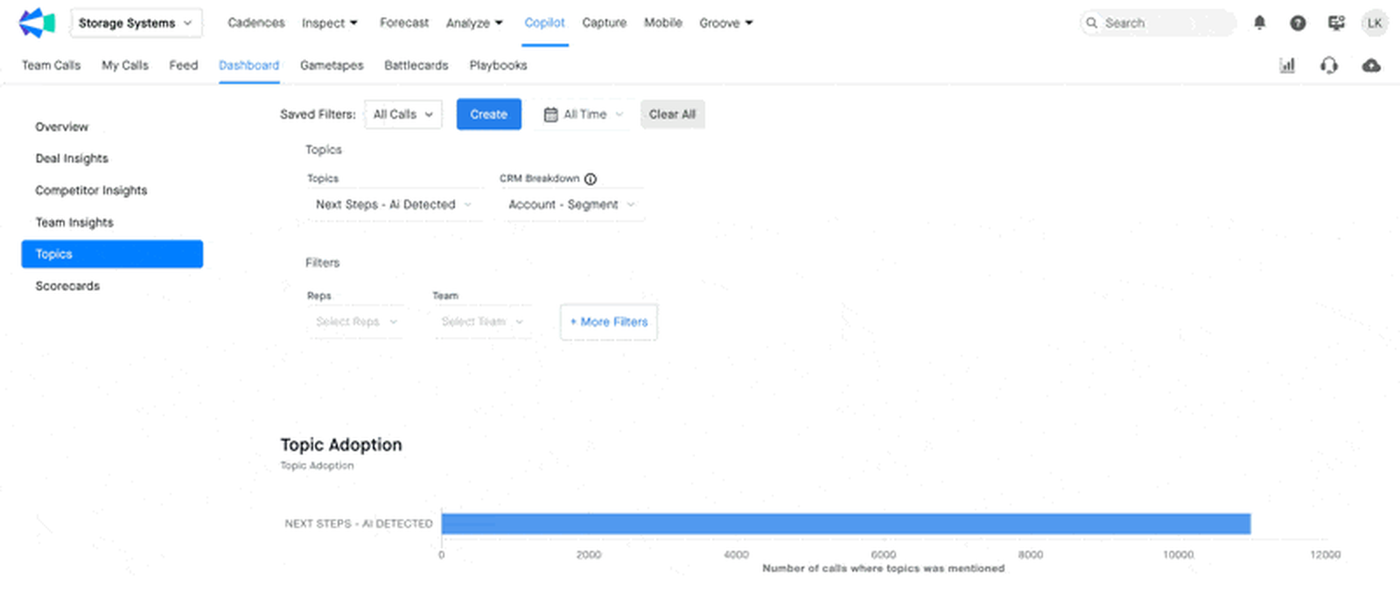
Watching how reps pitch a new differentiator in Clari Copilot. Copilot has three kinds of topic. Pre-built topics cover themes such as agenda setting, customer goals and blockers. Admins add keyword topics for exact names. AI Smart Topics are written in natural language, for example "highlighting key differentiators", and can be limited to customer or rep speech and to specific teams. Copilot also proposes Recommended Topics from recent calls, which you can save or dismiss. Topic Dashboards then split trends by CRM attributes such as deal stage, geography and market size, with drill-down to the call moment. Clari's own guide warns that Smart Topics can't handle exclusions or things that did not happen.
The ownership picture changed. Clari and Salesloft announced a merger on August 7, 2025, and Clari's product, pricing and help pages now redirect to salesloft.com. We found no standalone Copilot price, plan list or public explanation of how Copilot sits next to Salesloft Conversation Intelligence.
- you want to describe a topic in plain English, such as how reps position a new differentiator, instead of listing keywords
- you want topic trends segmented by CRM attributes such as deal stage or geography
- you need a standalone price list or help center: Clari's product, pricing and help pages now redirect or sit behind a login
- you need to know how Copilot fits with Salesloft Conversation Intelligence: no public page we read explains it
How it works in practice
Clari's community posts, now hosted by Salesloft, describe a Copilot Notetaker for Zoom, Microsoft Teams and Google Meet meetings and CRM Suggestions that turn call insights into field updates you approve with one click. Clari's blog says Copilot shows managers which reps adopt key messages; that is a vendor claim we could not test. We found no G2 rating specific to Copilot.
- Starting price
- Quote only; Clari's pricing page now redirects to Salesloft's sales contact page
- Topic types
- Pre-built, keyword, AI Smart Topics
- Ownership
- Merged with Salesloft (announced August 7, 2025)
Conversation Intelligence Built Into Your CRM, Engagement Platform or Dialer
Salesloft, Salesforce, HubSpot and Dialpad add analysis to a system your team uses all day: fewer logins and call data on the CRM record, but a feature set that follows the host product's editions.
Salesloft
Best for Salesforce teams that want consent tooling
Fits a Salesforce team that wants recordings, summaries and deal alerts written to the opportunity, plus consent settings next to the recorder.
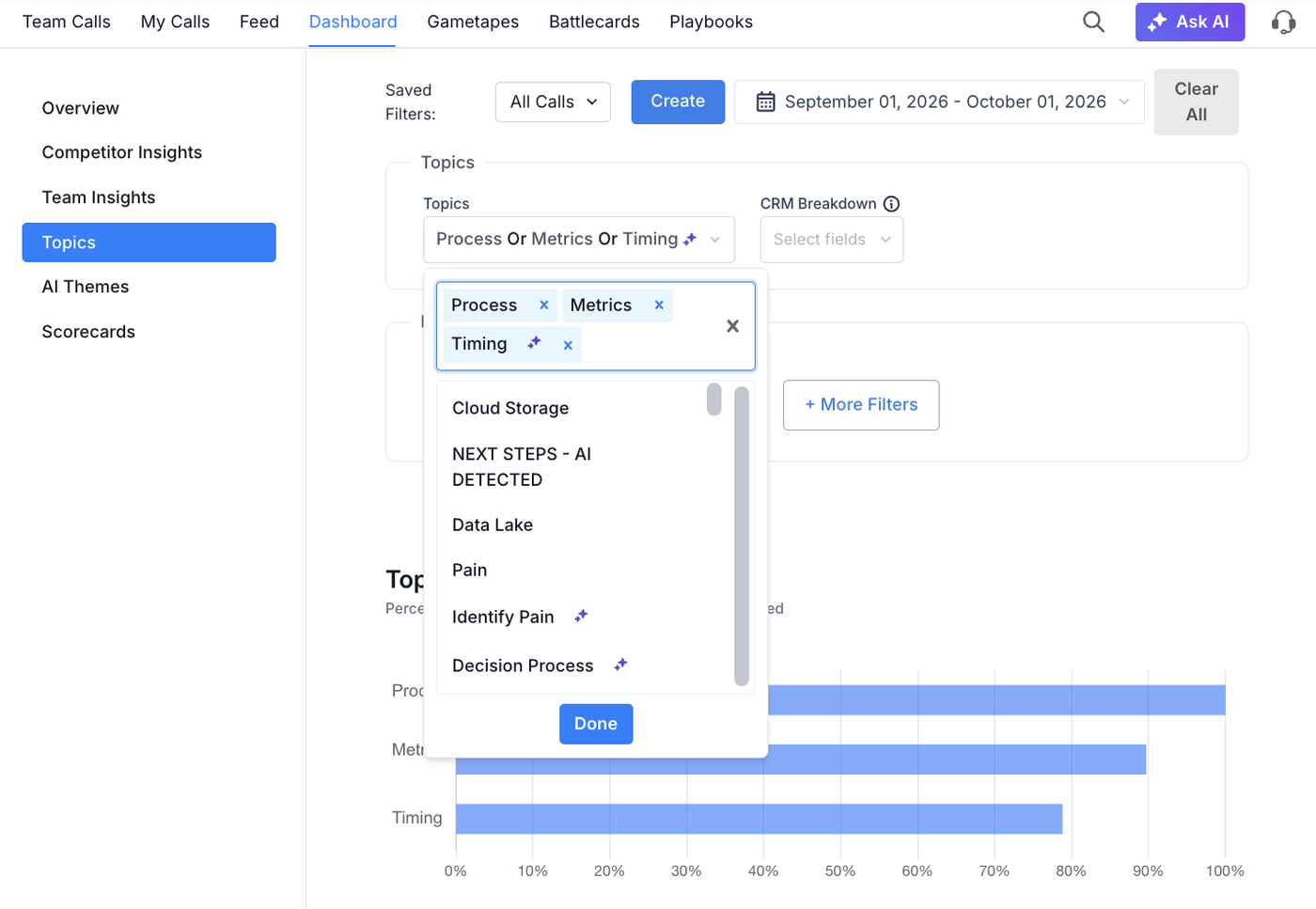
A topic alert in Salesloft Conversation Intelligence. Meetings on Zoom, Microsoft Teams and Google Meet are recorded by the Salesloft CI Bot or a cloud recorder, and recordings can also be uploaded. Admins create Keyword Topics, which match exact phrases, and Smart Topics, which take a plain-language description with a seven-day preview and need Advanced AI Features turned on. Keyword topics take up to 48 hours to apply and mainly cover calls from the last 30 days, while Smart Topics are also applied to the past 10 calls. A Recommended Topics tab suggests topics from recent transcripts. Managers filter the call library by topic, competitor mention, long monologue or talk-to-listen ratio, and a saved filter can send an alert on each new matching call. Dashboards cover topics, competitors, deals, teams and scorecards.
Salesloft sells two packages, Advanced and Elite, and Conversations is in both. The Conversations trial is no longer offered under the new packaging. The help center calls Salesforce the only fully supported CRM, with recording links, summaries and action items synced to the opportunity.
- your team runs on Salesforce and wants recordings, summaries and deal alerts written to the opportunity
- you want a pre-meeting consent page and data-retention settings next to the recorder
- you run HubSpot: Salesloft's help center calls Salesforce the only fully supported CRM for Conversation Intelligence
- you want a USD price: only the Advanced and Elite package names are public
- Users like
- Ease of use and call tracking
- Users dislike
- Missing features and call issues
- Source: G2, 9,908 reviews
How it works in practice
Salesloft merged with Clari (announced August 7, 2025), and Clari Forecast keeps its name. Recording consent tools include a pre-meeting consent page, audio announcements and email reminders, with data-retention and audit-log tabs in the compliance settings. The help center suggests the full consent set may need the Conversation Intelligence Enterprise plan. The G2 rating shown here covers the whole Salesloft platform.
- Starting price
- Quote only (Advanced and Elite packages)
- Recorders
- Salesloft CI Bot or Cloud Recorder
- Smart Topics
- Need Advanced AI Features turned on
Salesforce Einstein Conversation Insights
Best for teams that live in Salesforce records
Fits a team where reps and managers already work in Salesforce records and want call insights on the opportunity.
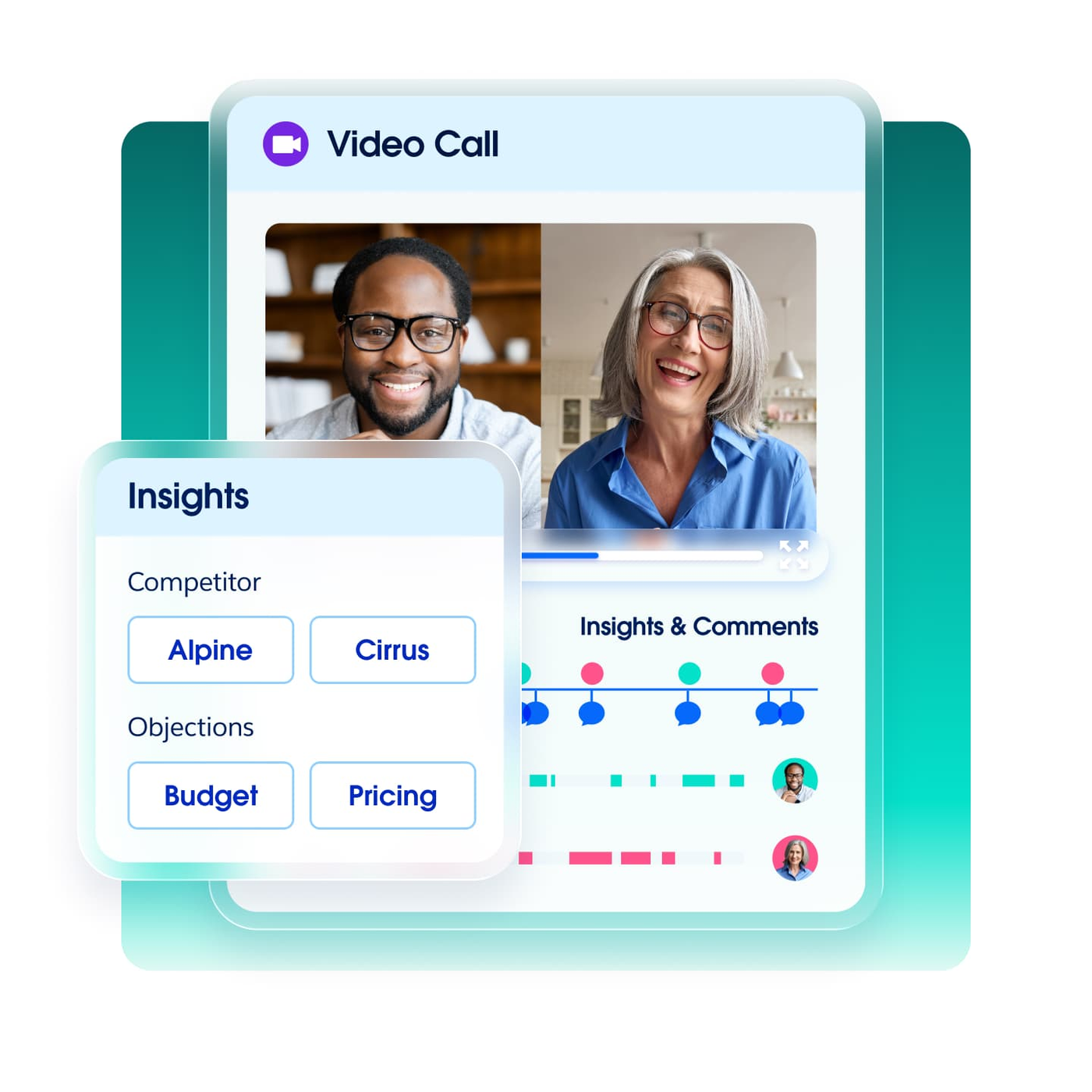
Tracking a launch with custom insights in Salesforce. Conversation Insights doesn't record calls. You connect a recording provider, such as Sales Dialer, Amazon Connect with Service Cloud Voice, Zoom, Google Meet or Microsoft Teams, and Salesforce analyzes what arrives. In Setup, an admin uses automatic insights such as pricing mentions and defines standard insights for competitors and products. Custom insights are the launch tool: up to 100 of them, each with up to 25 keywords of up to 255 characters, so a team lists the new package name and each way reps say it. Insights then appear on the call record and the opportunity record with jump-to-snippet links, and Call Explorer lets users search conversations in natural language. The dashboards refresh about every eight hours by default.
Keywords are literal, so the admin has to list every variant. Packaging after the Momentum acquisition (completed March 2, 2026; the landing page now says "powered by Momentum") isn't fully clear from the pages we read, so confirm which SKU holds Call Explorer and the generative summaries.
- your reps and managers already work in Salesforce records and want call insights on the opportunity
- you want a published add-on price you can add to existing Sales Cloud seats
- you want one tool that records calls for you: Salesforce relies on a connected recording provider
- you want AI-described topics: custom insights are literal keywords, up to 25 per insight
- Users like
- Highly configurable CRM
- Users dislike
- Setup and admin effort
- Source: G2, 27,577 reviews
How it works in practice
Conversation Insights is also sold in the Sales Engagement add-on at the same $50 per user per month, Sales Programs is listed at $100, and Sales Cloud Unlimited includes it. The implementation guide says it is available in Performance and Unlimited editions and at extra cost in Enterprise. Salesforce's pricing page says plans are billed annually, with an annual contract and no trial licenses. Consent and local privacy compliance are the customer's responsibility. The G2 rating covers Sales Cloud as a whole.
- Starting price
- $50 per user per month billed annually (Conversation Insights, also in the Sales Engagement add-on); $100 in Sales Programs; included in Sales Cloud Unlimited; Agentforce for Sales listed at $125
- Custom insights
- Up to 100, with up to 25 keywords each
- Edition gate
- Performance and Unlimited; extra cost in Enterprise
HubSpot Sales Hub
Best for HubSpot teams on Professional
Fits a team on HubSpot CRM that wants call transcripts and summaries tied to contacts and deals.
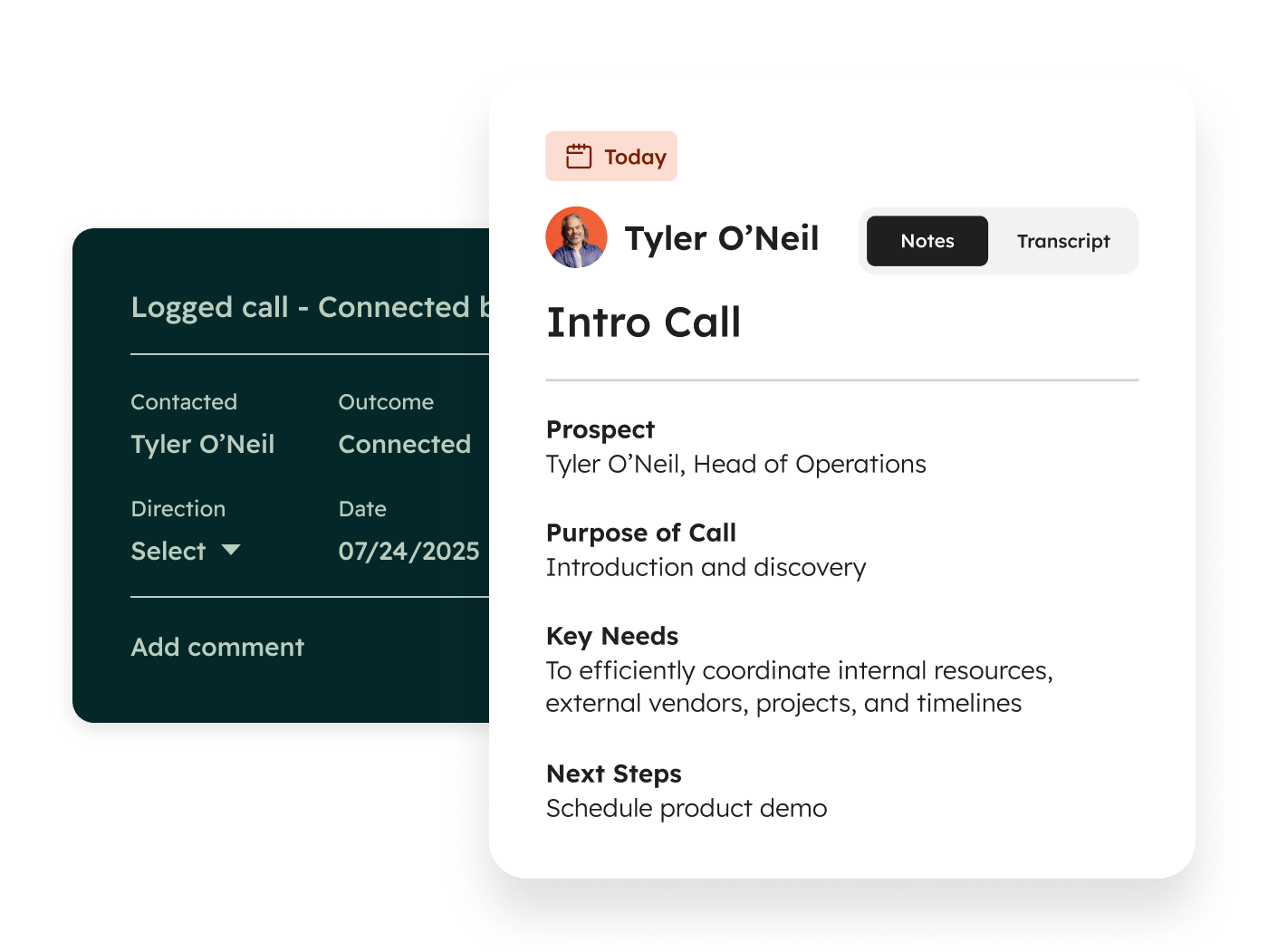
Transcripts first, tracked terms later in HubSpot. Calls made with HubSpot's calling tool, through a HubSpot number or a registered outbound number, are recorded by default. A Professional or Enterprise Sales Hub or Service Hub seat adds transcription and analysis, an AI call summary (purpose, key discussion points, decisions, sentiment and next steps) and automatic association of the call with contacts, companies, deals and tickets. Managers filter the Calls Index by user, team, outcome and duration, and global search finds key terms across recordings.
The launch-message feature is tracked terms. A super admin lists categories of terms under Calling > Call Setup, and the terms feed the custom report builder, call filters, workflows, segments and notifications. That's Enterprise only, and reports backfill only 30 days. Zoom and Teams recordings create meeting records that follow a separate review path.
- your team runs on HubSpot CRM and wants call transcripts and summaries tied to contacts and deals
- you want a published seat price and can use HubSpot's own calling tool
- you want to track new messaging phrases below Enterprise: tracked terms are an Enterprise feature
- you mainly meet on Zoom or Teams: those recordings create meeting records and follow a separate review path
- Users like
- Ease of use and connected customer data
- Users dislike
- Cost and features locked to higher tiers
- Source: G2, 14,369 reviews
How it works in practice
Professional and Enterprise each carry a required one-time onboarding fee, shown in the price line above. The Starter tier isn't eligible for transcription and analysis. HubSpot's pricing page lists transcription caps of 750 and 1,500 hours per account per month, but we couldn't map them to tiers. The G2 rating covers Sales Hub as a whole, not the call features.
- Starting price
- Professional from $90 per seat per month (plus a $1,500 one-time onboarding fee); Enterprise from $150 (plus $3,500 onboarding)
- Tracked terms
- Enterprise only; 30-day backfill
- Transcription
- Professional or Enterprise seat
Dialpad Sell
Best for phone-heavy teams that want in-call prompts
Fits a phone-heavy team that is open to running calls through Dialpad and wants a prompt in the call when a pricing term or competitor comes up.
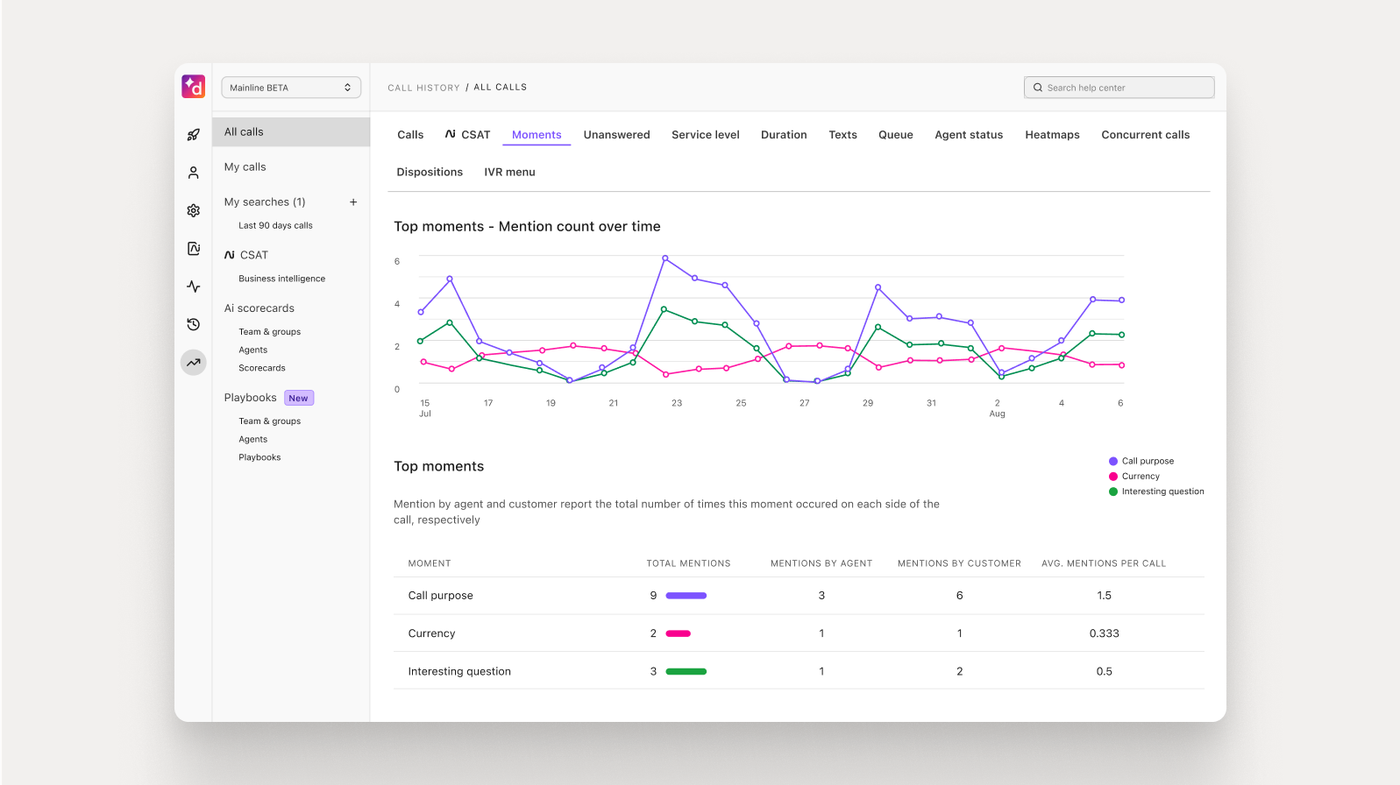
Custom Moments for a launch in Dialpad. Dialpad is the phone and meetings platform, so calls are captured natively in its dialer, apps and Dialpad Meetings. The pages we read describe no bot for Zoom or Teams. An admin creates Custom Moments from scratch or from sales and support templates: trigger words and phrases that bookmark a call, feed coaching and trend reports, and can alert a manager in real time. From Sell Advanced, Live Coach cards can show the rep a prompt when a keyword such as pricing or a competitor name comes up.
Dialpad's help center was blocked to us. A search summary of the Custom Moments article says moments work in English, Spanish or French, can be triggered by anyone, the rep only or the customer only, and show up under a Moment filter in Analytics and Conversation History. Recording can be toggled per call or set to automatic, and APIs can pause recording when payment details come up.
- your reps work mostly on the phone and you are open to running calls through Dialpad
- you want in-call prompts when a rep or customer says a pricing term or a competitor name
- you want a bot that joins Zoom or Teams meetings: the pages we read describe none
- you want a cross-channel deal-risk board: the pages we read show no deal or pipeline view
- Users like
- Ease of use and call management
- Users dislike
- Call and connection issues
- Source: G2, 4,216 reviews
How it works in practice
Sell Essentials includes AI transcripts, recaps, PII redaction and one-year recording and transcript retrieval. Sell Advanced adds Live Coach and Custom Moments, and Sell Premium adds AI quality management and coaching on annual plans only. Dialpad integrates with Salesforce, Zendesk, HubSpot and Zoho CRM. The G2 rating is for Dialpad Connect, not the sales product.
- Starting price
- Sell Essentials $39, Advanced $59 (adds Live Coach and Custom Moments), Premium $79 (adds AI quality management) per user per month
- Custom Moments languages
- English, Spanish or French
- Retention
- 1-year recording and transcript retrieval on Essentials
Which Plan Unlocks Conversation Intelligence?
Tracking a new message is rarely in the base seat. The table shows what each vendor says you need, based on the pricing, help and implementation pages we read.
| Tool | What you need for trackers or topics | Source of the gate |
|---|---|---|
| Gong | Keyword trackers need no credits; question-based AI trackers use credits; feature access depends on plan and seat | Help center, pricing page |
| Chorus by ZoomInfo | Not documented | n/a |
| Avoma | The Conversation Intelligence add-on for custom keyword and smart topic trackers | Pricing page |
| Jiminny | A Manager or Admin role; plan-by-plan gates aren't stated | Help center, pricing page |
| Clari Copilot | Not public | n/a |
| Salesloft | Advanced AI Features turned on for Smart Topics; Advanced or Elite package | Help center |
| Salesforce Conversation Insights | The Conversation Insights or Sales Engagement add-on, or Sales Cloud Unlimited | Pricing page, implementation guide |
| HubSpot Sales Hub | A Professional or Enterprise seat for transcripts; Enterprise for tracked terms | Help center |
| Dialpad | Sell Advanced for Custom Moments and Live Coach | Pricing page |
How Much Does Conversation Intelligence Software Cost?
Four of the nine tools publish a USD price, and five sell by quote. The published figures exclude one-time fees such as HubSpot's onboarding charge. Dialpad lists $39, $59 and $79 per user per month. Salesforce lists Conversation Insights at $50 per user per month billed annually. HubSpot lists Sales Hub Professional from $90 per seat per month and requires a one-time onboarding fee on Professional and Enterprise. Avoma lists recorder seats from $19 per month billed annually and a Conversation Intelligence add-on at $29 per seat. Gong, Chorus, Jiminny, Clari Copilot and Salesloft publish no USD figures.
Quote-only tools differ in how they price. Gong charges per user plus a platform fee. Jiminny prices by seat type, with a 12-month minimum and a one-time setup fee. Salesforce bills annually with an annual contract. We left out the third-party "average cost" estimates that circulate for Chorus, Clari and Salesloft, because none comes from the vendor.
Free Conversation Intelligence Software and Trials
No, none of the nine has a permanent free plan that includes conversation analysis. HubSpot's free tier has no transcription and analysis, which needs a paid Professional or Enterprise seat. Avoma and Jiminny offer 14-day trials. Salesloft no longer offers a Conversations trial under its new packaging, and Salesforce lists no trial licenses.
How to Choose Conversation Intelligence Software
Start with the system your reps already work in, then check how the tool defines a tracker and what that costs. The table below maps common situations to a shortlist.
- Your team lives in Salesforce recordsSalesforce Conversation Insights or Salesloft
- You run HubSpot CRMHubSpot Sales Hub; Professional for transcripts, Enterprise for tracked terms
- You want to read the price before a demoAvoma, Dialpad or Salesforce
- Your calls are in several languagesJiminny
- Your reps work mostly on the phoneDialpad
- You want to describe topics in plain EnglishClari Copilot, Salesloft Smart Topics or Gong AI trackers
- You want to search calls, emails and deals togetherGong
- You already buy ZoomInfoChorus by ZoomInfo, after checking tracker detail in a demo
Questions to Ask in the Demo
A demo shows the best case. These questions test the part of the job this guide is about.
| Question | Why it matters |
|---|---|
| Which plan or add-on lets me create my own trackers? | Many tools put custom trackers above the base seat |
| Is a tracker literal, concept-based or both? | Literal lists miss a rep who rephrases the message |
| Can a new tracker reprocess past calls, and how far back? | Avoma reprocesses up to 12 months and HubSpot backfills 30 days |
| Can a marketer edit trackers without an admin seat? | Gong has a separate Manage AI Trackers permission; Avoma, Jiminny and Salesforce tie it to admin or manager roles |
| Where do the calls come from? | A tool can't track calls it never receives |
| What does the tool do when credits run out? | Gong pauses published question-based trackers |
| How are consent and retention handled? | See the next section |
Recording Consent and Data Retention
A 30-Day Launch-Message Tracking Pilot
Pick one launch and one team. The pilot answers a narrow question, whether the tool shows you what reps said about the change, before you commit to a contract. Our product launch software guide covers the launch planning around it.
- Product marketingPick one launch and write 8 to 10 trigger phrases: the new name, three claims, the main competitor and the wording reps must not use Day 0
- AdminCreate the tracker or topic, check which plan allows it and confirm the pilot team's calls reach the tool Day 1 to 3
- Sales managerTell the pilot team about the recording and confirm the consent setup with legal Day 3
- Product marketingRead the first matching calls and fix triggers that fire on the wrong thing or miss rephrased claims Week 1
- EnablementShare three clips of reps using the approved wording and three that miss it Week 2
- Product marketingCompare matches with the do-not-say list and note objections that nobody planned for Week 3
- Revenue leadDecide: keep, widen to more teams or drop, using the checklist below Day 30
How to Tell Whether It Worked
Use numbers you already track. Count how many pilot-team calls hit the tracker, how many hits used the approved wording, and which objections appeared that the launch brief didn't cover. Don't expect a revenue number from a 30-day pilot. If your sales enablement software or sales training software already records completion, compare it with what reps said on calls.
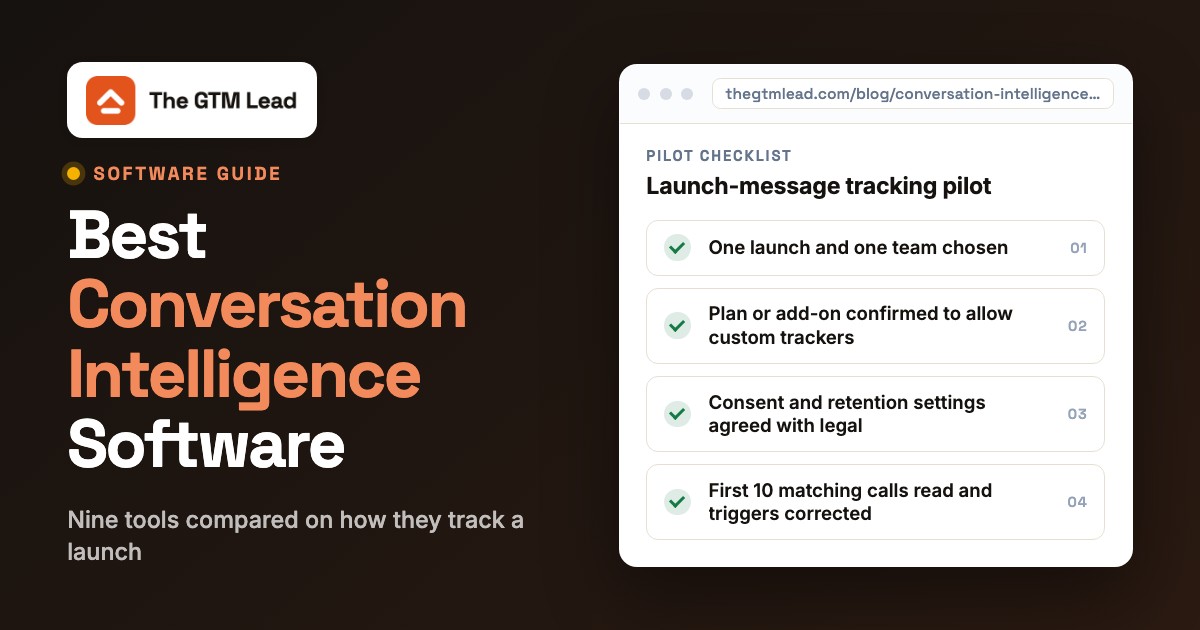
- One launch and one team chosen
- 8 to 10 trigger phrases written, including do-not-say wording
- Plan or add-on confirmed to allow custom trackers
- Pilot team's calls confirmed to reach the tool
- Consent and retention settings agreed with legal
- First 10 matching calls read and triggers corrected
- Three good and three missed clips shared with the team
- Keep, widen or drop decision recorded on day 30
When Reps Haven't Read the Release Brief Yet
Conversation intelligence shows what reps said after calls start. It doesn't show who has read the approved messaging before the first call. For one critical change, The GTM Lead covers that earlier step: it sends one release brief with approved messaging and a do-not-say list to your SDRs, AEs and CSMs, and shows who has viewed it, acknowledged it and answered a readiness check. It isn't a conversation intelligence tool.
What is conversation intelligence software?
Conversation intelligence software records sales calls and meetings, transcribes them and uses AI to flag topics, objections, competitor mentions and next steps. Managers and marketers use it to search conversations, coach reps and spot deal risk.
What is the best software for conversation analysis?
The best software for conversation analysis depends on the system your reps already use. Salesforce teams can look at Salesforce Conversation Insights or Salesloft, HubSpot teams at Sales Hub, phone-heavy teams at Dialpad, and teams that want a standalone platform at Gong, Avoma or Jiminny.
Which AI is best for analyzing conversations?
The best AI for analyzing conversations is the one that is accurate on your calls: the nine tools here run on their own models, and we found no independent accuracy comparison on the pages we read, so test transcription accuracy and tracker hits on your own calls during a trial or pilot.
What is the difference between conversation intelligence and conversational AI?
Conversation intelligence analyzes conversations between people, usually a rep and a buyer. Conversational AI, such as a chatbot or a voice agent, holds a conversation itself and is a different category that this guide doesn't cover.
How much does conversation intelligence software cost?
Four of the nine tools list a USD price: Dialpad from $39, Salesforce at $50, HubSpot Professional from $90 per seat per month and Avoma from $19 plus a $29 add-on. The rest sell by quote.
Do I need consent to record sales calls?
Recording rules differ by country and state, so ask your legal team. The tools offer settings such as consent pages, announcements, redaction and retention controls, but they leave compliance to you.